조직 선택
Salesforce Error "User does not have the required permissions on the Work Order object" When Booking Appointment with Community User
게시 일자: May 15, 2026
상세 설명
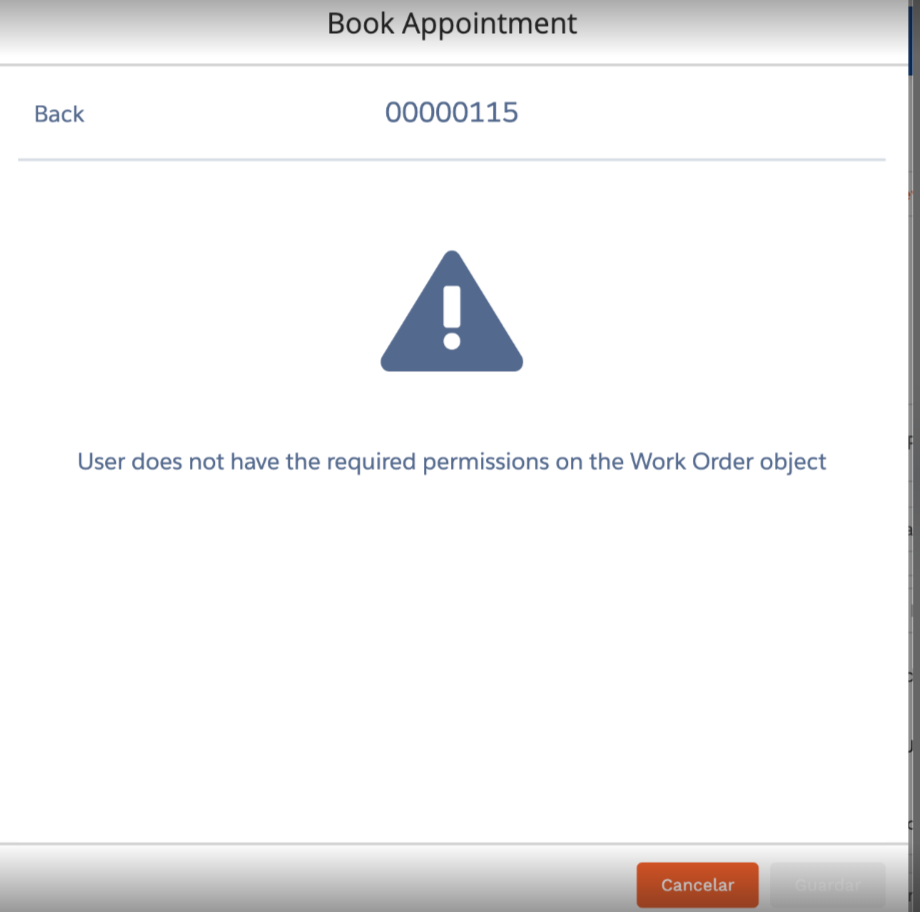
When a Salesforce Community user with the Community Plus license attempts to book a service appointment in Salesforce Field Service (SFS), the following error may appear:
"User does not have the required permissions on the Work Order object"
This error appears even when the user has object-level access to the Work Order object and all standard permissions appear to be set correctly on their profile.
Why This Happens
The error occurs because the user's profile is missing two specific permissions that the Book Appointment action requires internally as part of its scheduling process:
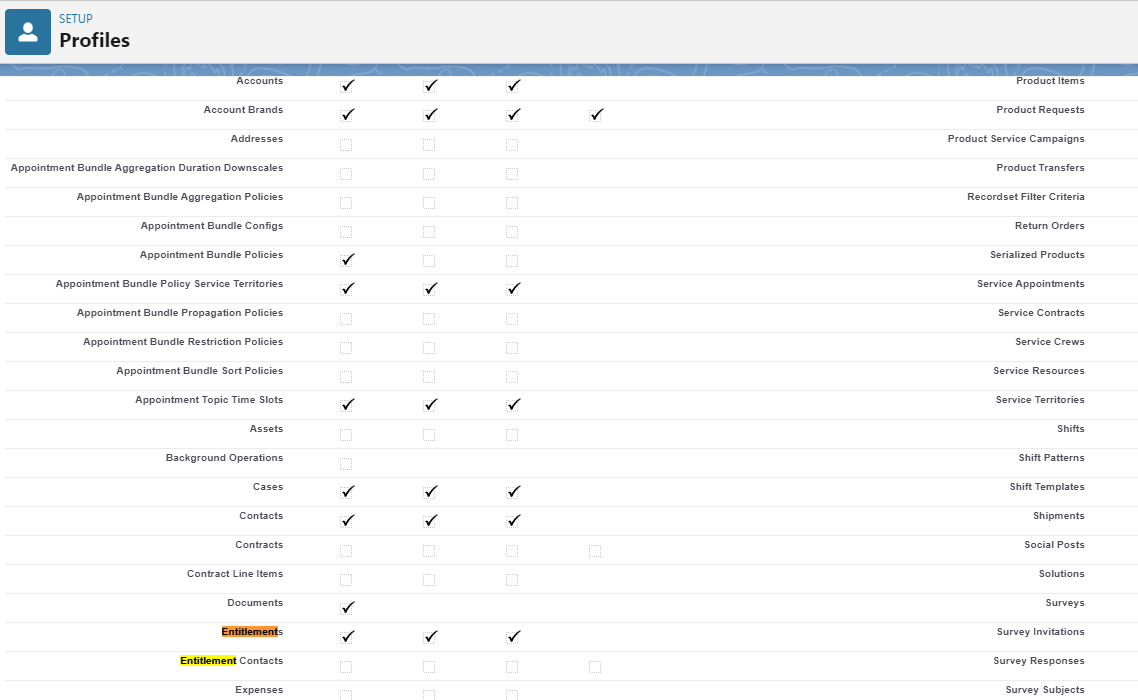
- Field-level access to the Entitlement field on the Work Order object
- Object-level access to the Entitlements object
Even though these permissions may not appear obviously related to booking an appointment, the Book Appointment action in Salesforce Field Service performs an internal lookup against the Entitlement field on the Work Order record and requires access to the Entitlements object to complete the scheduling process. Without these permissions, the action fails and returns the error above.
솔루션
This article provides steps to resolve the "User does not have the required permissions on the Work Order object" error when a Community user attempts to book a service appointment in Salesforce Field Service, by granting the required field-level and object-level permissions.
Root Cause
The Book Appointment action in Salesforce Field Service requires the following two permissions on the community user's profile:
- Read access to the Entitlement field on the Work Order object (Field-Level Security)
- Read access to the Entitlements object (Object-Level Security)
These permissions are not granted by default on Community user profiles and must be explicitly added.
Resolution Steps
To resolve the error, follow these steps:
- Navigate to Setup in your Salesforce org.
- In the Quick Find box, search for Profiles and open the profile assigned to the community user.
- Note: If the org uses Permission Sets instead of Profiles for managing access, apply the same steps via the appropriate Permission Set.
- Under the profile, navigate to Object Settings > Work Orders.
- Click Edit on the Field Permissions section.
- Locate the Entitlement field and enable Read access (and Edit access if required by your business process).
- Save the changes.
- Return to Object Settings and navigate to Entitlements.
- Enable Read access at the object level for the Entitlements object.
- Save the changes.
- Re-test the Book Appointment action with the community user — the error should no longer appear.
Verifying the Fix
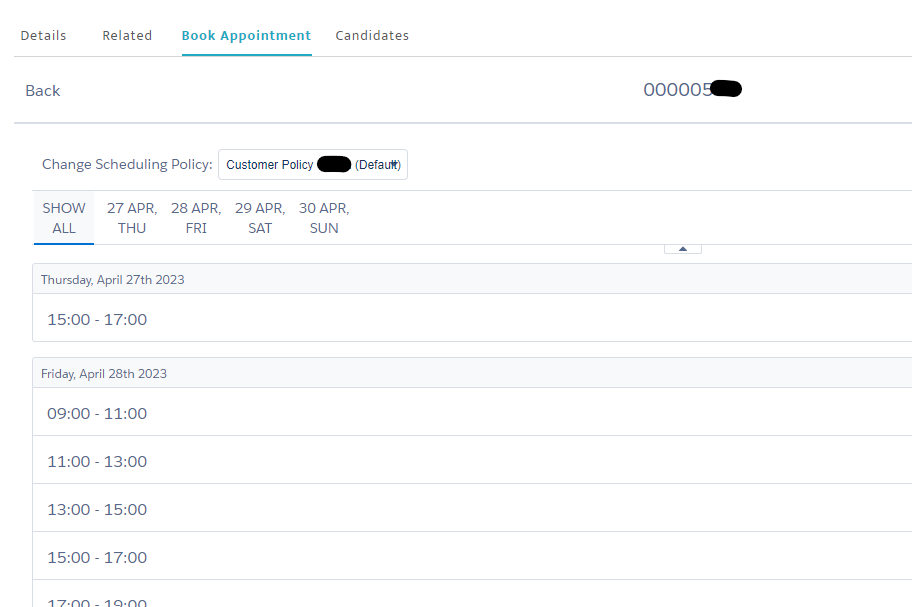
After applying the permissions, ask the community user to re-attempt booking a service appointment. Confirm that the "User does not have the required permissions on the Work Order object" error no longer appears and the appointment is booked successfully.
If the error persists after applying these permissions, verify that no other Field-Level Security restrictions exist on the Work Order object for the user's profile, and confirm that the user's license (Community Plus) supports the required access level.
After adding the required permission for the field and object, we can see the book appointment is working correctly as shown below.
If the error persists after applying these permissions, verify that no other Field-Level Security restrictions exist on the Work Order object for the user's profile, and confirm that the user's license (Community Plus) supports the required access level.
After adding the required permission for the field and object, we can see the book appointment is working correctly as shown below.
추가 자원
Knowledge 기사 번호
000395268
이 기사를 통해 문제를 해결했습니까?
개선을 위한 의견을 보내주세요.
