Välj en organisation
Salesforce Field Service: Adding Skills to a Service Resource Is Not Supported in Experience Sites
Publiceringsdatum: May 15, 2026
Beskrivning
In Salesforce Field Service (SFS), Skills are used to define the qualifications and certifications of Service Resources. Administrators and dispatchers typically assign Skills to Service Resources from the Salesforce internal org. However, when a community user attempts to add Skills to a Service Resource from within a Salesforce Experience Site, an error occurs.
What Users Experience
When a user logs into a Salesforce Experience Site and navigates to the Service Resources tab, then attempts to add a Skill from the Related section of a Service Resource record, the following error is displayed:
What Users Experience
When a user logs into a Salesforce Experience Site and navigates to the Service Resources tab, then attempts to add a Skill from the Related section of a Service Resource record, the following error is displayed:
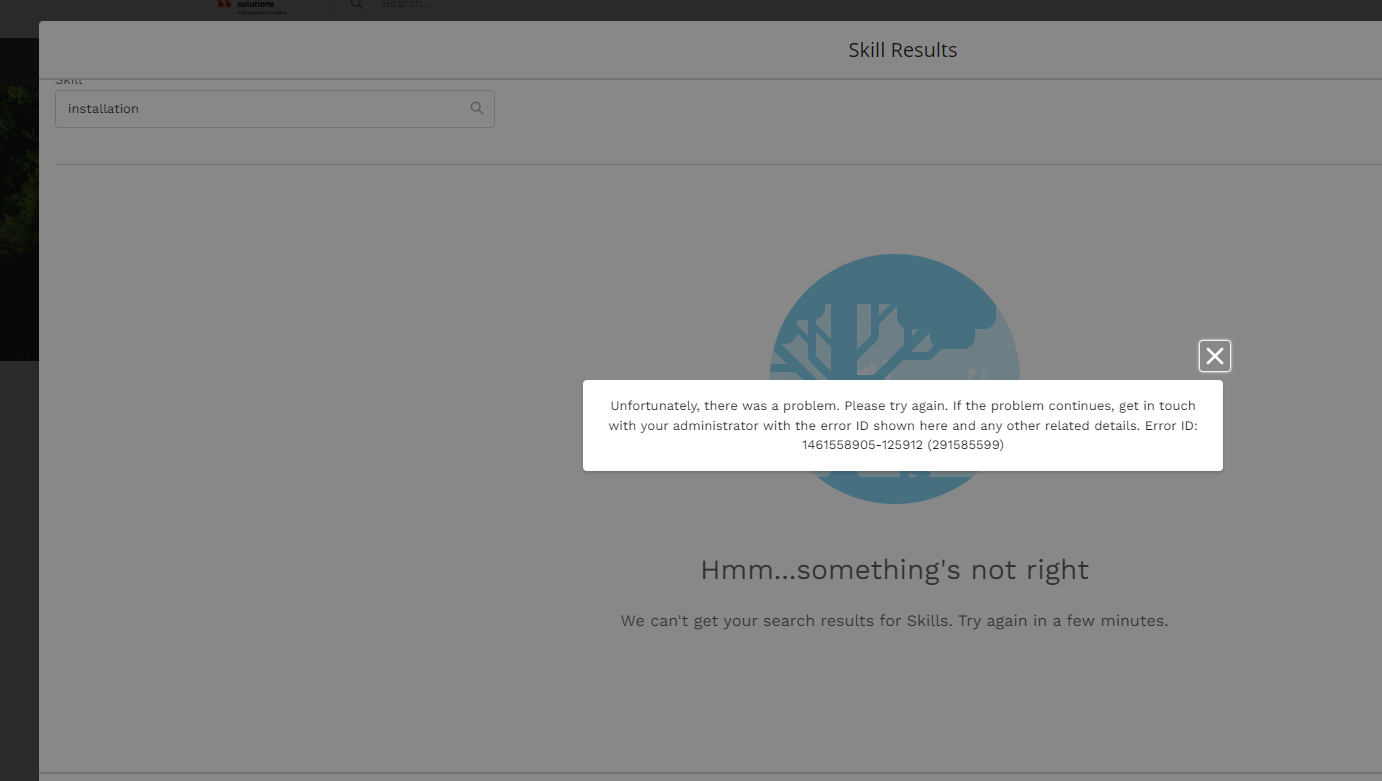
"Insufficient Privileges: You do not have the level of access necessary to perform the operation you requested. Please contact the owner of the record or your administrator if access is necessary." (or a similar permissions error)
Why This Error Occurs
The error occurs because the Partner Community user license does not include the Read Skills permission. The Skills object access is restricted for Partner Community users at the license level — this is a Salesforce platform-level constraint, not a configuration issue. As a result, any user accessing Salesforce Field Service through an Experience Site with a Partner Community license cannot search for, view, or assign Skills from within the Experience Site.
We are unable to add Skills to Service Resource for the community user.
Steps to reproduce:
1. Open Experience site: https://XYZ.sandbox.my.site.com/InstallationPartners
2. Log in as username: XYZ.dispatcher@example.com, password: XXX
3. Go to the tab Service Resources.
4. Go to Related.
5. Try to add Skills (search for the Skill word).
We can see the following error.
Lösning
This article confirms that adding Skills to a Service Resource from within a Salesforce Experience Site is not supported for Partner Community users, and provides the recommended workaround.
This Is Working as Designed
Adding Skills to a Service Resource from within a Salesforce Experience Site is not supported. The Partner Community user license does not allow the Read Skills permission. This is a platform-level restriction on the Skills object for Partner Community users and cannot be resolved by granting additional profile permissions — the license itself does not permit this access.
Recommended Workaround: Custom Visualforce Page Component
To allow Skills to be assigned to Service Resources from within an Experience Site, Salesforce recommends creating a custom Visualforce (VF) page to handle Skill assignment. The custom VF page can be exposed as a component within the Experience Site and can use Apex logic to assign Skills to Service Resources on behalf of the community user, bypassing the direct object access restriction.
To implement this workaround, follow these steps:
This Is Working as Designed
Adding Skills to a Service Resource from within a Salesforce Experience Site is not supported. The Partner Community user license does not allow the Read Skills permission. This is a platform-level restriction on the Skills object for Partner Community users and cannot be resolved by granting additional profile permissions — the license itself does not permit this access.
Recommended Workaround: Custom Visualforce Page Component
To allow Skills to be assigned to Service Resources from within an Experience Site, Salesforce recommends creating a custom Visualforce (VF) page to handle Skill assignment. The custom VF page can be exposed as a component within the Experience Site and can use Apex logic to assign Skills to Service Resources on behalf of the community user, bypassing the direct object access restriction.
To implement this workaround, follow these steps:
- Create a custom Visualforce page in your Salesforce org that handles Skill assignment to Service Resources using Apex.
- Expose the Visualforce page as a component within your Experience Site using the Experience Builder.
- Grant the community user profile access to the custom Visualforce page and Apex class via Setup > Profiles > [Community Profile] > Visualforce Page Access and Apex Class Access.
- Test the custom component in the Experience Site to confirm that Skills can be assigned to Service Resources without triggering the permissions error.
Note: The custom Visualforce page runs in a system context or uses
with sharing / without sharing as appropriate for your security model. Ensure that your implementation follows your org's data security and access policies.For reference on Skills limitations in Salesforce, see Skills Limitations — Salesforce Help.
Ytterligare resurser
Knowledge-artikelnummer
000395333
Löste denna artikel ditt problem?
Berätta för oss vad vi kan förbättra!
