Välj en organisation
Colors May Display Differently on Non-Text UI Elements on Record Home Pages, Lightning Based Components & SLDS Design Tokens or Styling Hooks as of Summer 23'
Publiceringsdatum: Dec 9, 2024
Beskrivning
Starting Summer 23’ we will be updating our Lightning Experience to be more accessible. In particular, we will be increasing the contrast of many colors in our experience, thus improving the recognition of visual information such as text, icons, warning messages, buttons and more. This update will also allow our products to comply with modern accessibility standards, namely WCAG’s standards for Non-Text Color Contrast and Text Color Contrast.
To do this, we will be updating the platforms which our Lightning Experience is built with - Salesforce Lightning Design System (SLDS) and Lightning Base Components (both the Aura and Lightning Web Component versions).
In these platforms, we will be updating components, design tokens, styling hooks, and icons.
While the release of new colors for better accessibility is happening in Summer '23, the color changes for UI components were released on a slightly different schedule as follows:
June 5 - Release will hit Salesforce Organizations in GS0, NA71, NA83 & NA94 instances
June 12 - Release will hit Salesforce Organizations in IA4 & IA5 data centers
June 16th - Release will hit all other production Salesforce Organizations
Lösning
Why is this happening?
With the current colors in Salesforce, low vision users struggle to recognize key UI elements, which not only frustrates them but also prevents them from adopting Salesforce. In addition, Salesforce and its customers face key compliance issues since having color contrast in accordance with WCAG 2.1 guidelines is required by an increasing number of governments around the world, including the EU. WCAG 2.1 has required companies’ websites to have text which meet a 4.5:1 color contrast from its background and functional non-text elements which meet have a 3:1 color contrast. Increasing our color contrast to meet these standards will allow us to provide a better experience for low vision users and allow companies who use our products to avoid hefty accessibility fines.
When is this happening?
All icons will be updated as part of the Summer ’23 Release.
Select pages in the Lightning Experience will updated as part of the Summer ’23 Release.
All other pages, SLDS, and LBCs will be released as part Winter ’24 Release.
How will this affect our users?
You will see a change in color to your Lightning Design System icons and components.
What should our users do?
Salesforce Admins - Check any custom pages you may have developed in Salesforce haven’t experienced any visual regressions. If they have, work with your developers to update any color customizations per the migration guide in the “Salesforce Developers" section.
Designers at Customer or ISV Companies - Download the latest SLDS Foundation - Icons file 0from the Figma Salesforce Community page. Swap your Figma icon components with the new icons in the SLDS Foundation - Icons file.
Salesforce Developers - If you have downloaded our icons and picked out specific icons to be used as static resources, make sure to update those with the new icons. If you have custom icons, please make updates according to our new colors above. If you are using our SLDS NPM package, please update that package to be the latest version. If you have custom pages developed with SLDS, see which of the scenarios below apply to your codebase and make changes accordingly.
Update to Icons:
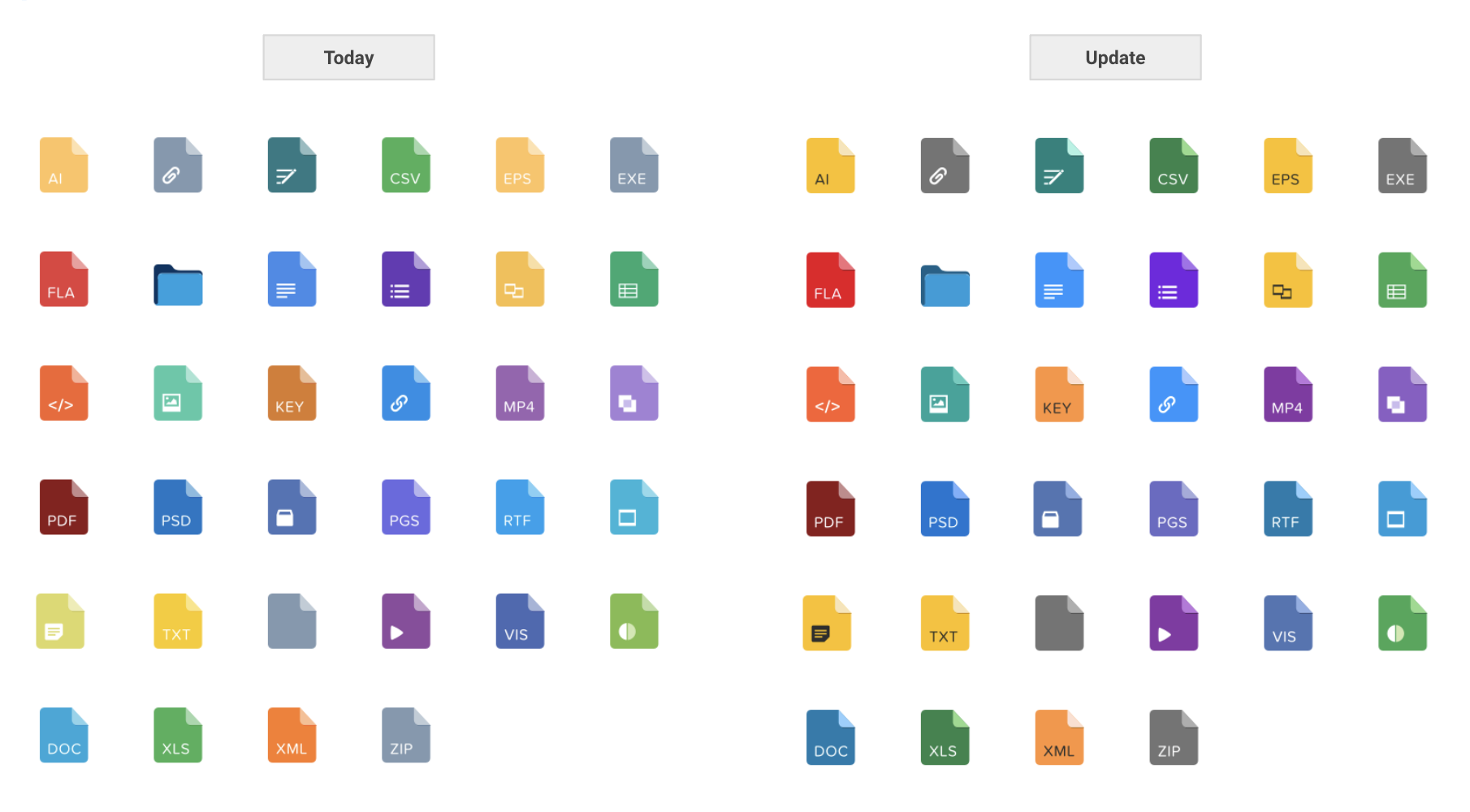
Standard Object, Action, and Doctype icons are being updated to meet our WCAG’s standards for Non-Text Color Contrast and Text Color Contrast. Colors in the icons will be changed to improve the recognition of visual information within our experience. Inherent to this update, all colors will also come from our Salesforce Color System.Doctype modifications are minimal.
Resources:
See Improved Color Contrast in UI Elements [Summer 23' Release Notes]
Updates to the Salesforce UI That Will Improve Accessibility for Low-Vision Users
Knowledge-artikelnummer
000395343
Löste denna artikel ditt problem?
Berätta för oss vad vi kan förbättra!
