Valitse organisaatio
Unable to Complete Data Sync in Salesforce Field Service Mobile App
Julkaisupäivä: May 12, 2026
Kuvaus
The data sync is not working or is unable to complete in the Salesforce Field Service mobile app. The error displayed on the device is: "We couldn't complete your sync. Please try again."
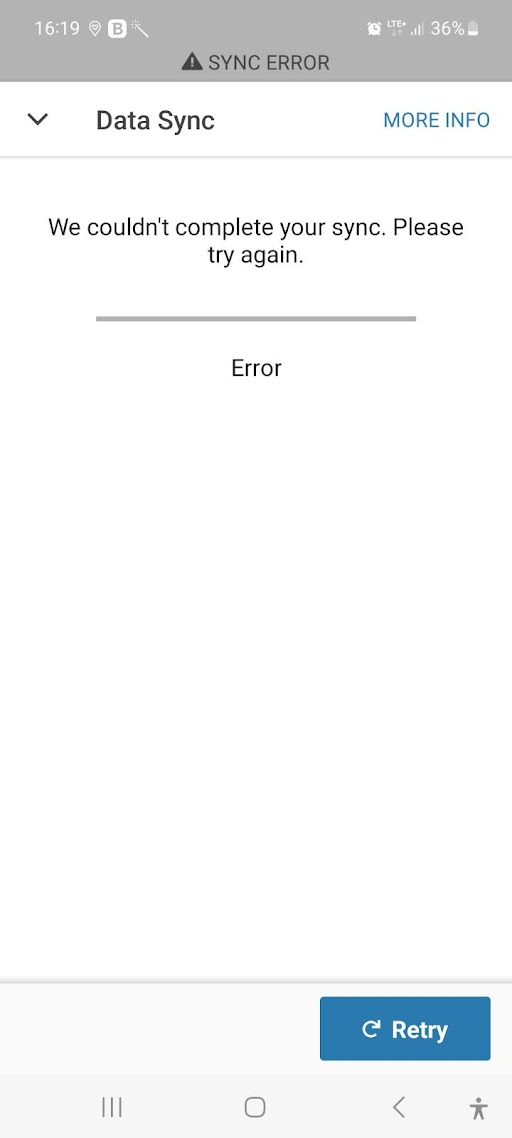
This article covers two common causes of this sync failure error and their resolutions: orphaned Service Appointment records in the org and missing field-level security (FLS) on fields in the Contact object.
Ratkaisu
To resolve the data sync error in the Salesforce Field Service mobile app, follow the diagnostic steps below. Begin by collecting device logs to identify the specific error scenario, then apply the appropriate resolution.
Step 1: Collect the device logs. Open the Field Service mobile app, go to Profile > Settings > Provide Feedback or Report an Issue, and export the logs.
Step 2: Review the device logs and match the error to one of the two scenarios described below.
Scenario 1: Orphaned Service Appointment Records
Error in device log:
2023-02-28T14:06:02.557Z [XPLAT][ERROR] SalesforceLoader - unable to load data. Loader Name: SoqlLoader. [ERR(API_ERROR) msg: Invalid Type Exception: Isn’t a valid iKeyPrefix input api: INVALID_CROSS_REFERENCE_KEY]
2023-02-28T14:06:02.558Z [APP][ERROR] Activity error: Invalid Type Exception: Isn’t a valid iKeyPrefix input
Resolution for Scenario 1:
This error indicates the presence of orphaned Service Appointment records in the org — that is, Service Appointment records that do not have a parent Work Order assigned to them. Run the following SOQL query in Salesforce Developer Console or Workbench to identify these orphaned records:
SELECT Id, ParentRecordId from ServiceAppointment where ParentRecordId=null
If you find one or more orphaned Service Appointment records, contact Salesforce Support. The Support team will resolve this issue by running a back-end correction to associate the orphaned Service Appointment records with the appropriate valid Work Order as the parent record.
Scenario 2: Missing Field-Level Security on Contact Object
Error in device log:
SalesforceLoader - unable to load data. Loader Name: SoqlLoader. [ERR(API_ERROR) msg:
Latitude, Longitude, Contact.Email, Contact.MobilePhone, Contact.Phone
^
ERROR at Row:1:Column:164
No such column 'MobilePhone' on entity 'Contact'. If you are attempting to use a custom field, be sure to append the '__c' after the custom field name. Please reference your WSDL or the described call for the appropriate names. api: INVALID_FIELD]
2023-07-26T20:57:26.068682Z W/ErrorHandler:
Latitude, Longitude, Contact.Email, Contact.MobilePhone, Contact.Phone
Resolution for Scenario 2:
This error indicates that the user's profile or permission set does not have Read field-level security (FLS) access to one or more fields on the Contact object that are included in the Field Service data sync query. Identify the field names listed in the device log error (for example, "MobilePhone" on Contact) and grant Read access to those fields for the affected user's profile or permission set in Salesforce Setup.
Knowledge-artikkelin numero
000395367
Ratkaisiko tämä artikkeli ongelmasi?
Anna palautetta, jotta voimme kehittyä!
