Seleziona un'organizzazione
How to export Postman request as a cURL command
Data pubblicazione: Jul 5, 2023
Descrizione
Risoluzione
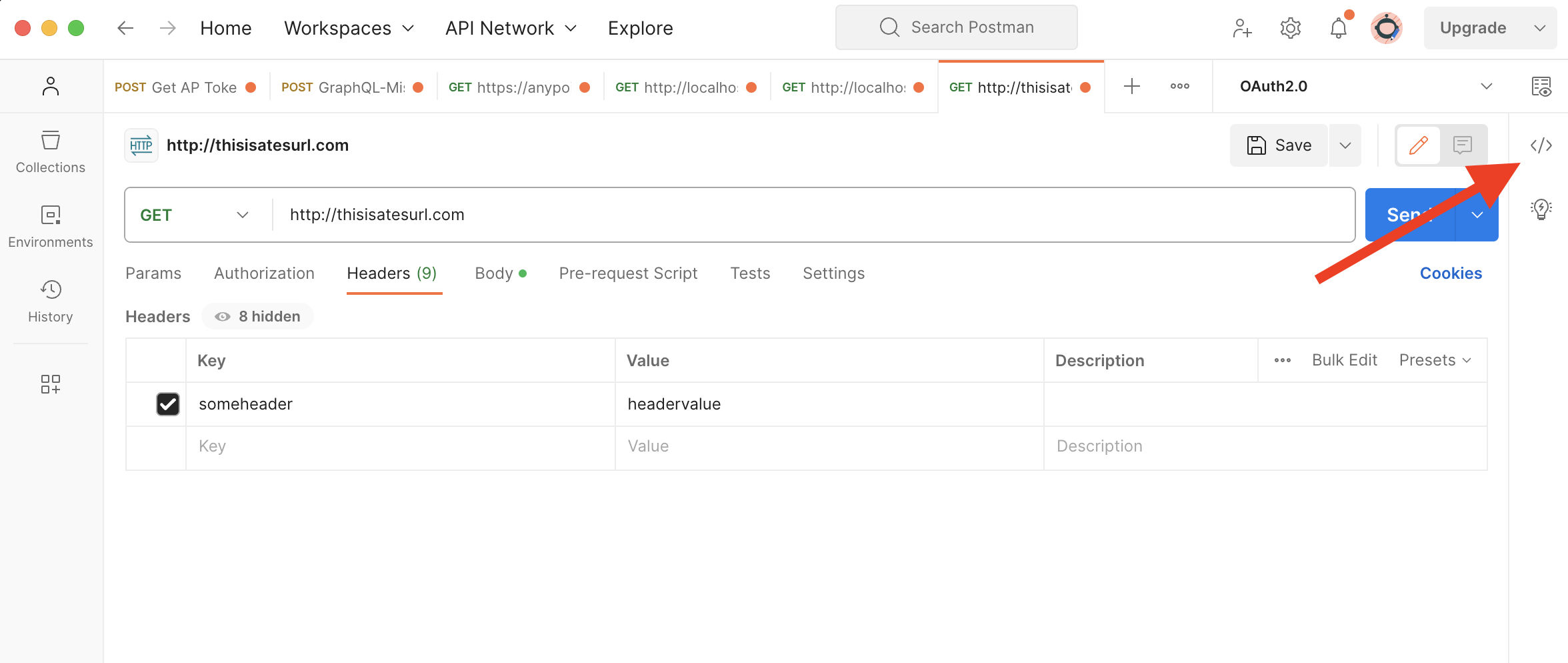
The Code snippet tab will be opened and the code will be shown. If you see that the code is not a cURL command, you can change the format by clicking on the button in the top right corner (where the red arrow points in the next screenshot).
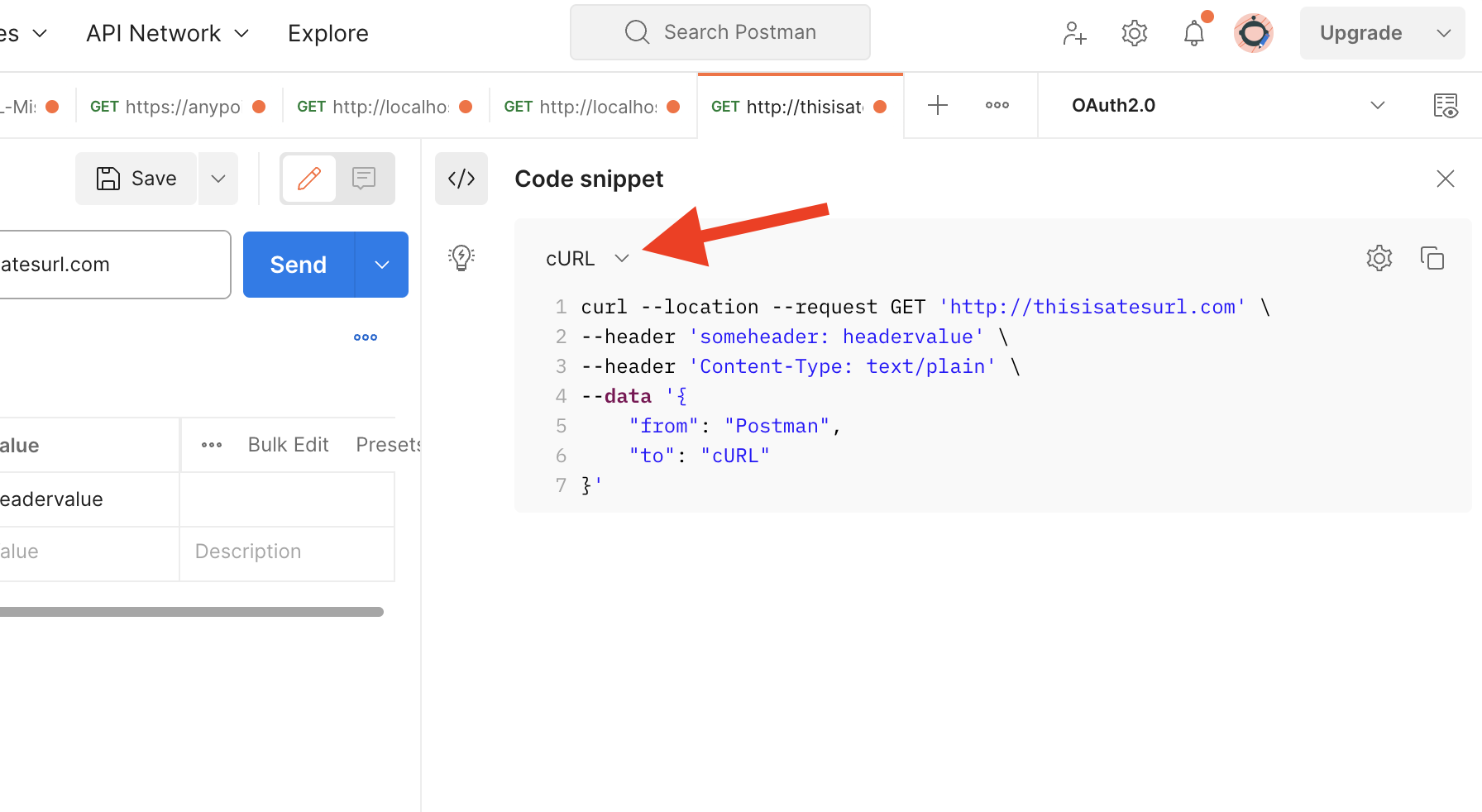
The last step is to copy the full code snippet from this tab and share it in the case comments.
Notice that it will be also helpful to share the full response you receive in Postman for this request (copying it from the Response tab).
Numero articolo Knowledge
000395808
Questo articolo ha risolto il problema?
Facci sapere, così possiamo migliorare!
