조직 선택
How to export Postman request as a cURL command
게시 일자: Jul 5, 2023
상세 설명
솔루션
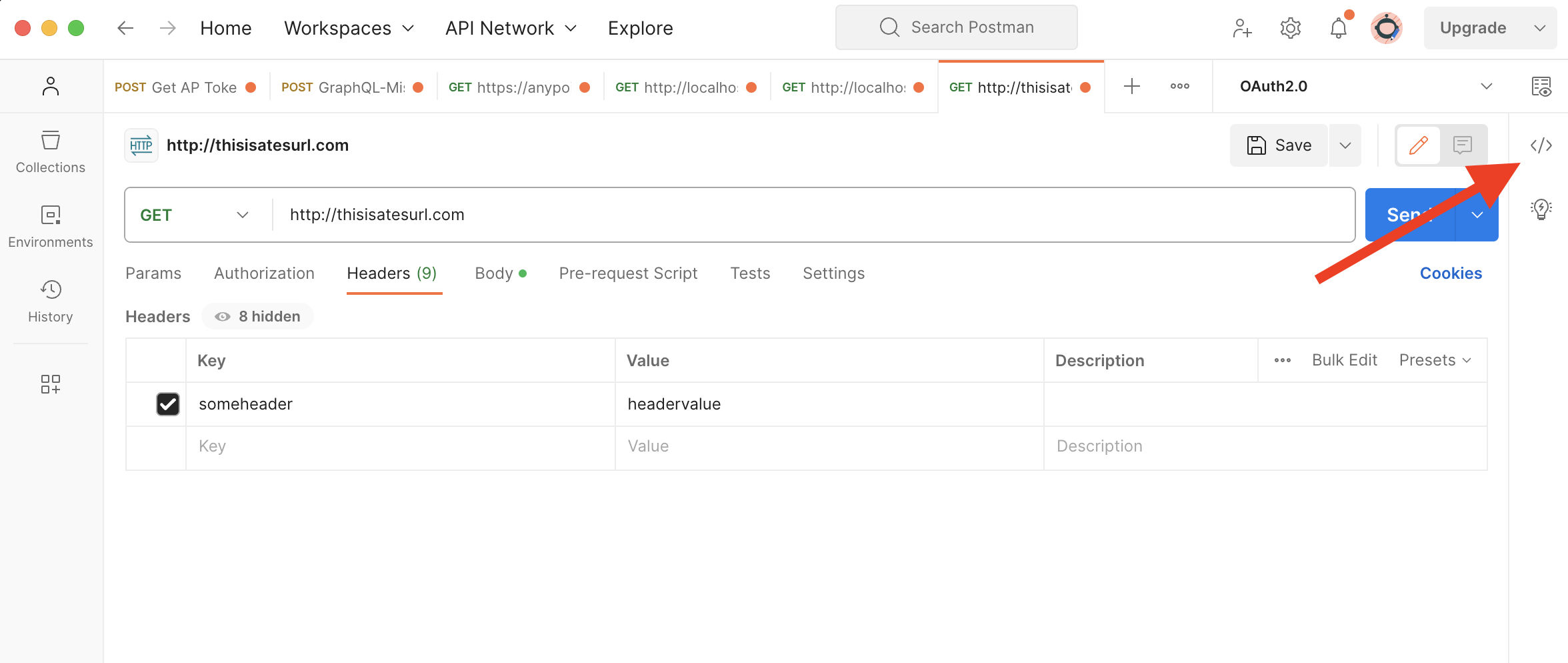
The Code snippet tab will be opened and the code will be shown. If you see that the code is not a cURL command, you can change the format by clicking on the button in the top right corner (where the red arrow points in the next screenshot).
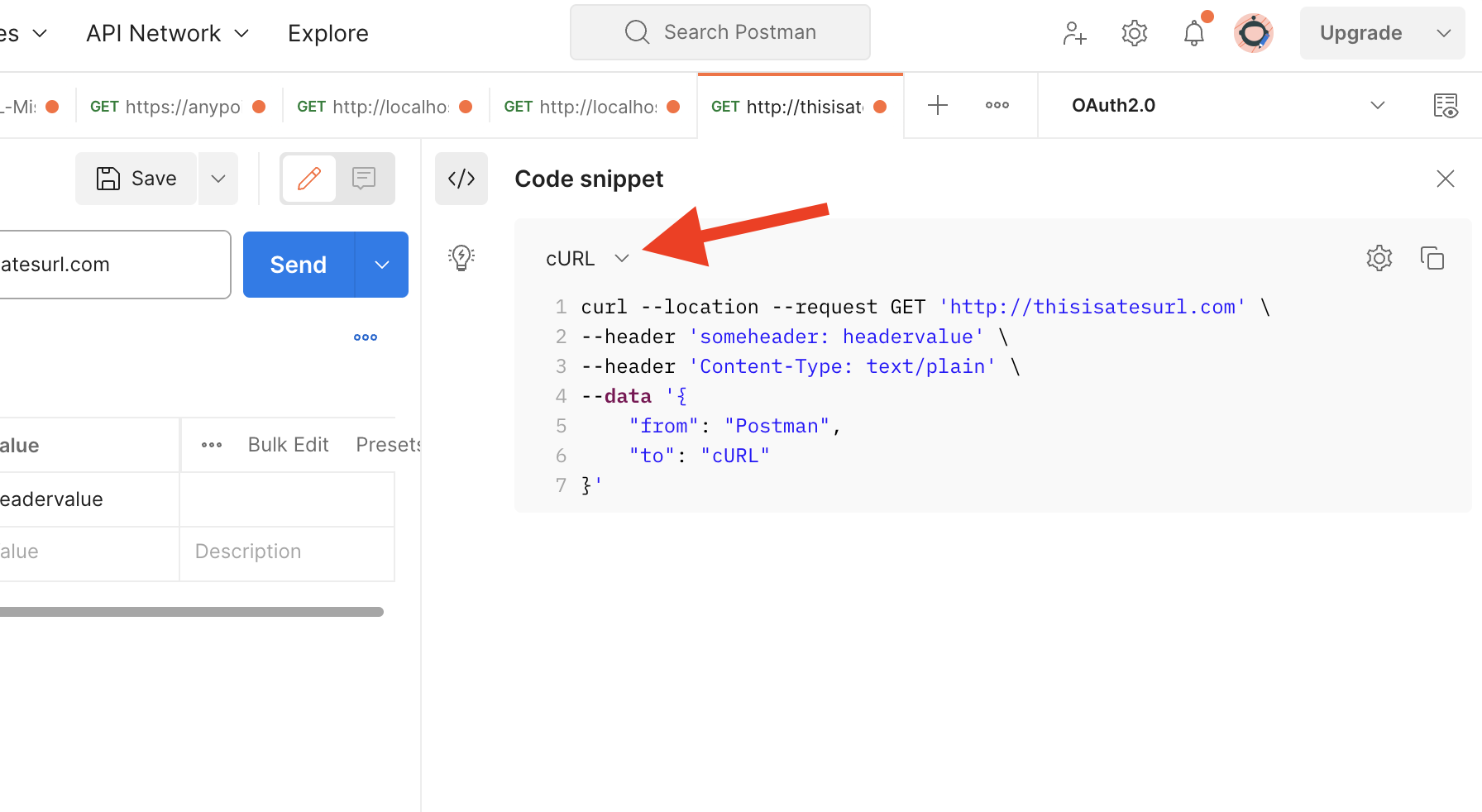
The last step is to copy the full code snippet from this tab and share it in the case comments.
Notice that it will be also helpful to share the full response you receive in Postman for this request (copying it from the Response tab).
Knowledge 기사 번호
000395808
이 기사를 통해 문제를 해결했습니까?
개선을 위한 의견을 보내주세요.
