Выбрать организацию
VRA throwing random errors "Error!! The object is not accessible"
Дата публикации: Jul 6, 2023
Описание
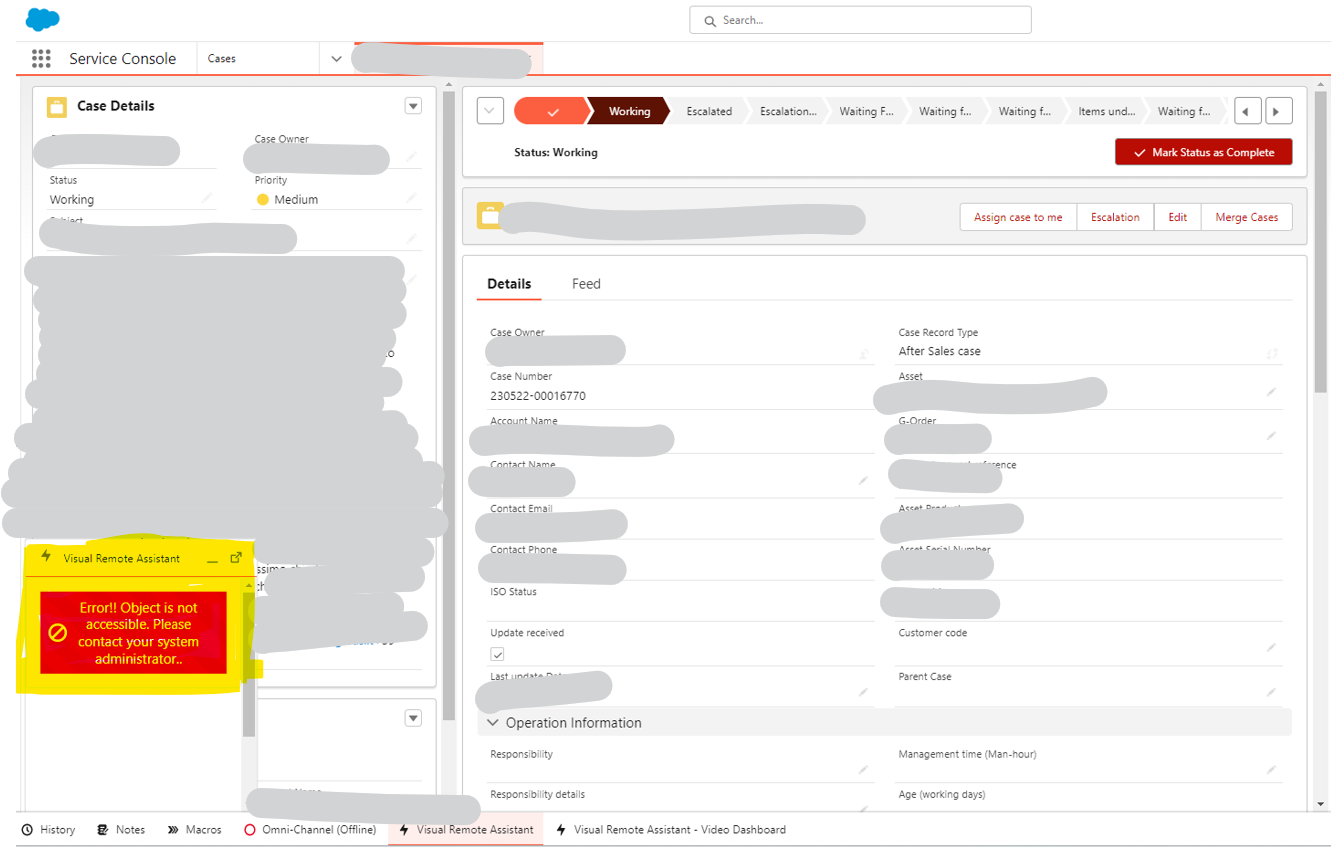
Решение
->You can only initiate it from the object that is configured under "Salesforce Object Support" of VRA configuration.
Users can open any object from the "Salesforce Object Support" listed objects and then only click the invite form.
Do NOT open it on the Home page of the service console app as it isn’t supported on the home page.
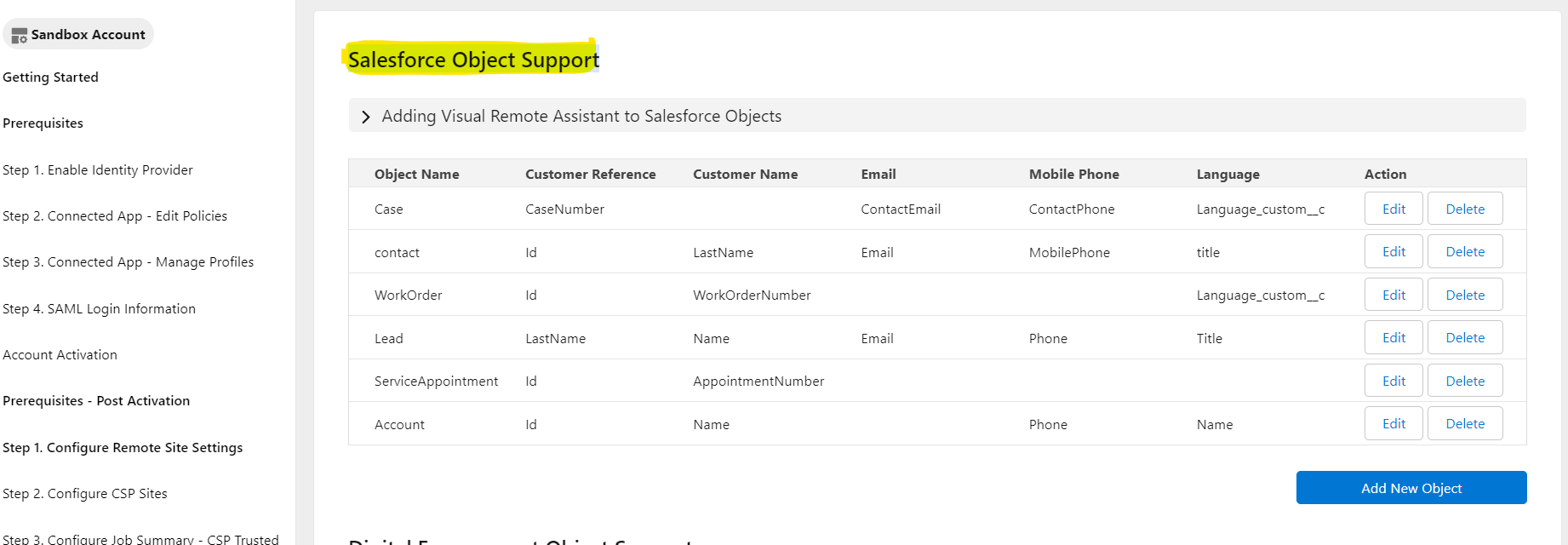
Example: Goto service console -> Open Any "Salesforce Object Support" listed objects(For e.g. Case)-> Then Click & open the invite form. It works.
->If you try to open the Home page then this action throws an error, and you must refresh the page to reinitiate the invite form.
Example: The user opens the service console and then he click & opens the invite page. The user will get the error. Also if he tries to open any object(For e.g. Case) further then also it will throw an error as a user must reinitiate the invite form.
Recommended opening the invite form on objects which are defined under Salesforce Object Support only. You won’t face any issues.
Номер статьи базы знаний
000395817
Эта статья решила вашу проблему?
Оставьте свой отзыв, чтобы мы могли стать лучше!
