조직 선택
How to login to the Help Portal with Email Authentication
게시 일자: Sep 12, 2023
상세 설명
솔루션
- If you are already Logged in, please log out from https://trailblazer.me ( New URL- salesforce.com/trailblazer/profile)
- Click on Trailblazer Login.

- It will take you to the Trailblazer login page, like below

- Enter the email associated with your organization in the Email box, then click Next.
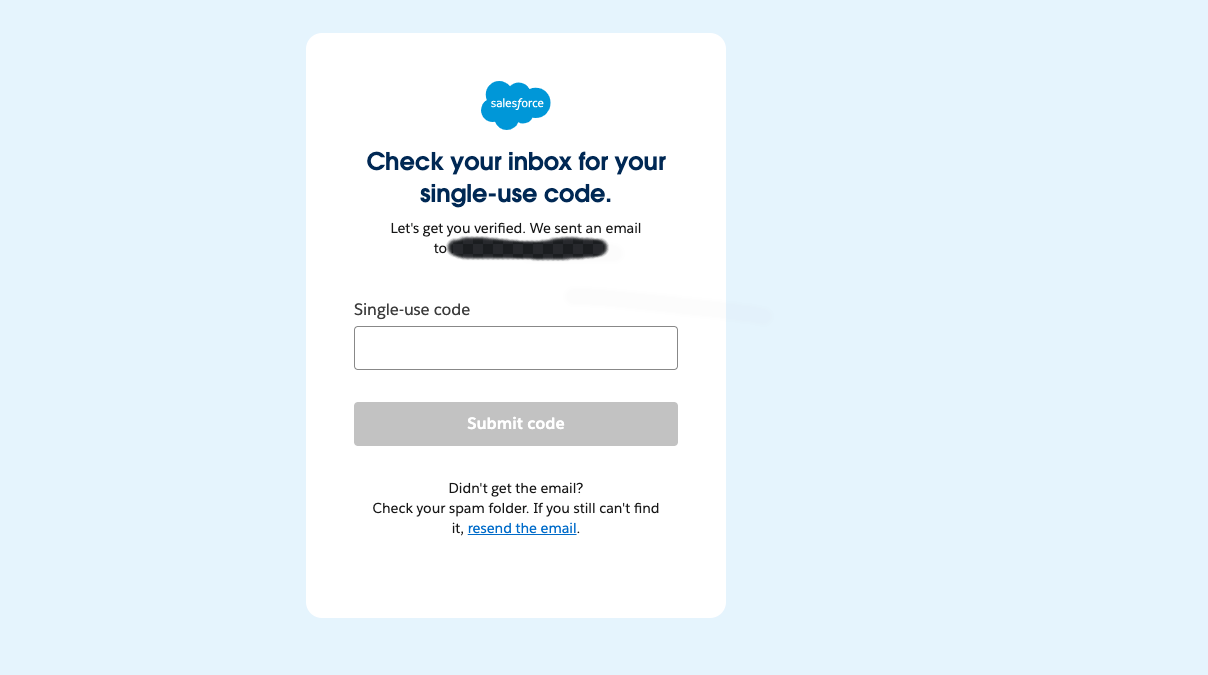
- A code will be sent to the provided email address; make a note of it and enter it in the next step.
- Click on the Submit Code, and now you should be logged in to Trailblazer. If you are not redirected to the help portal automatically, please go to https://help.salesforce.com/s/login/ and click on Click on Trailblazer Login.
- You will be logged in automatically and redirected to the Help Portal.
- Once logged in, you will be able to navigate to the Org selection page and select the Org. Refer to this article on Org Selection (Org Picker).
Knowledge 기사 번호
000395955
이 기사를 통해 문제를 해결했습니까?
개선을 위한 의견을 보내주세요.
