Vælg en organisation
Salesforce Field Service Gantt Map Not Loading in Dispatcher Console — Refused to Frame Error Due to Content Security Policy (CSP) Trusted Domain Missing
Udgivelsesdato: May 17, 2026
Beskrivelse
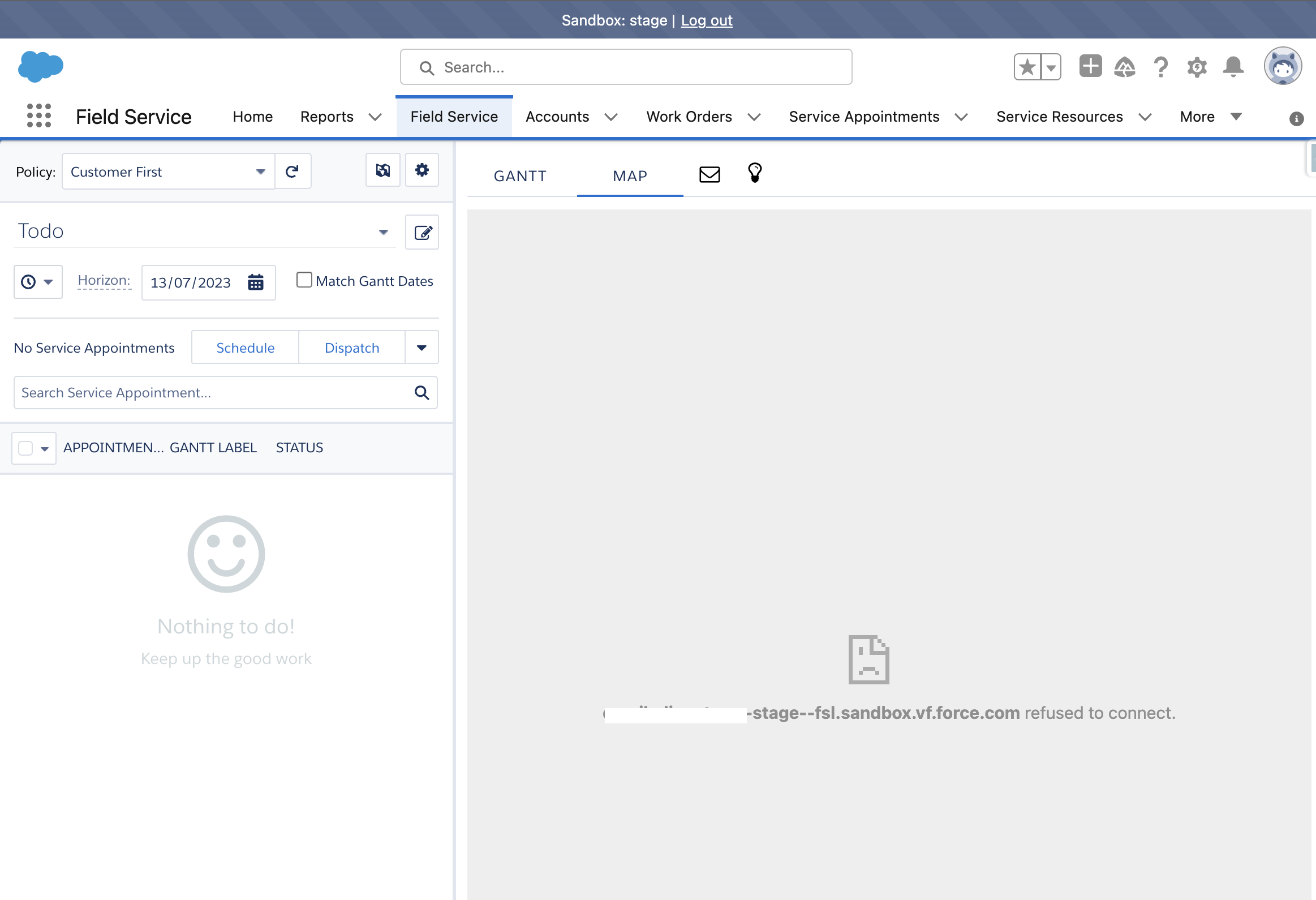
In the Salesforce Field Service (SFS) Dispatcher Console, the Gantt map does not load. The following error appears in the browser console:
"Refused to frame 'https://[orgdomain]--stage--fsl.sandbox.vf.force.com/' because an ancestor violates the following Content Security Policy directive: frame-ancestors 'self'."
This error occurs even after adding sites to the Content Security Policy (CSP) Trusted Sites list.
Løsning
The Gantt map fails to load because Salesforce is blocking the VisualForce component from rendering inside an iframe. This happens when the org's domain URL is not listed as a Trusted Domain and clickjack protection is active in Session Settings. Follow these steps to resolve the issue:
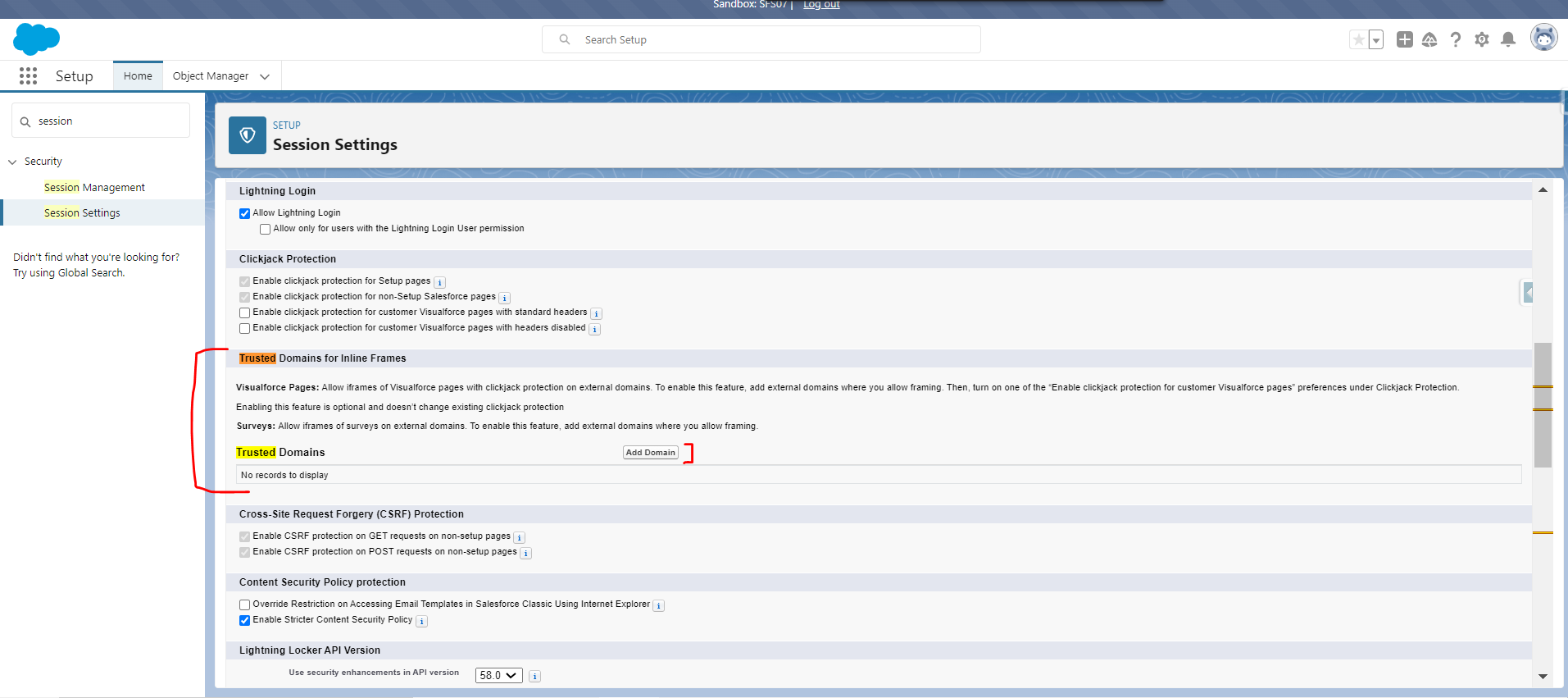
Steps to Add Trusted Domain in Session Settings
- Go to Setup and search for Session Settings.
- In the Trusted Domains section, click Add Domain.
- Enter the full domain URL shown in your browser address bar when you are logged into Salesforce Lightning Experience (for example:
https://[yourorg].lightning.force.com). - For iFrame Type, select Visualforce Pages.
- Click Save.
After saving, refresh the Dispatcher Console. The Gantt map loads correctly.
Note: If clickjack protection is enabled on your org (Setup > Session Settings > Clickjack Protection), the Trusted Domain entry above is required. Without it, all VisualForce-based components — including the Gantt map in the Salesforce Field Service Dispatcher Console — are blocked from rendering.
Yderligere ressourcer
Vidensartikelnummer
000395965
Løste denne artikel dit problem?
Giv os besked, så vi kan forbedre os!
