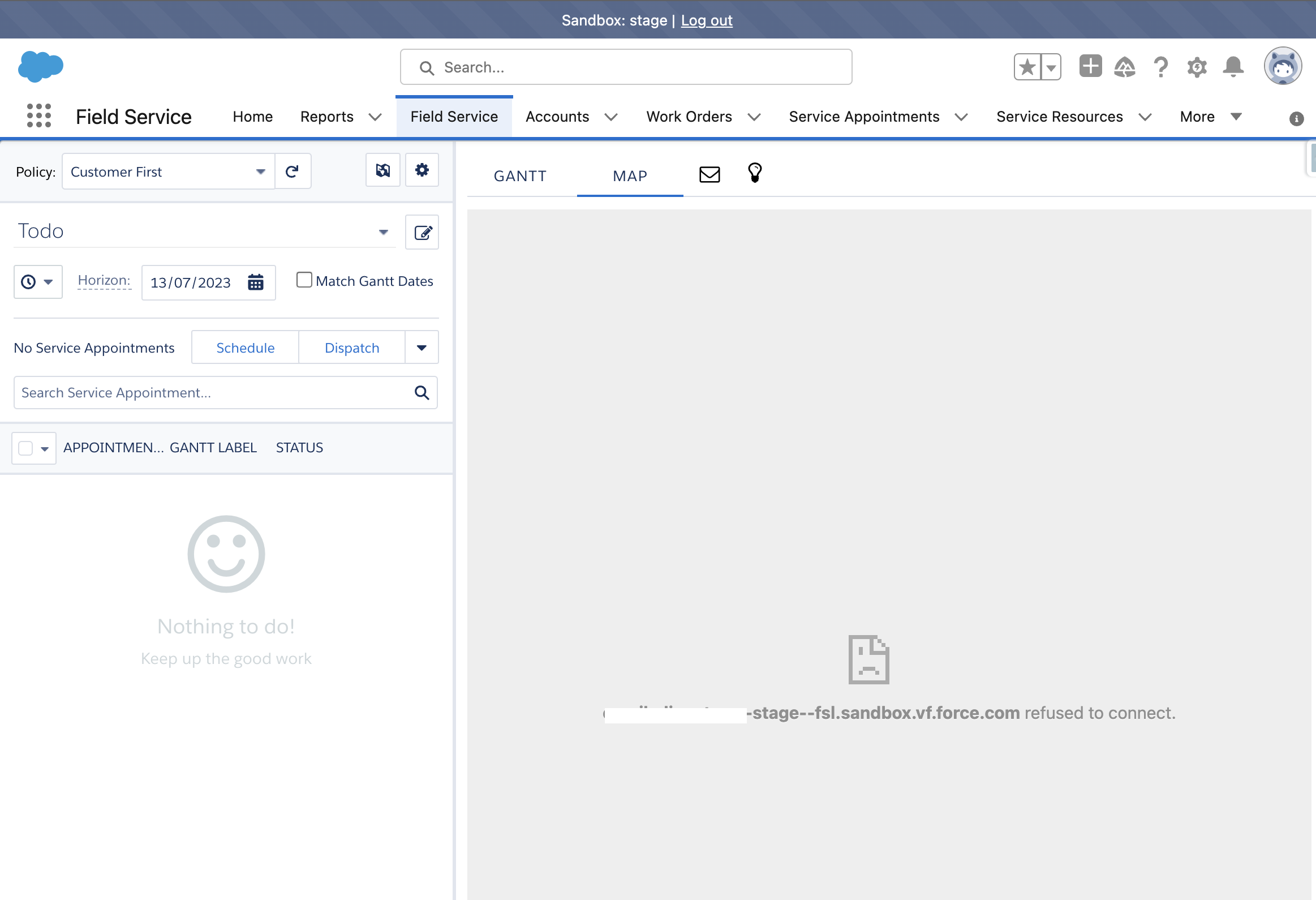
このエラーは VisualForce コンポーネントの接続拒否に関連しています。一部の Mission Control 機能では、ドメインの URL を信頼済みドメインとして追加していない場合と、Salesforce の [設定] の [セッション設定] 画面でクリックジャック保護が有効になっている場合に、次の「refused to connect」 (接続が拒否されています) エラーが表示されることがあります。
次のステップを確認します。
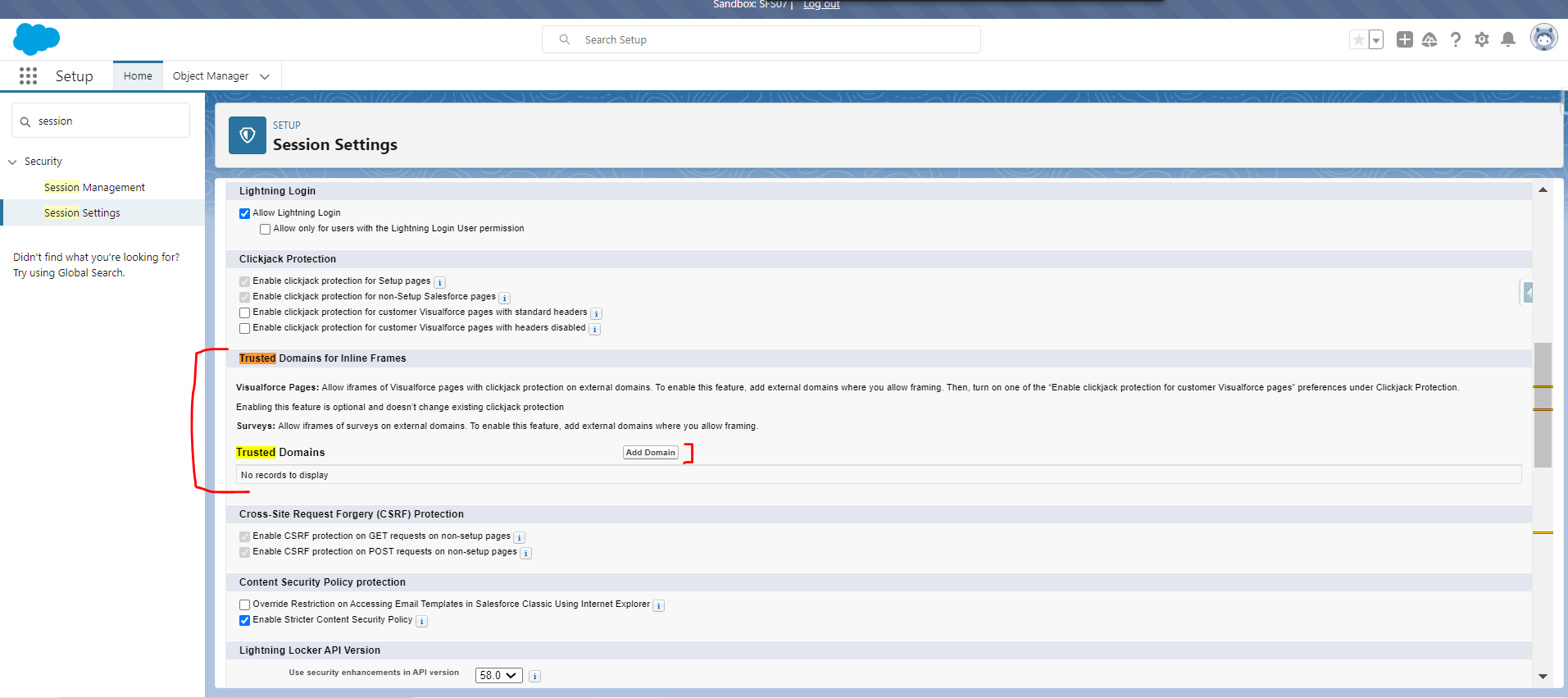
1) [設定] に移動し、[セッションの設定] に移動します。
2) [信頼済みドメイン] セクションで、[ドメインを追加] をクリックします。
3) ユーザーが Salesforce にログインし、Lightning Experience を使用しているブラウザーの URL バーにドメインを入力します (画像のとおり URL を追加する必要があります)。
4) iFrame Type に Visualforce ページを選択します。
5) [保存] をクリックします。
000395965

We use three kinds of cookies on our websites: required, functional, and advertising. You can choose whether functional and advertising cookies apply. Click on the different cookie categories to find out more about each category and to change the default settings.
Privacy Statement
Required cookies are necessary for basic website functionality. Some examples include: session cookies needed to transmit the website, authentication cookies, and security cookies.
Functional cookies enhance functions, performance, and services on the website. Some examples include: cookies used to analyze site traffic, cookies used for market research, and cookies used to display advertising that is not directed to a particular individual.
Advertising cookies track activity across websites in order to understand a viewer’s interests, and direct them specific marketing. Some examples include: cookies used for remarketing, or interest-based advertising.