Выбрать организацию
Stage duration field that shows days an Opportunity has rested in current Stage
Дата публикации: Aug 21, 2026
Описание
The Related List "Stage History" only shows the date that an Opportunity was moved to a particular stage. This field will show how long an Opportunity has rested in its current stage.
Решение
This resolution shows how to create a formula field that calculates the number of days an Opportunity has remained in its current Stage, since the standard Stage History related list only shows the date an Opportunity moved to a stage, not how long it's been resting there.
Step 1: Create the Formula Field
From Setup, at the top of the page, select Object Manager. Under Quick Find look for the Opportunity object.
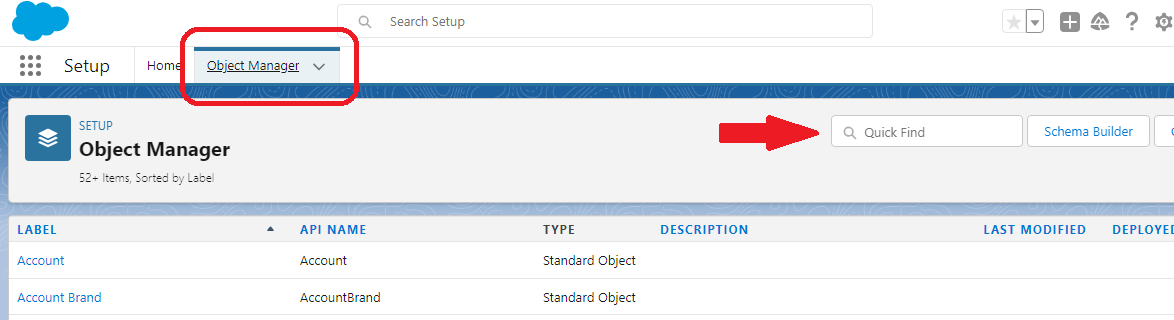
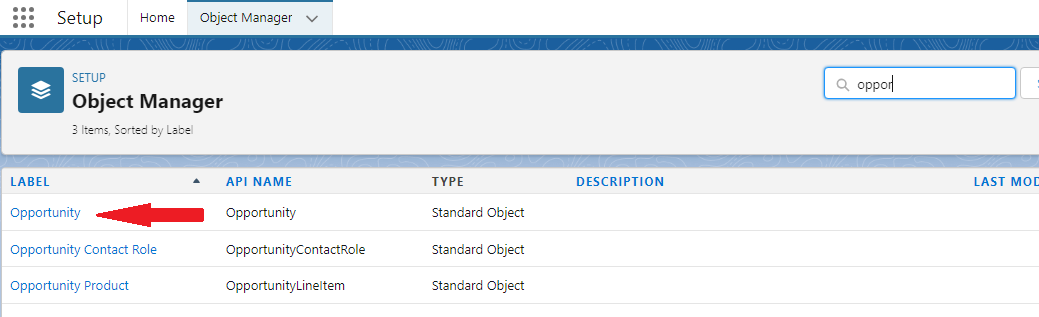
Step 2: New Fields and Relationships
Select Fields & Relationships from the left panel and then click on the New button
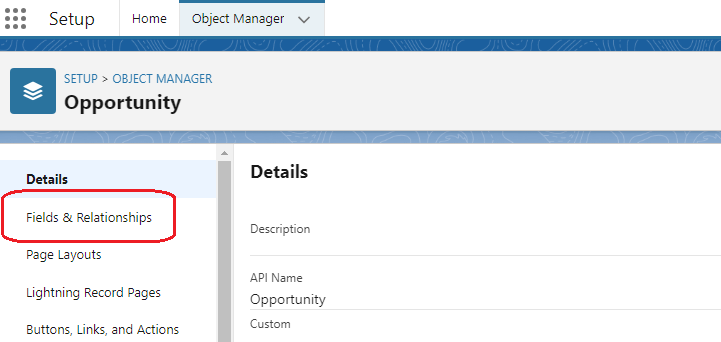
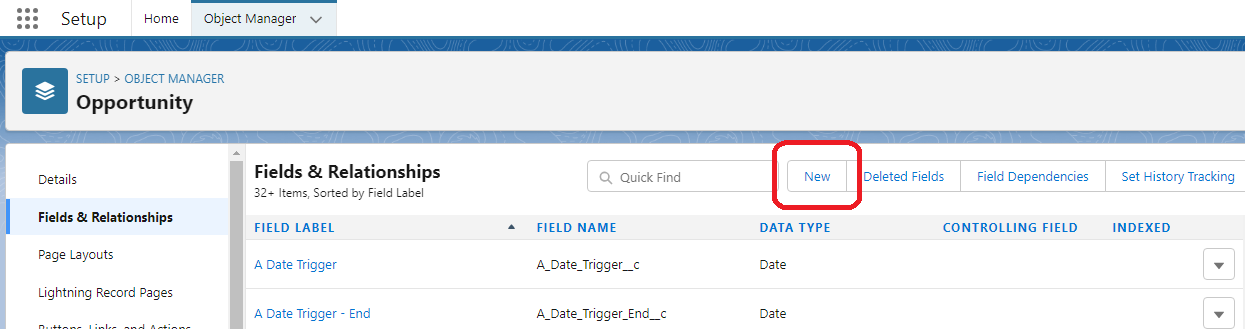
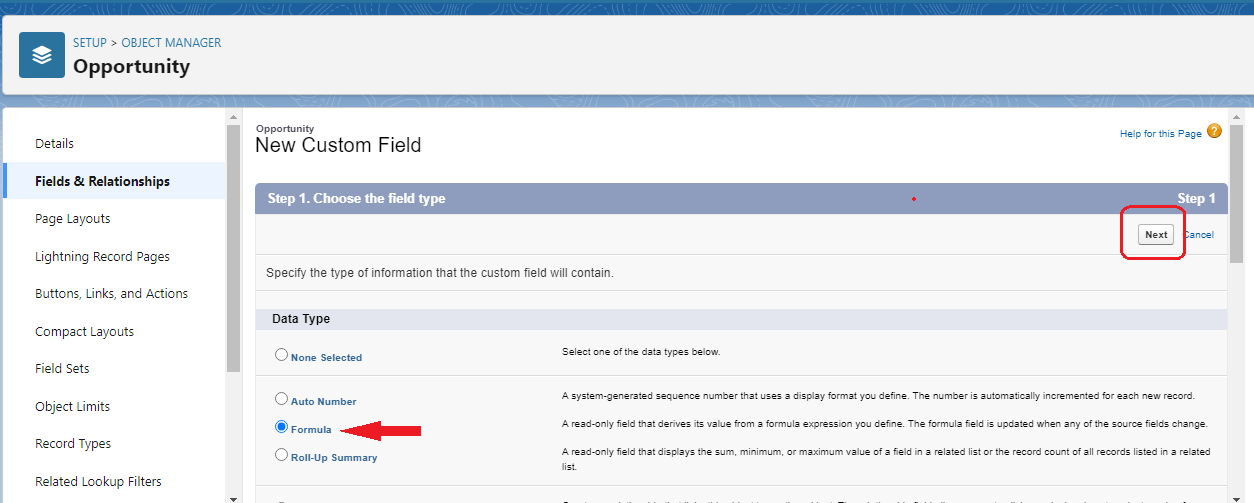
Step 3: Select Formula Field
Select Formula as data type then click Next
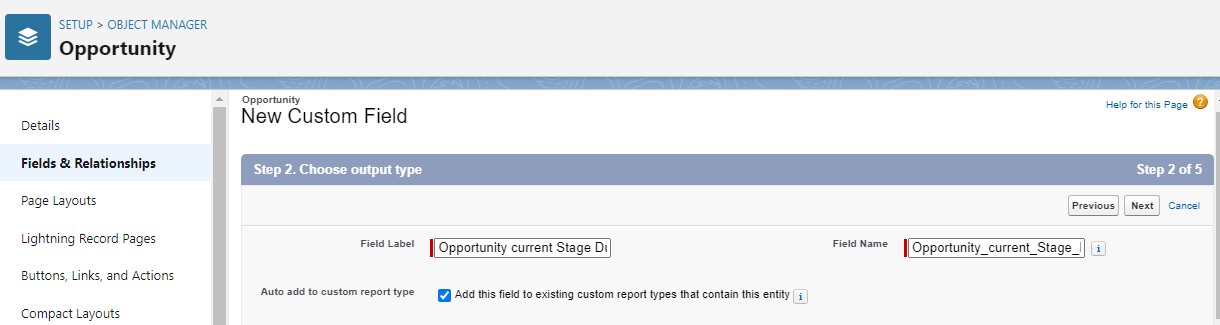
Step 4: Field Label Update
Type Field Label Name (E.g., Opportunity current Stage Duration)
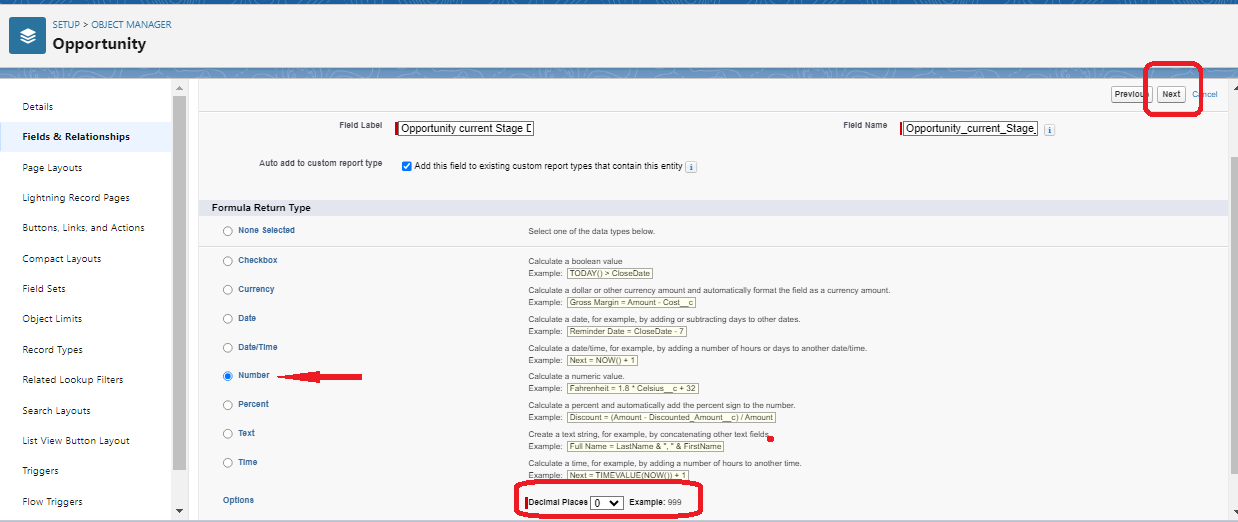
Step 5: Formula Setup
Select Formula Return Type as Number, select Decimal Places as 0 then click Next
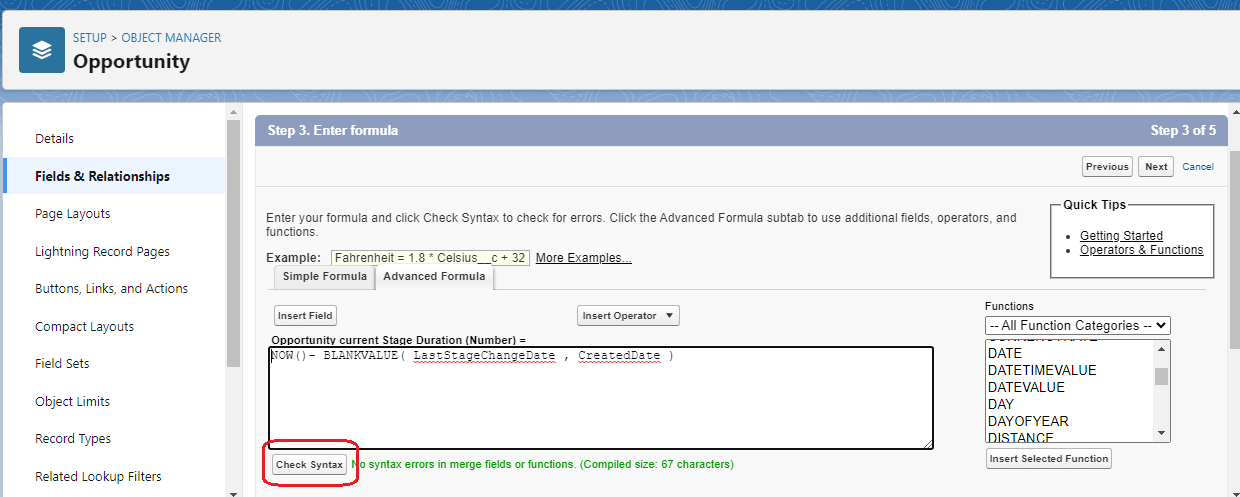
Step 6: Enter the Formula
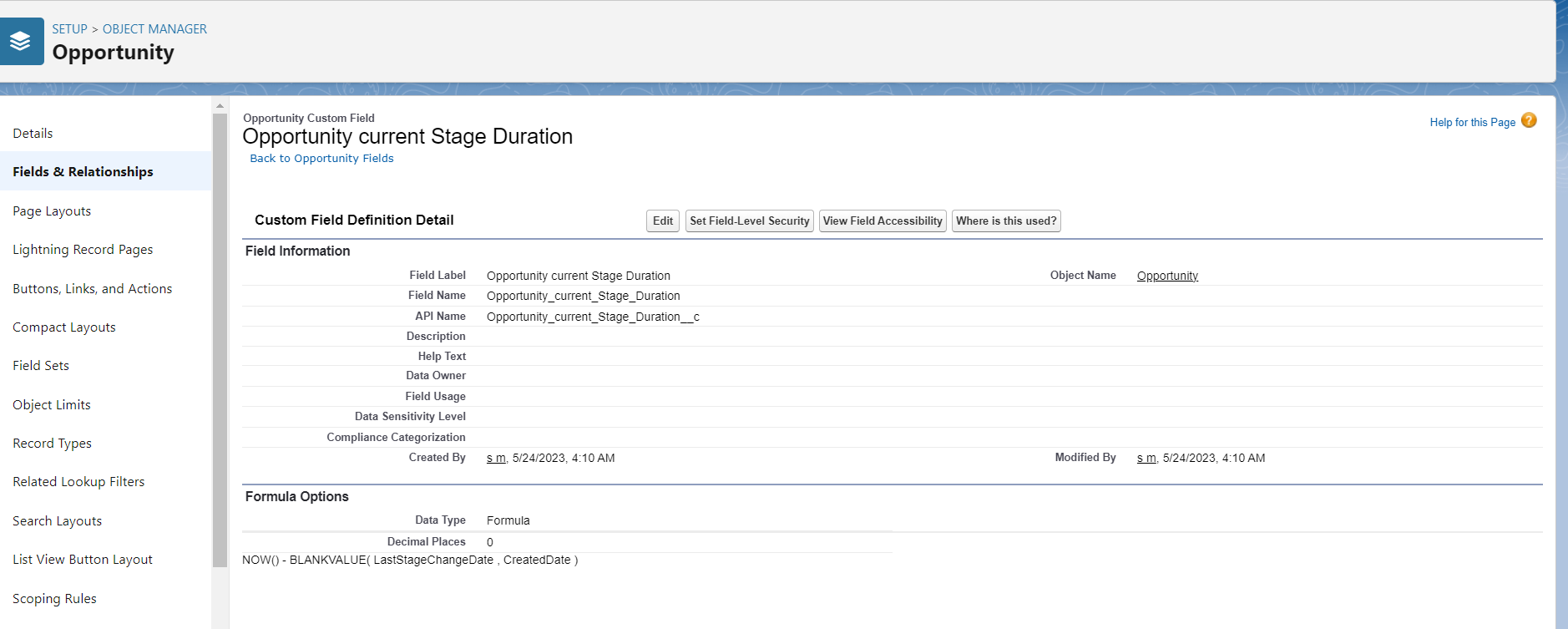
In the formula field enter the formula
Formula:
Formula:
NOW()- BLANKVALUE( LastStageChangeDate , CreatedDate )
Click on check syntax button to check any syntax error if any.
Step 7: Set Security
Set the Field-Level Security for Profile then click Next, Next and click Save
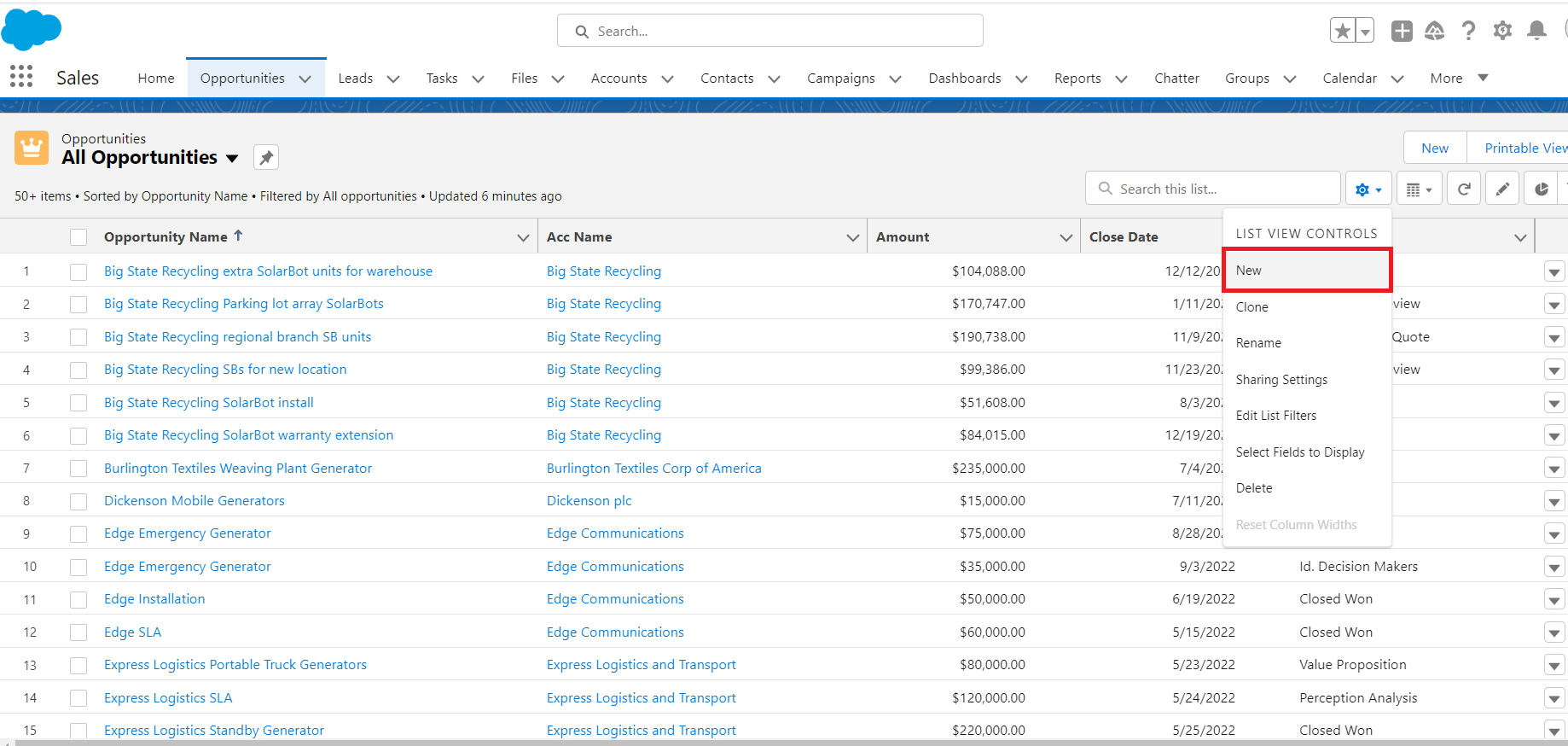
Click on App Launcher (9 dots, upper left corner) select Sales click on Opportunity, then click on gear icon and click New to create new list view
Step 2:
Step 2:
Type List Name (Eg. Opportunity current Stage Duration View) List API Name will be auto generated then click on Save
Step 3: Click on gear icon and click Select fields to Display to set fields on list. From Available fields select fields and shift to visible fields to show fields on list then click on Save
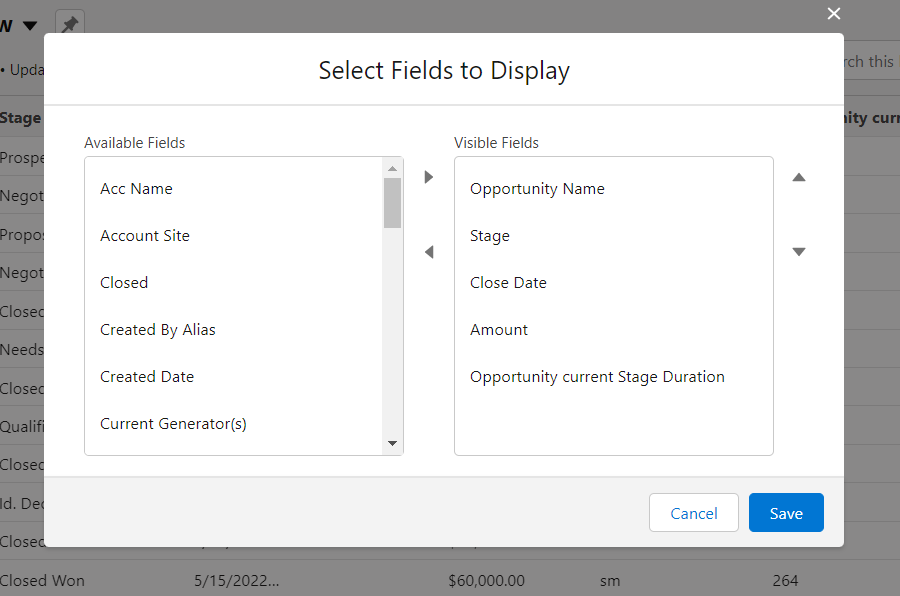
Step 3: Click on gear icon and click Select fields to Display to set fields on list. From Available fields select fields and shift to visible fields to show fields on list then click on Save
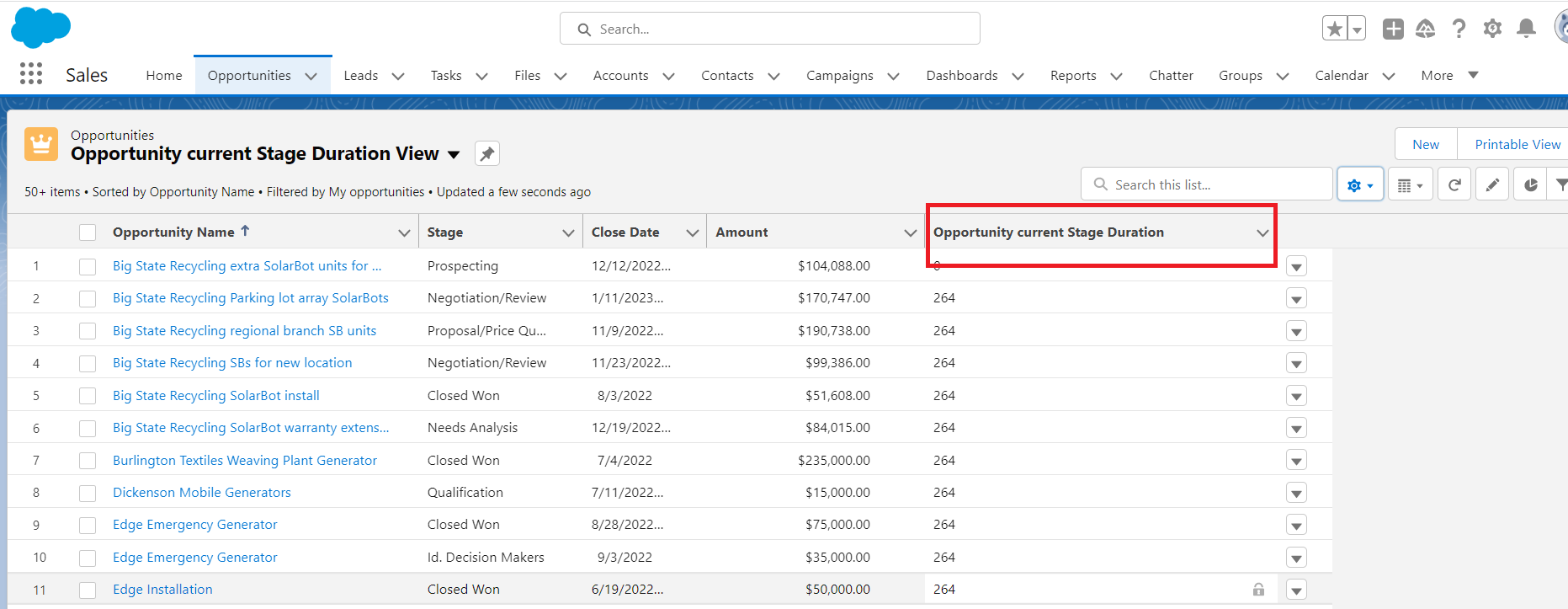
Here is the final result:
Opportunity current Stage Duration View opportunity record page with
Opportunity_current_Stage_Duration__c formula field that is displaying Opportunity with the number of days it's been in that stage
_____________________________________________
Written By: Divya Chauhan | Salesforce Answers Leader
Divya Chauhan is a Salesforce Architect at Kcloud Technologies. She has 10 years of Salesforce experience and is 25 times Salesforce certified, as well as 7 times Salesforce Architect Certified. She is a Salesforce Community group leader and founder of the NGO DivyaEdu.org, which provides computer literacy programs and free Salesforce training to underprivileged children and women in rural areas.
Opportunity_current_Stage_Duration__c formula field that is displaying Opportunity with the number of days it's been in that stage
_____________________________________________
Written By: Divya Chauhan | Salesforce Answers Leader
Divya Chauhan is a Salesforce Architect at Kcloud Technologies. She has 10 years of Salesforce experience and is 25 times Salesforce certified, as well as 7 times Salesforce Architect Certified. She is a Salesforce Community group leader and founder of the NGO DivyaEdu.org, which provides computer literacy programs and free Salesforce training to underprivileged children and women in rural areas.
Submissions reflect only the opinions of the user who made available the Submission and not the opinions of Salesforce, regardless of whether the user is affiliated with Salesforce, and may contain or constitute products, services, information, data, content and other materials made available by or on behalf of third parties ("Third Party Materials). Salesforce neither controls nor endorses, nor is Salesforce responsible for, any Third Party Materials, including their accuracy, validity, timeliness, completeness, reliability, integrity, quality, legality, usefulness or safety, or any applicable intellectual property rights. Any Submissions made available through any message board or forum in response to posted questions, or that otherwise purports to answer any questions, including any questions about Salesforce or Programs, are made available for your general knowledge only and should never be relied upon as answers to your specific questions (even if an answer is marked as a “best” answer or with any similar qualifications). You should always contact Salesforce support for answers to your specific questions. Salesforce has no control over Submissions, and is not responsible for any use or misuse (including any distribution) by any third party of Submissions.
If you have questions, tap into the wisdom of our entire Trailblazer Community here: https://trailhead.salesforce.com/trailblazer-community/feed
Дополнительные ресурсы
Номер статьи базы знаний
000395972
Эта статья решила вашу проблему?
Оставьте свой отзыв, чтобы мы могли стать лучше!
