Valitse organisaatio
VBT/IDX - LWC Activation Error
Julkaisupäivä: Jun 29, 2026
Kuvaus
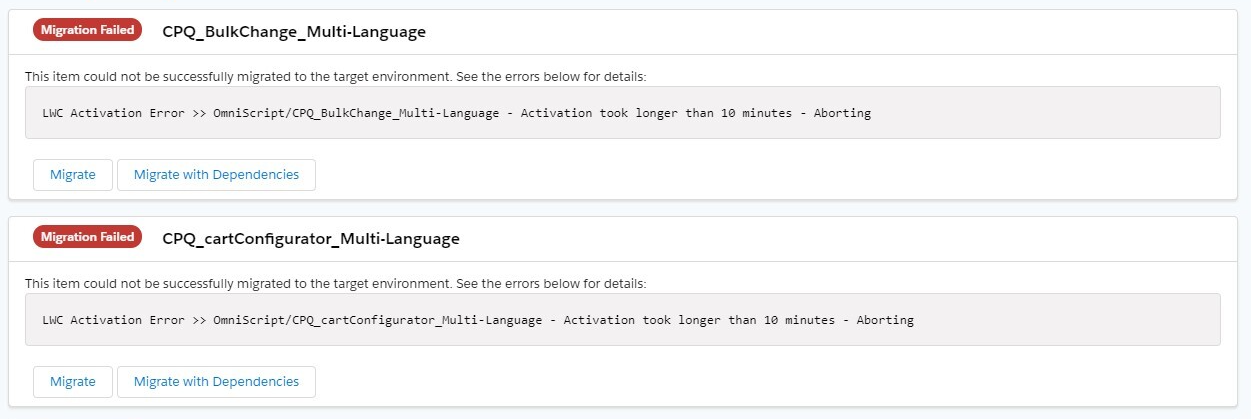
OmniScript LWC Activation Error >> OmniScript/OmniScriptType_OmniScriptSubType_English - Activation took longer than 10 minutes - Aborting
- For OmniScript
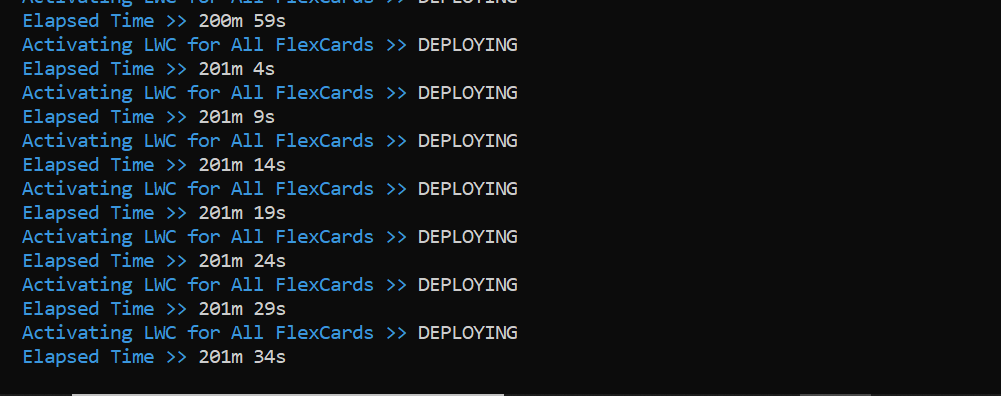
Activating LWC for ALL FlexCards >> DEPLOYING
Elapsed Time >> Indefinite time
- For FlexCard
Ratkaisu
When OmniStudio LWC activation times out or hangs during IDX or VBT deployment, the underlying cause is unresolved LWC dependencies for the OmniScript or FlexCard being activated. Resolve the missing dependencies first, then retry activation.
Step 1: Identify the missing dependencies using Puppeteer in headed mode (VBT only)
If you are using VBT, set the following property in your VBT configuration file to run Puppeteer in visible (non-headless) browser mode so you can see the full error output during activation:
In your VBT configuration, set: puppeteerHeadless: false
Step 2: Resolve the missing LWC dependencies
Once identified the missing dependencies, resolve them using one of the following methods:
1. Activate the dependency directly — Navigate to the dependent OmniScript or FlexCard in your Salesforce org and manually activate it before re-running the deployment. Activation compiles the LWC for that component and makes it available to dependent components.
2. Redeploy the dependency — If the dependent component has not yet been deployed to the target org, deploy it first using IDX or VBT, then activate it before deploying the component that depends on it.
Step 3: Retry activation
After resolving all missing dependencies, re-run the IDX or VBT deployment.
Knowledge-artikkelin numero
000396084
Ratkaisiko tämä artikkeli ongelmasi?
Anna palautetta, jotta voimme kehittyä!
