Velg en organisasjon
Salesforce Field Service Mobile App: Service Report Preview Displays 'A$' but Final PDF Shows 'AUD' — Currency Format Difference Between Mobile Device Locale and Server-Side PDF Generation
Publiseringsdato: May 17, 2026
Beskrivelse
In the Salesforce Field Service (SFS) mobile app, the currency symbol in the Service Report preview may not match the currency symbol in the final PDF report. For example:
- The mobile app preview shows:
A$ - The final PDF report shows:
AUD
This is observed even when using the latest version of the Salesforce Field Service mobile app.
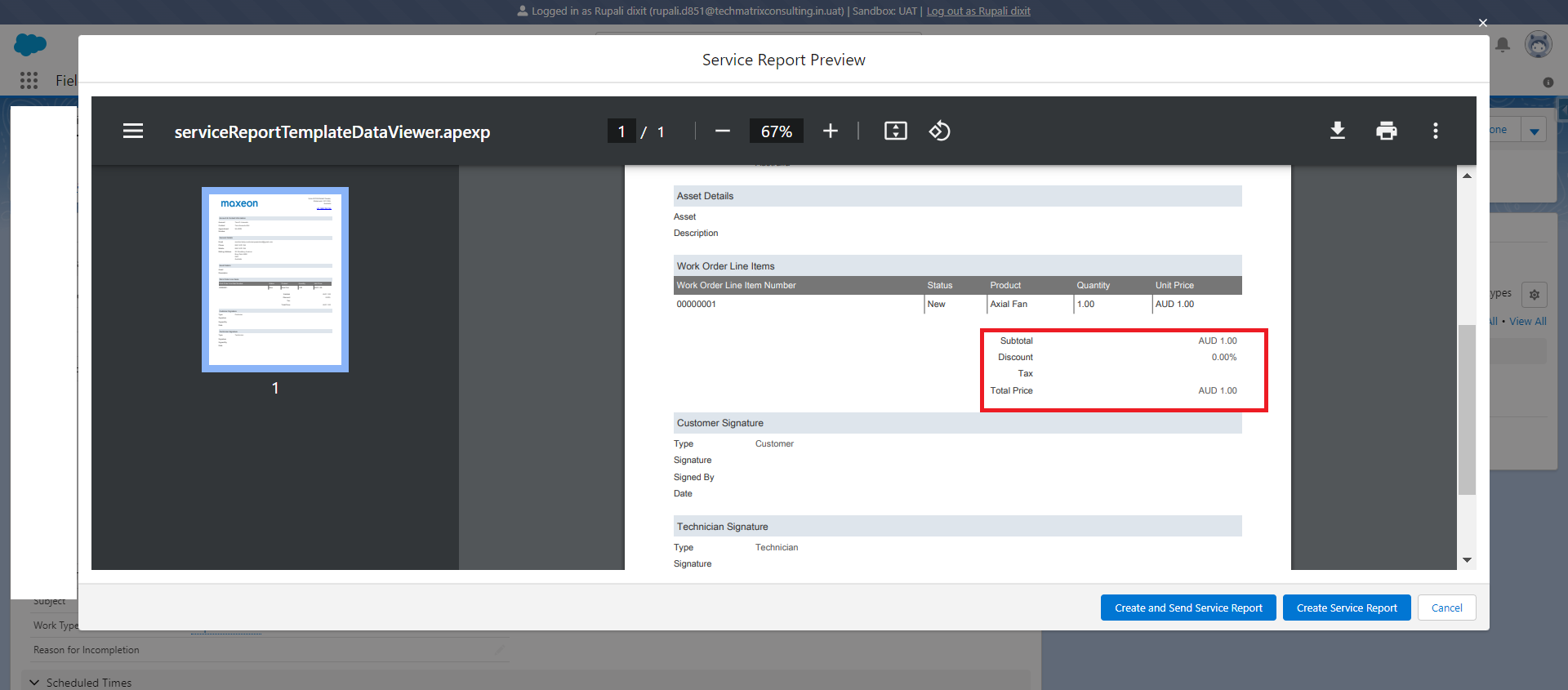
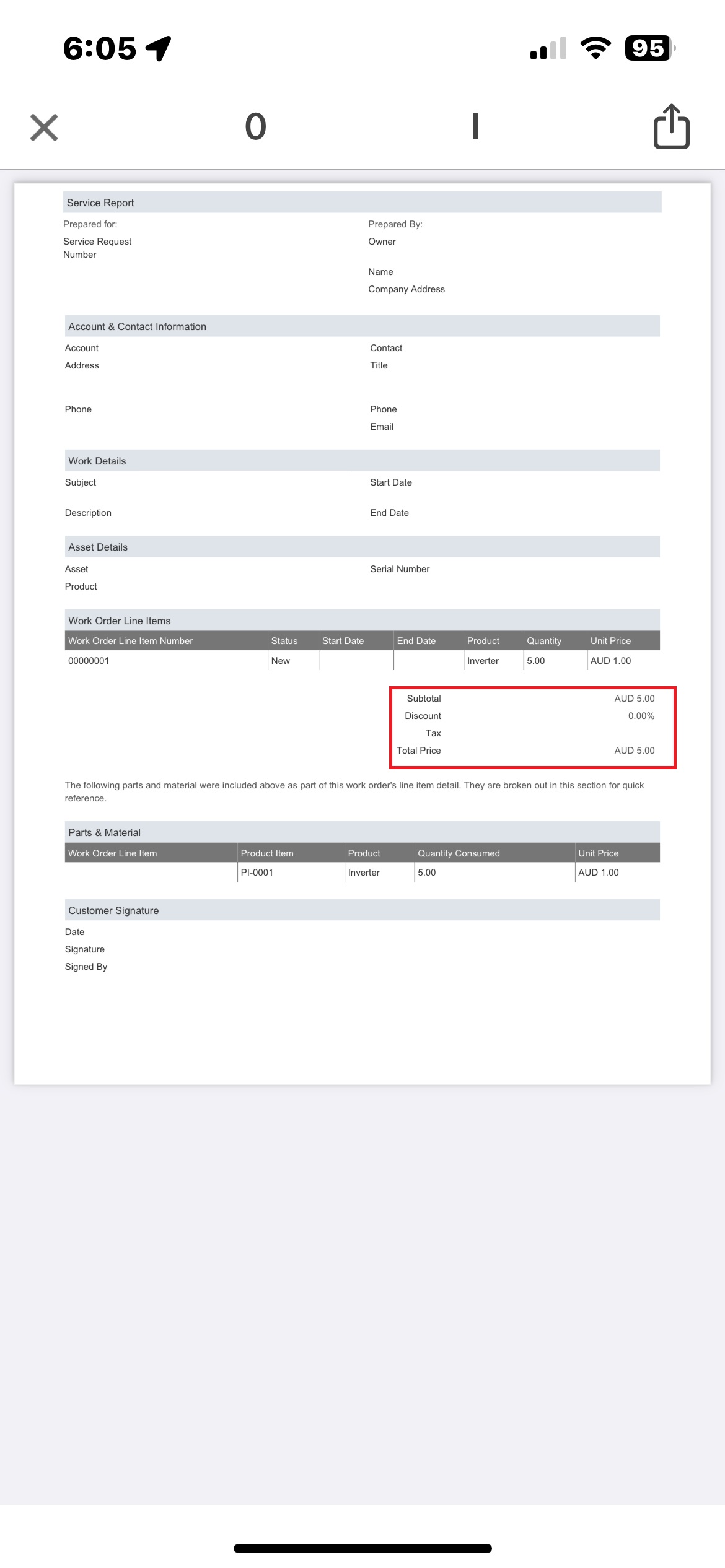
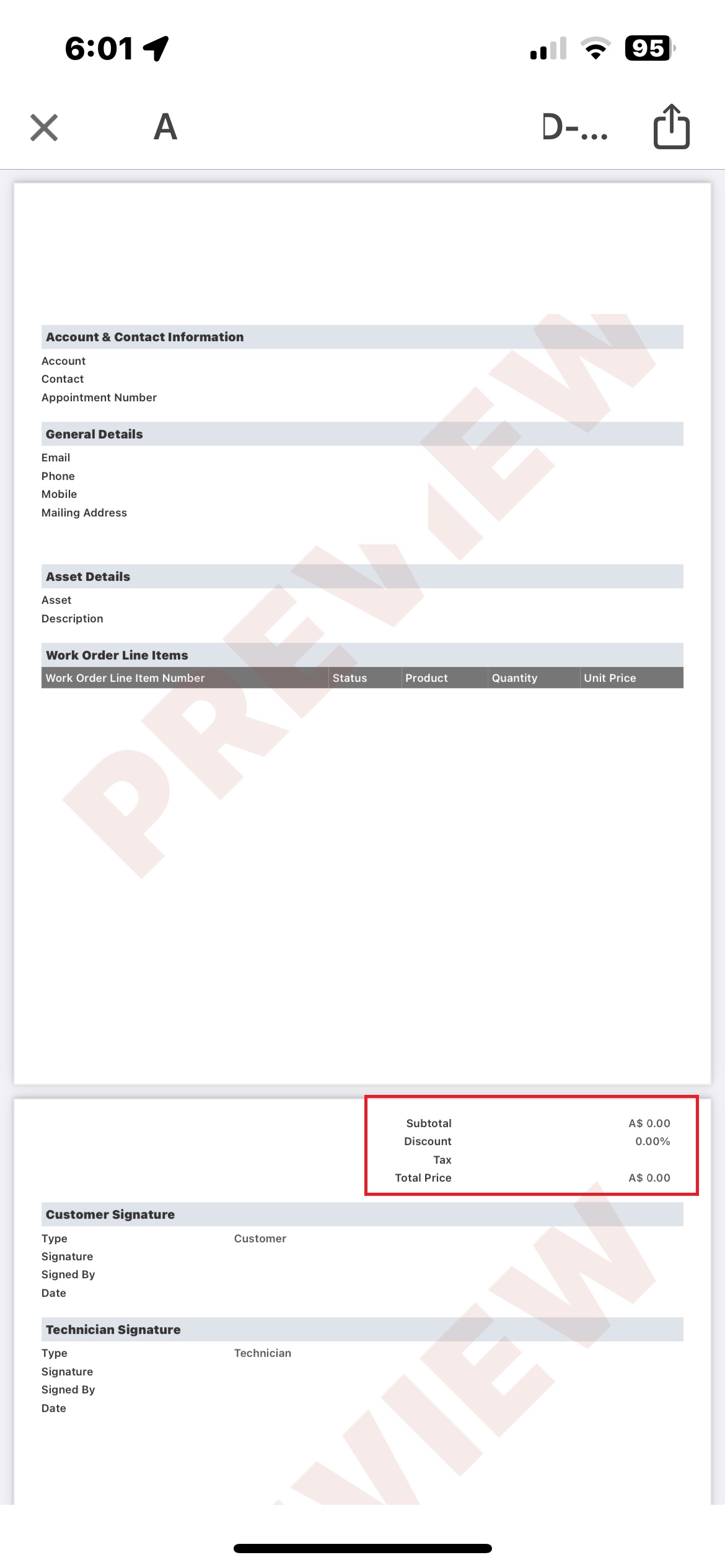
In below attached screenshot then you will find that Mobile app Service Report preview screen showing a line item total formatted as A$250.00, using the Australian dollar symbol as formatted by the device's en_AU language setting.
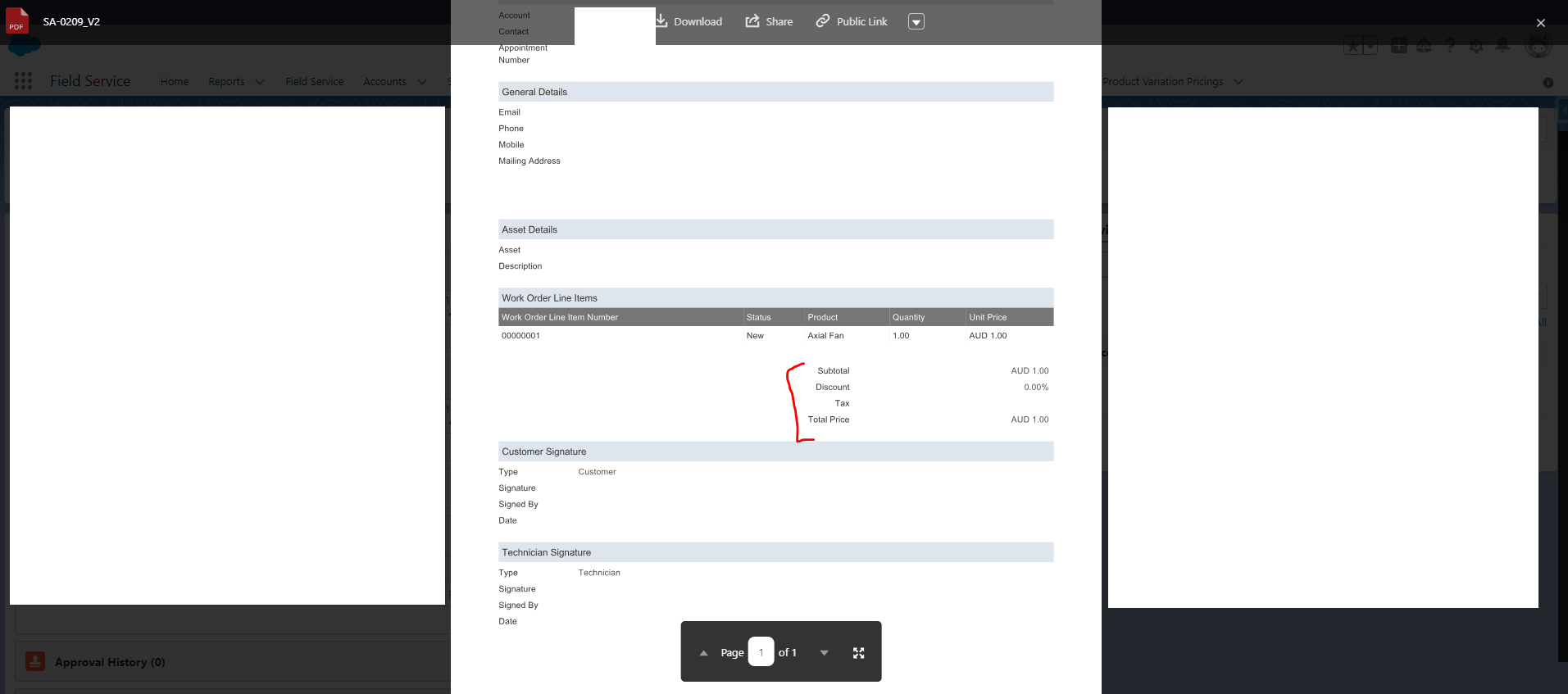
Screenshot description (Final PDF — Desktop): Final generated PDF Service Report showing the same line item total as AUD250.00, using the ISO currency code as determined by the Salesforce org's server-side currency locale.
Screenshot description (Mobile PDF comparison 1): Side-by-side of mobile preview (A$) and PDF (AUD) showing the same monetary value formatted differently.
Why This Happens
The Salesforce Field Service mobile app formats currency in the preview based on the language and region settings of the mobile device, not solely on the Salesforce org's currency configuration. The final PDF is generated server-side and uses the org's Corporate Currency locale. This means the same value can be displayed differently:
- Device language set to
en_AU→ displays asA$ - Server-side PDF (org locale) → displays as
AUD
This is expected behavior. The underlying monetary value is identical — only the display format differs.
Løsning
The difference in currency format between the mobile app preview and the final PDF report is by design in Salesforce Field Service. No data is incorrect; only the display format differs.
How Currency Is Determined in the Mobile Preview
The mobile app preview formats currency based on the language and region settings of the mobile device. For example:
- Device language set to
en_US→ USD amount displays as$123.45 - Device language set to
en_CA→ USD amount displays asUS$123.45 - Device language set to
en_AU→ AUD amount displays asA$
How Currency Is Determined in the Final PDF Report
The final PDF is generated server-side and uses the Salesforce org's Corporate Currency setting (Setup > Company Information > Corporate Currency) or the Work Order object currency field. The server-side PDF typically displays the ISO currency code (for example, AUD).
To Verify or Adjust Corporate Currency
- Go to Setup > Company Information.
- Review the Currency Locale and Corporate Currency fields.
- If a specific ISO format is required in both the preview and the PDF, coordinate the device locale settings with the org's currency locale.
No fix is required if the amounts are correct and only the currency symbol format differs.
Flere ressurser
Knowledge-artikkelnummer
000396088
Hjalp denne artikkelen med å løse problemet ditt?
La oss få vite det slik at vi kan forbedre!
