Seleziona un'organizzazione
Common Single Domain Certificate Errors when Using Direct-to-Customer LWR sites
Data pubblicazione: May 18, 2026
Descrizione
When setting up custom domains for Salesforce Commerce Cloud Direct-to-Customer Lightning Web Runtime (LWR) sites, you may encounter errors related to single domain CDN (Content Delivery Network) certificates. LWR Commerce sites require a Salesforce CDN with a single domain certificate, which has specific rules about how it can be associated with sites and custom URLs.
This article documents the most common error scenarios and their resolutions.
Error Scenario 1: User Tries to Create a Custom URL for a Commerce Site
When a user tries to create or update a custom URL for a Commerce site, the following error occurs:
"You can only associate this site with a single certificate for content delivery network (CDN) domain. Make sure it's associated with the right domain and that your custom domain has completed provisioning, then try again."
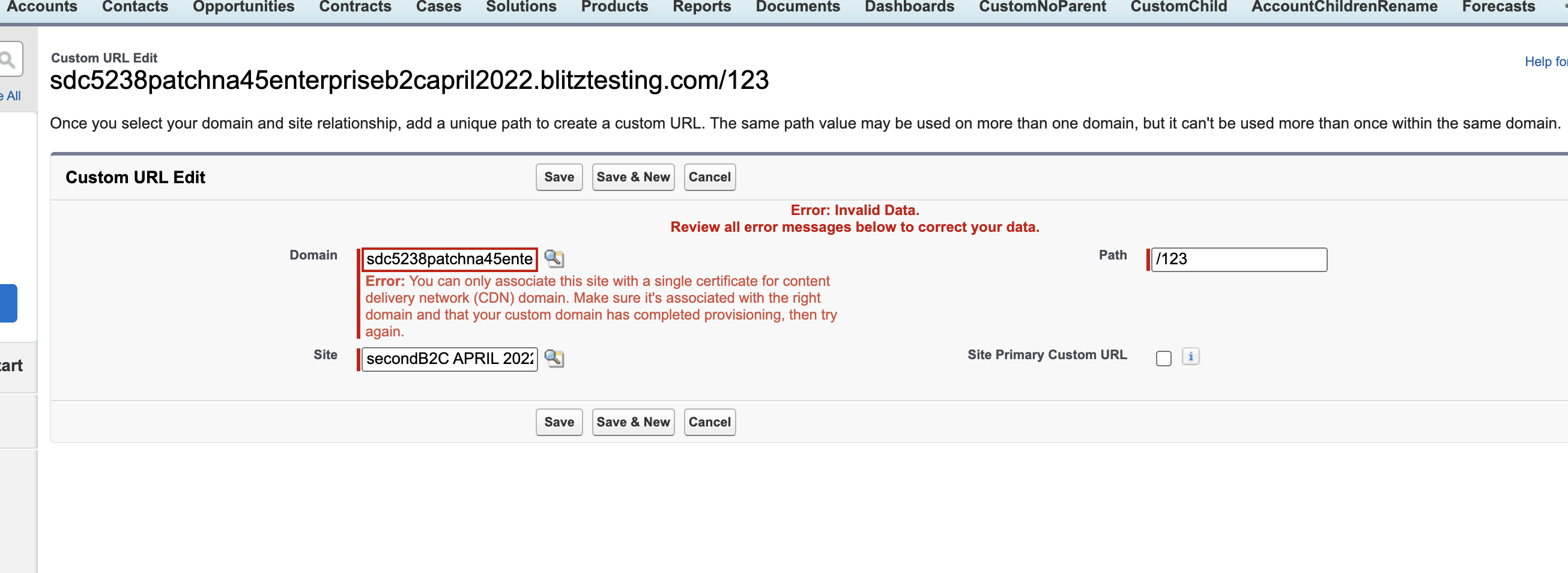
Error Scenario 2: User Tries to Associate a Single Certificate Domain with a Commerce Site After it Has Already Been Associated with a Non-Commerce Site
When a user tries to associate a new custom URL or edit an existing URL for a Commerce site using the same single domain certificate already associated with a non-Commerce site, the following error occurs:
"You've already associated a site with this single certificate for content delivery network (CDN) domain."
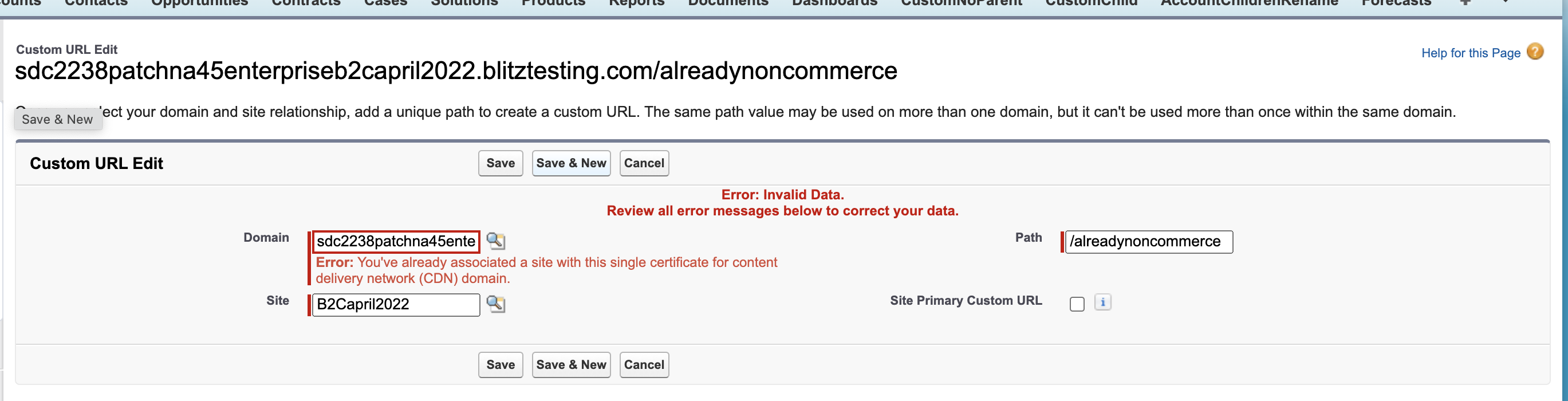
Error Scenario 3: User Tries to Associate a Single Certificate Domain with a Non-Commerce Site After it Has Already Been Associated with a Commerce Site
When a user tries to associate a new custom URL or edit an existing URL for a Non-Commerce site using a single domain certificate already associated with a Commerce site, the following error occurs:
"You can't associate a non-Commerce site with this domain, because you've already associated a Commerce site with it."

Error Scenario 4: User Tries to Delete a Custom URL with a Single Domain Certificate for an Active B2C Site
When a user tries to delete a custom URL with a single domain certificate that is associated with an active B2C site, the following error occurs:
"Assign this site to another single certificate for content delivery network (CDN) custom domain before deleting the existing certificate."
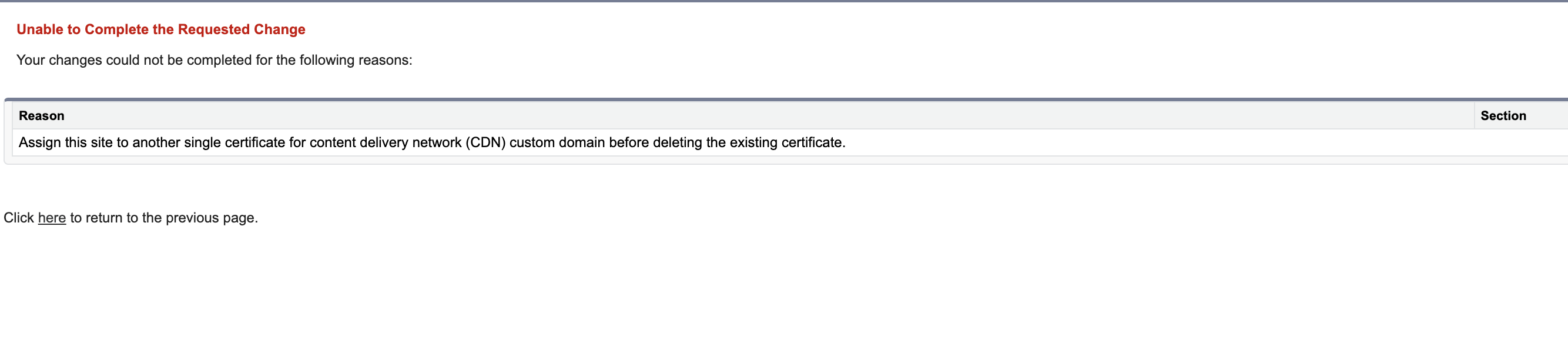
Error Scenario 5: User Tries to Edit the Site of a Custom URL with a Single Domain Certificate for an Active B2C Site
When a user tries to edit the site of a custom URL with a single domain certificate associated with an active B2C site, the following error occurs:
"Assign this site to another single certificate for content delivery network (CDN) custom domain before deleting the existing certificate."
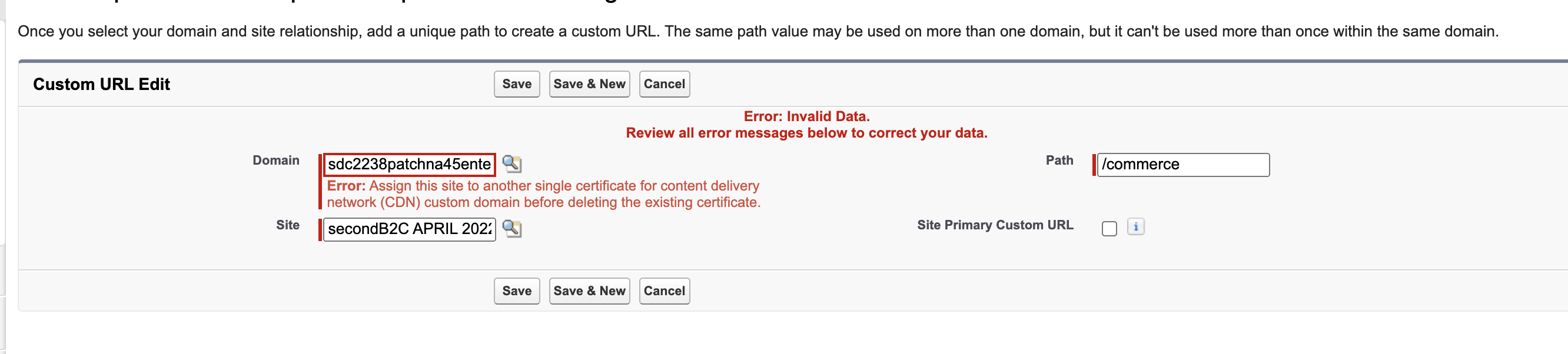
Error Scenario 6: User Tries to Activate a B2C Store Without a Single Domain Certificate Custom URL
When a user tries to activate a B2C store without a custom URL using a single domain certificate, the following error occurs:
"Activate this site with a single certificate content network delivery (CDN) custom domain."
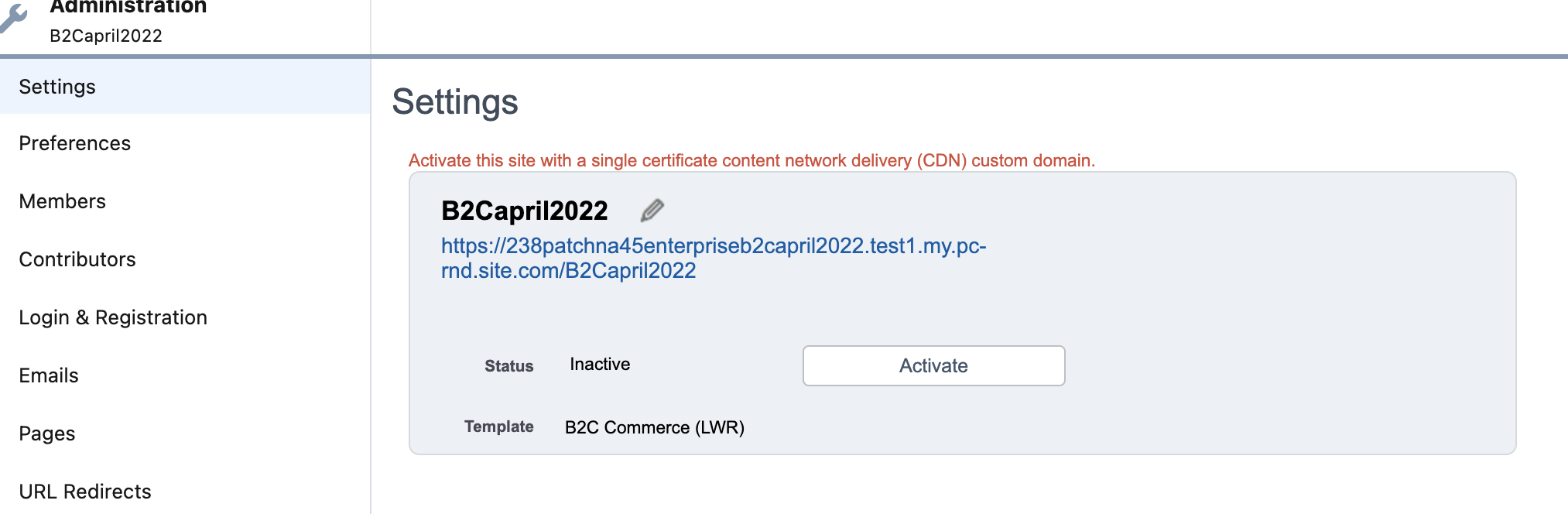
Error Scenario 7: User Tries to Edit the HTTPS Option of the Single Domain Certificate That is Being Used
When a user tries to change the HTTPS option of a single domain certificate while a B2C Commerce site is using it, the following error occurs:
"You can't change the single certificate delivery network (CDN) to another HTTPS option, because it's being used by a site that only supports a single certificate content delivery network (CDN)."
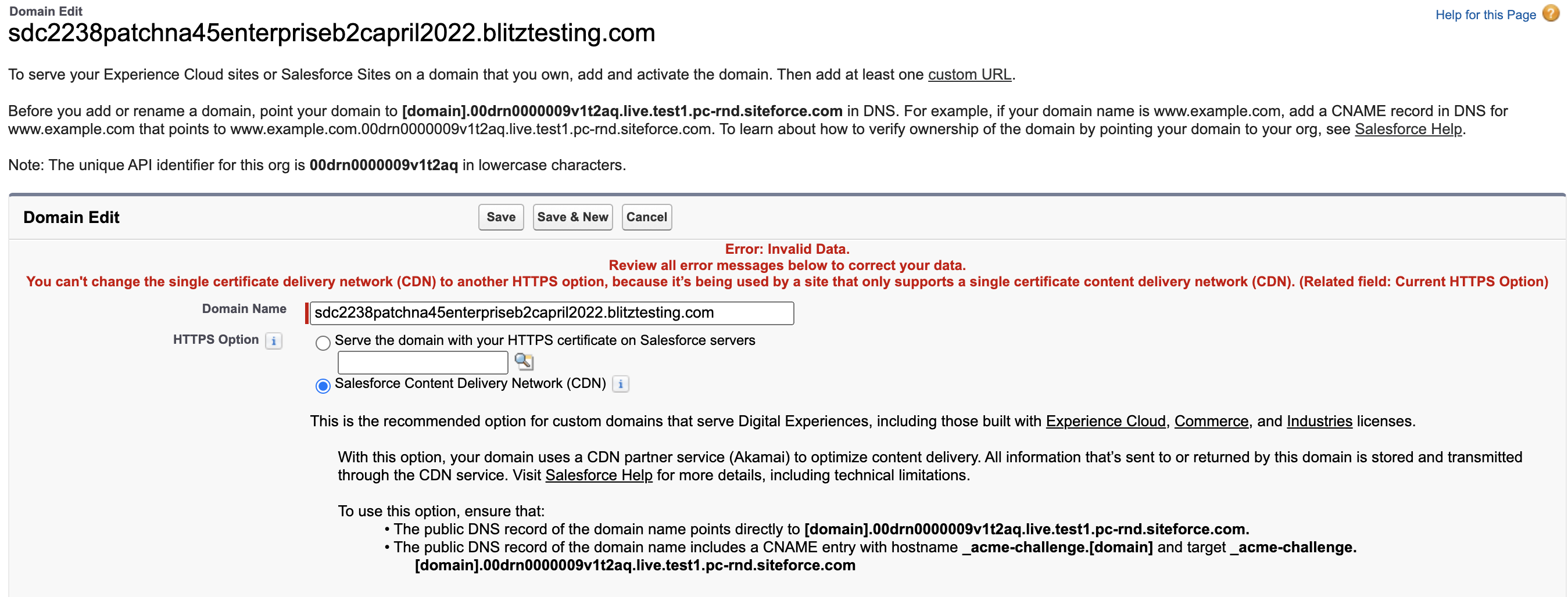
Risoluzione
For all errors in this article, refer to the Salesforce CDN documentation in Additional Resources for setup prerequisites and configuration steps. Below are the specific resolutions for each error scenario.
Resolving Error Scenario 1: Custom URL Creation — Single Certificate Required
Use the Salesforce CDN with a single domain certificate for Commerce sites. Ensure your custom domain has completed provisioning before associating it with the site.
Resolving Error Scenario 2: Certificate Already Associated with Non-Commerce Site
Remove the existing non-Commerce site associated with this single domain certificate, or create a new domain specifically for the Commerce site.
Resolving Error Scenario 3: Cannot Associate Non-Commerce Site with Commerce Certificate
Remove the existing Commerce site association from this domain, or create a new domain for the Non-Commerce site.
Resolving Error Scenarios 4 and 5: Cannot Delete or Edit Custom URL for Active B2C Site
Associate the B2C site with another single domain certificate custom URL before deleting or editing the existing one.
Resolving Error Scenario 6: B2C Store Activation Requires Single Certificate
Associate a single domain certificate custom URL with the B2C store before activating it.
Resolving Error Scenario 7: Cannot Change HTTPS Option for Certificate in Use by B2C Site
Disassociate the single domain certificate from the B2C Commerce site before changing its HTTPS option.
Risorse aggiuntive
Numero articolo Knowledge
000396241
Questo articolo ha risolto il problema?
Facci sapere, così possiamo migliorare!
