Seleccionar una organización
Salesforce Platform Flow: Create Child Records on Account via Opportunity Trigger
Fecha de publicación: Mar 31, 2026
Descripción
Create child records in account. We have a custom object associated to Accounts called "Implementations". And based on a sales opportunity closing, we want new Implementation records to be created and associated to the same account.
Business Usecase: When an Opportunity closes as Won, automatically create Account-related records (e.g., create a Success Plan record on the Account)
Solución
Configuration Steps
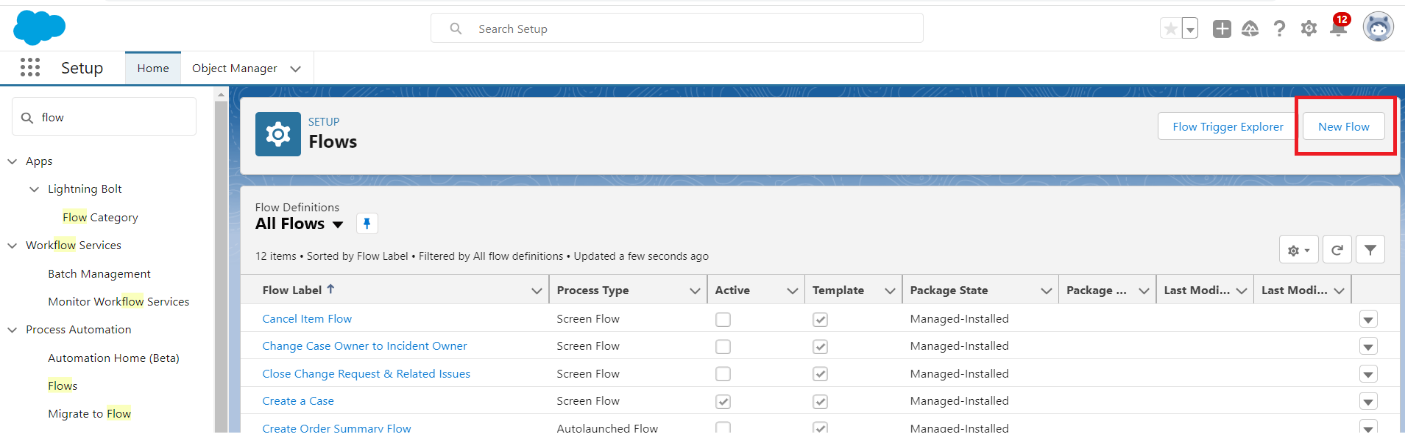
Step 1: To get started, navigate to the top of the page and click on Home. In the Quick Find section, locate and choose Flows. Once you've done that, access the right-hand panel and click on the New Flow button
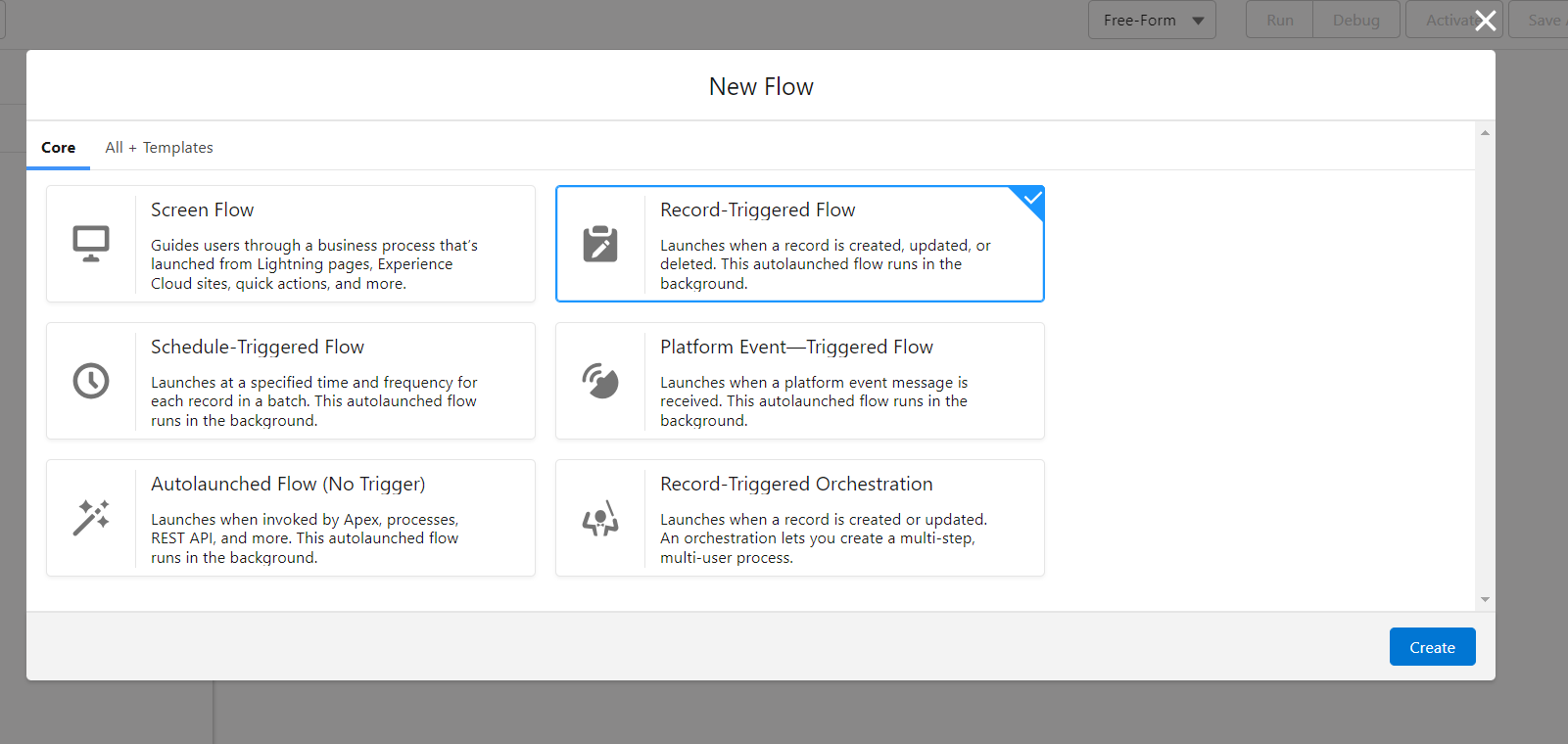
Step 2: Select Record-Triggered Flow and click on Create
Step 3: In the Configure Start section
a. Select Object as Opportunity
b. Configure Trigger: Trigger the Flow When: A record is created or updated
c. Set Entry Conditions: In Condition Requirements select All Conditions are Meet (AND)
- Field: StageName
- Operator: Equals
- Value: Closed Won
d. Optimize the Flow for: Actions and Related Records
e. Click on Done Button
Step 4: Create Record Element: Drag the Create Record element on canvas
a. Type the Label (Create Implementation records) API Name will be auto generated
b. Select Object as Implementation
c. Set Field Values for the Implementations:
- Field: Account_Name__c
- Operator: equals
- Value: {!$Record.AccountId}
d. Set Field Values for the Implementations:
- Field: Name
- Operator: equals
- Value Implementation Record for {!$Record.Name}
e. Click Done
Step 5: Save and activate the Flow
Result
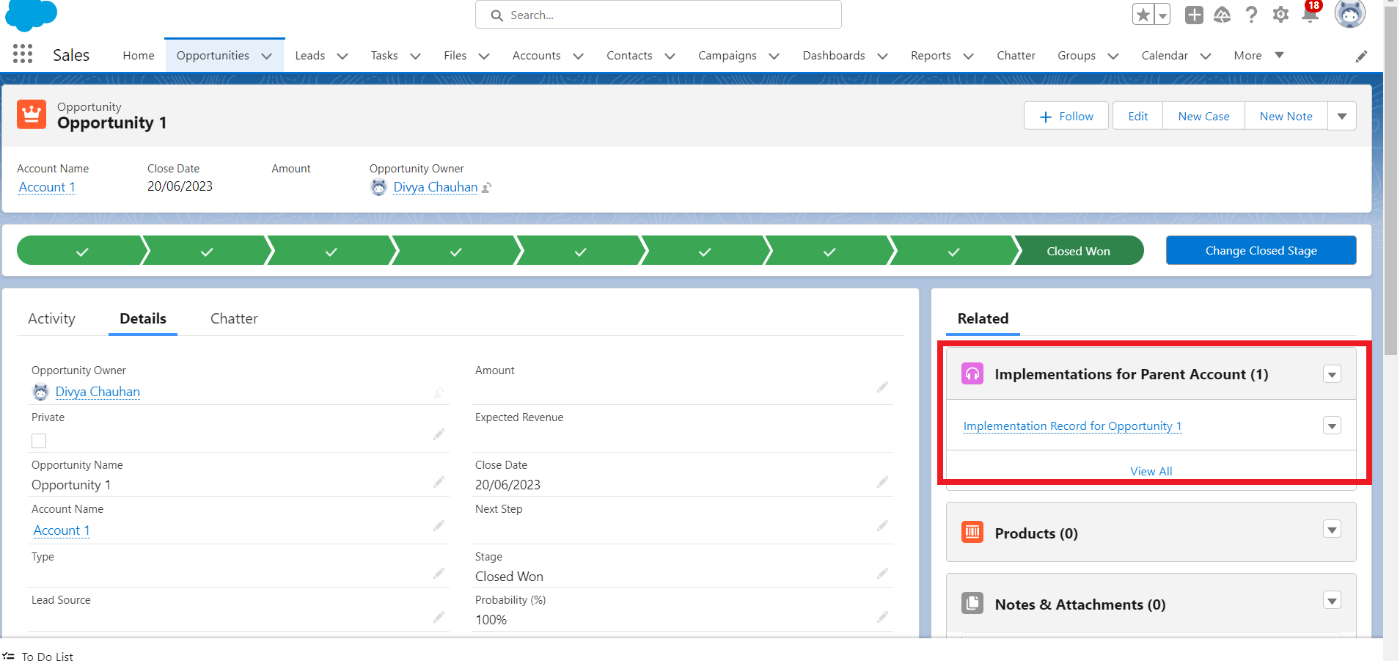
When Opportunity stage Closed won, Implementation record created related to account and created record display on Opportunity record page.
_____________________________________________
Written By: Divya Chauhan | Salesforce Answers Leader
Divya Chauhan is a Salesforce Architect at Kcloud Technologies. She has 10 years of Salesforce experience and is 25 times Salesforce certified, as well as 7 times Salesforce Architect Certified. She is a Salesforce Community group leader and founder of the NGO DivyaEdu.org, which provides computer literacy programs and free Salesforce training to underprivileged children and women in rural areas.
Submissions reflect only the opinions of the user who made available the Submission and not the opinions of Salesforce, regardless of whether the user is affiliated with Salesforce, and may contain or constitute products, services, information, data, content and other materials made available by or on behalf of third parties ("Third Party Materials). Salesforce neither controls nor endorses, nor is Salesforce responsible for, any Third Party Materials, including their accuracy, validity, timeliness, completeness, reliability, integrity, quality, legality, usefulness or safety, or any applicable intellectual property rights. Any Submissions made available through any message board or forum in response to posted questions, or that otherwise purports to answer any questions, including any questions about Salesforce or Programs, are made available for your general knowledge only and should never be relied upon as answers to your specific questions (even if an answer is marked as a “best” answer or with any similar qualifications). You should always contact Salesforce support for answers to your specific questions. Salesforce has no control over Submissions, and is not responsible for any use or misuse (including any distribution) by any third party of Submissions.
If you have questions, tap into the wisdom of our entire Trailblazer Community here: https://trailhead.salesforce.com/trailblazer-community/feed
Número del artículo de conocimiento
000396285
¿Resolvió este artículo su problema?
¡Háganos saber cómo podemos mejorar!
