조직 선택
Resolving Product Specification Update Errors in Vlocity Product Designer (Too many query rows: 50001)
게시 일자: Apr 13, 2026
상세 설명
When modifying the Product Specification field on a product within the Product Designer, the system may generate a UI error preventing the save action. Inspecting the browser's network logs during this failure typically reveals the following Salesforce platform error:
System.LimitException: Too many query rows: 50001
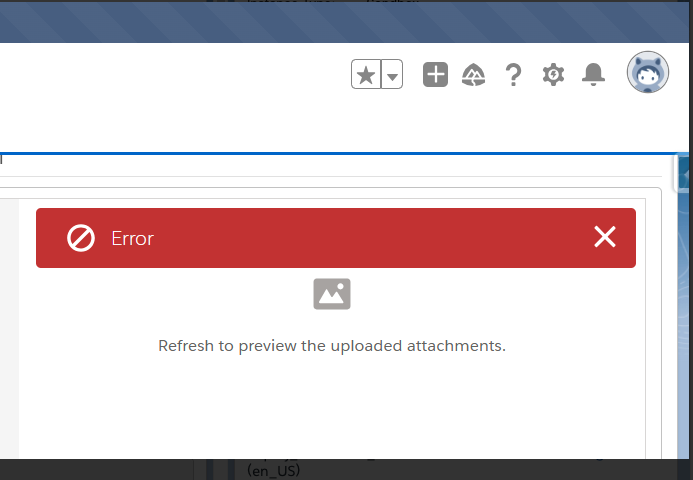
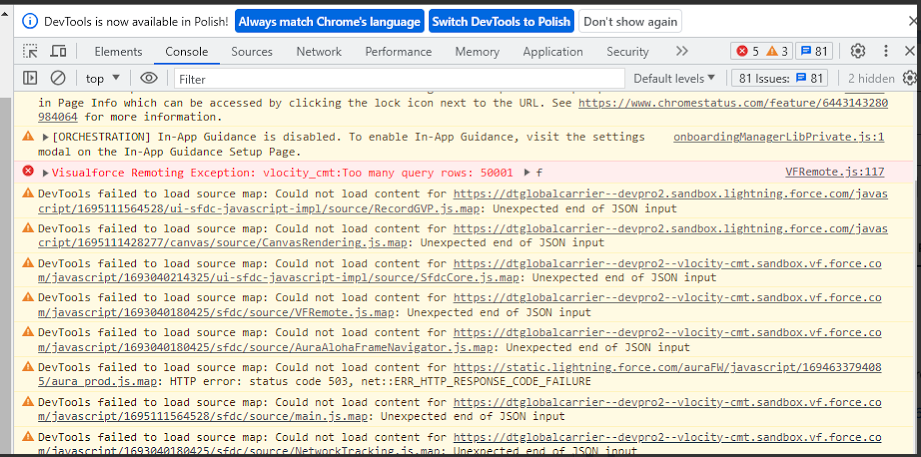
This exception occurs when the user performing the update is the owner of more than 50,000 vlocity_cmt__ProjectItem__c records. Upon saving the Product Specification, the application executes a background SOQL query to retrieve the user's assigned projects. Because Salesforce enforces a strict transaction limit of 50,000 rows for synchronous SOQL queries, exceeding this threshold causes the query—and consequently the save operation—to fail.
솔루션
To resolve this error and successfully save Product Specifications, the volume of Project Item records assigned to the affected user must be reduced to below the 50,000-record threshold.
1. Identify Affected Users
Execute the following SOQL query using the Salesforce Developer Console, Salesforce Inspector, or a similar data tool. This query aggregates the count of project items assigned to each user in the organization, sorted from highest to lowest:
SELECT vlocity_cmt__ProjectId__r.Owner.Username, COUNT(Id) FROM vlocity_cmt__ProjectItem__c GROUP BY vlocity_cmt__ProjectId__r.Owner.Username ORDER BY COUNT(Id) DESC LIMIT 100
2. Remove Excess Records
Review the query results to identify users who exceed the 50,000-record limit.
- Delete obsolete, unneeded, or orphaned Project Item records assigned to these specific users.
- For large data volumes, it is recommended to use the Data Loader or execute a batch deletion process to safely remove the records without hitting further platform limits.
3. Reattempt the Update
Once the assigned record count for the affected user is successfully reduced below the 50,000 threshold, return to the Product Designer. The Product Specification field will now save correctly without triggering the SOQL limit exception.
Knowledge 기사 번호
000396583
이 기사를 통해 문제를 해결했습니까?
개선을 위한 의견을 보내주세요.
