Organisation auswählen
Why am I not seeing any fields when trying to create territory hierarchies or types
Veröffentlichungsdatum: Mar 18, 2026
Beschreibung
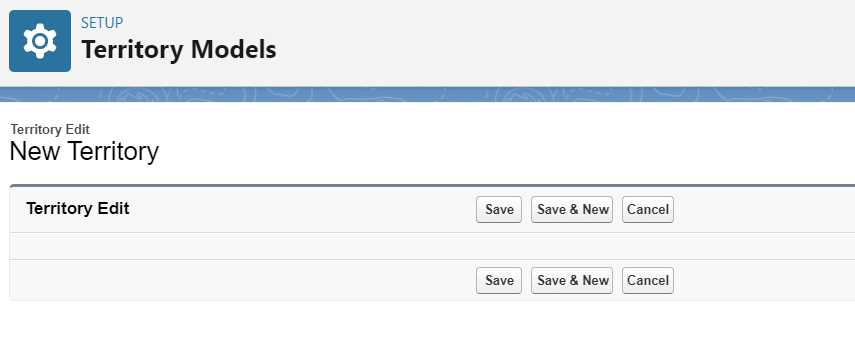
Occasionally after Sales Territories has been enabled when creating or updating territory hierarchies or types administrators may find that they are not able to see any fields visible. This is due to the page layout of the object(s) not being assigned to the profile of the administrator.
Lösung
The system administrator can go to the object settings and assign the page layout doing the following:
Setup/ Object manager/ search territory
For each of these objects select page layout and then page layout assignments
Object Territory Assignment Rule
Territory
Territory Model
If you see a blank page for the Territory Type object you will want to update your URL with the following to access the page layout settings:
/lightning/setup/ObjectManager/Territory2Type/PageLayouts/viewPageAssignments
If you see a blank page for the User Territory Association object you will want to update your URL with the following to access the page layout settings:
/lightning/setup/ObjectManager/UserTerritory2Association/PageLayouts/viewPageAssignments
Nummer des Knowledge-Artikels
000396610
Konnten Sie Ihr Problem mithilfe dieses Artikels lösen?
Geben Sie uns Feedback, damit wir uns verbessern können.
