組織を選択
ターゲットでケイデンスを実行しようとすると、フローがエラーをスローする
公開日: Mar 25, 2026
説明
注意: これらのエラーはどちらも断続的に発生し、ユーザーには必要な権限が与えられています。
解決策
これらのエラーを回避するには、以下をお試しください。
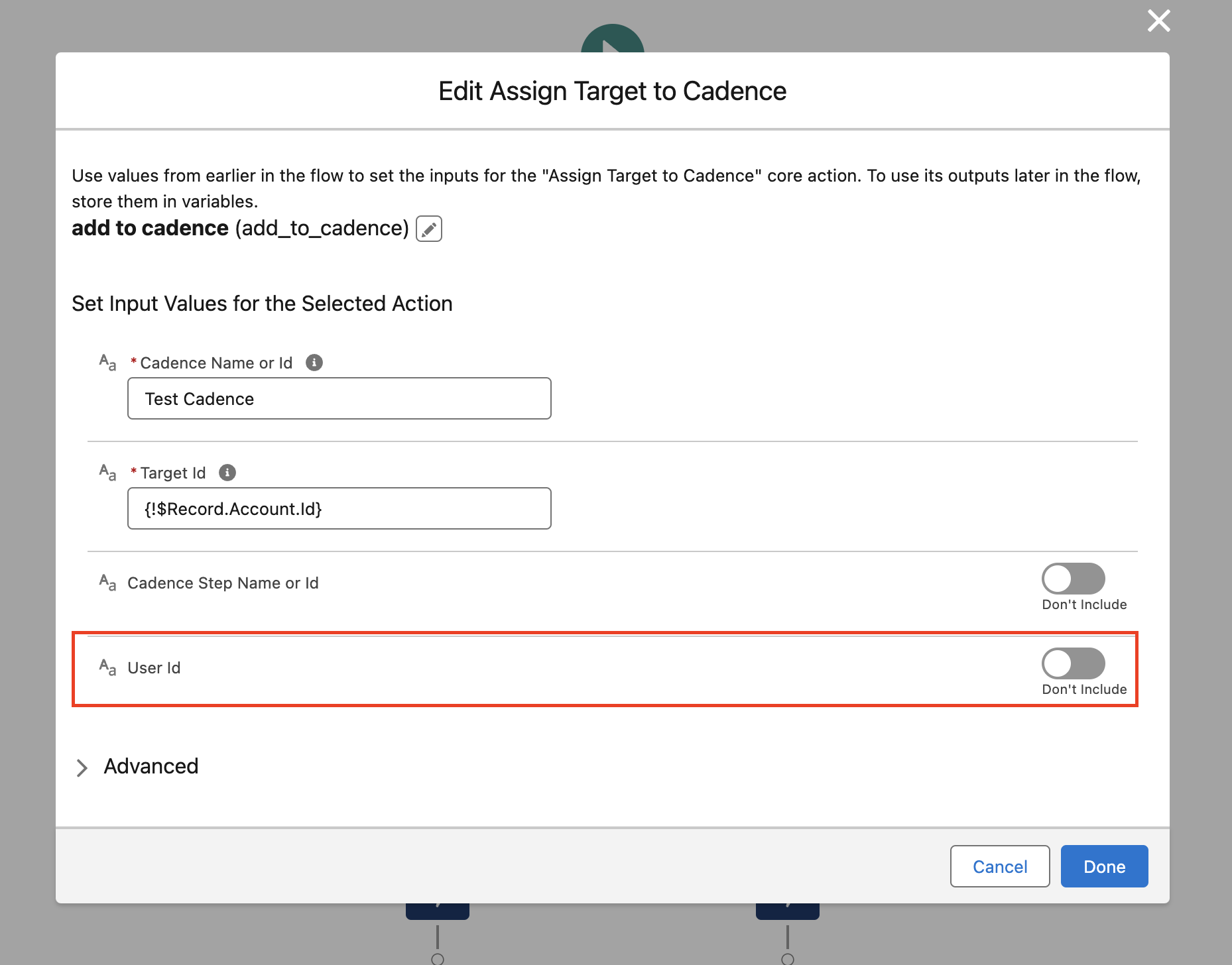
1. 「User does not have the permission to run a Cadence on the target」(対象でケイデンスを実行する権限がありません) エラーが発生する場合は、user-id パラメーターをフローに渡すと、user-id が null になるのを防ぐことができます。
[ユーザー ID] の [含めない] ボタンを有効にして、ユーザー ID を渡します。
2. ケイデンスに個人取引先 ID を追加するときに「You can only add leads, contacts, and person accounts to cadences」(ケイデンスに追加できるのは、リード、取引先責任者、個人取引先のみです) エラーが発生する場合は、以下に従います。
個人の取引先 ID ではなく、個人の取引先責任者 ID を取得し、直接ターゲット ID に渡してください。
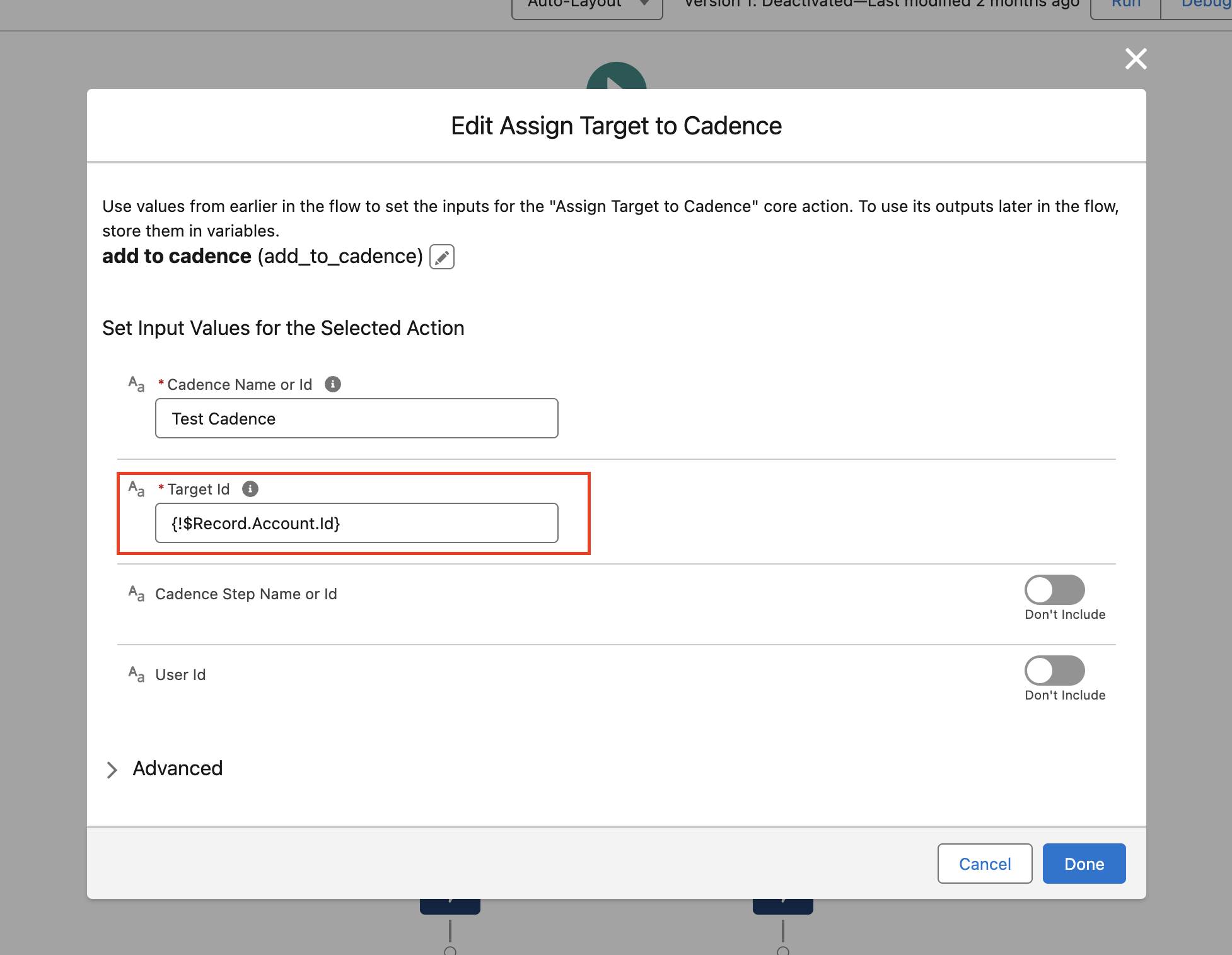
Salesforce の個人取引先に関連付けられている取引先責任者 ID を取得するには、次の手順に従います。
1. [設定] に移動します。
- Salesforce Classic の場合: [設定] に移動します。
- Lightning Experience の場合: 歯車アイコン、[設定] の順にクリックします。
2. レポートタイプにアクセスします。
- Classic の場合: [作成] > [レポートタイプ] に移動します。
- Lightning の場合: [機能設定] > [分析] > [レポート & ダッシュボード] > [レポートタイプ] に移動します。
3. レポートタイプを編集します。
- 該当するレポートに使用するレポートタイプを選択します。
- [レポートで選択可能な項目] セクションで [レイアウトを編集する] を選択します。
4. 取引先責任者 ID フィールドを追加します。
- 適切なオブジェクト (取引先など) から取引先責任者 ID フィールドを選択します。
- [プロパティを編集] をクリックします。
- [表示名] フィールドで、[取引先責任者 ID] 以外のテキストをすべて削除します。
- [保存] をクリックします。
5. レポートを実行します。
- レポートを再度実行して、取引先責任者 ID フィールドが正しく表示されていることを確認します。
ナレッジ記事番号
000397003
この記事で問題は解決されましたか?
ご意見をお待ちしております。
