Vælg en organisation
Calculate Closed Won Opportunity Win Rate Against Cases Opened per Month in Salesforce Reports
Udgivelsesdato: Apr 2, 2026
Beskrivelse
This article shows how to build a Custom Report Type using Opportunities as the primary object and Cases as a related object, then use a Summary Formula to calculate the percentage of Closed Won opportunities against total cases opened in a given month.
Løsning
To address this particular use case, let us proceed by creating a Custom Report. In this instance, we will use the Opportunity object as our primary object.
Step 1: Create the Custom Report Type
-
We named it as Cases with or without Opportunity
-
We chose the following object relationships:
Opportunities (A) as primary object > with related records from Cases (B)
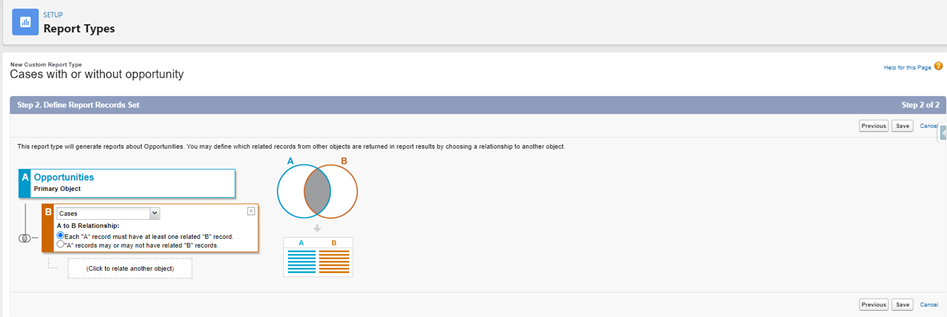
Step 2: After completing the Report Type, proceed to open the same Report in the Lightning Report Builder
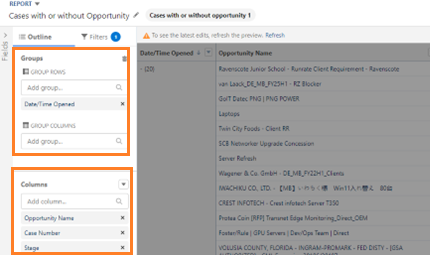
a. Under Columns section add columns that we want to see in our Report like Opportunity Name, Case Number, and Stage
b. Add Date/Time Opened field under GROUP ROWS as we want to see count of cases created at date.
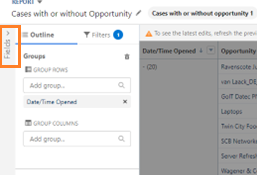
Step 3: Click on Show Fields arrow
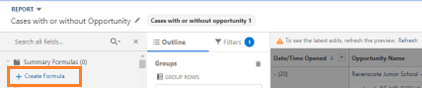
Step 4: Under Summary Formulas (0) tab, click on Create Formula
Step 5: Create the Formula
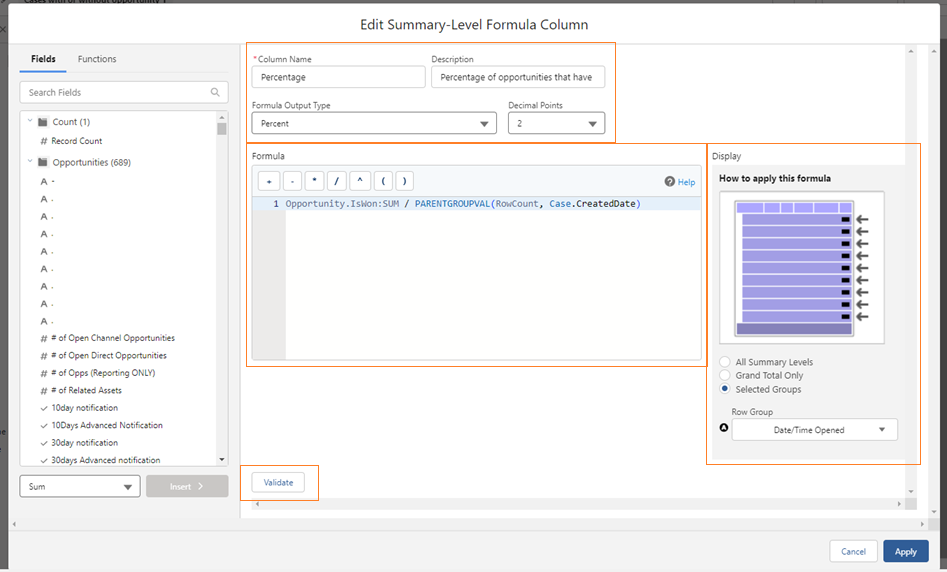
a. Assign a Column Name and provide Description
b. Formula Output Type should be Percent
c. Set Decimal Points to 2
d. Under Display section, click on Selected Groups with Row Group as Date/Time Opened
e. Sample Formula:
Opportunity.IsWon:SUM / PARENTGROUPVAL(RowCount, Case.CreatedDate)
f. Click on Validate to make sure no syntax error and then, click Apply
Step 6: Run your Report to validate desired output
Sample Outcome:


Applied the provided formula in one of the Reports where there are 2 cases, but only 1 opportunity that's closed won. This results in the expected outcome of 50% (1/2=0.5).
Yderligere ressourcer
Create a Custom Report
Vidensartikelnummer
000397091
Løste denne artikel dit problem?
Giv os besked, så vi kan forbedre os!
