Vælg en organisation
Create a Formula field on the Activity object for Report groupings and filters by the related object
Udgivelsesdato: Apr 2, 2026
Beskrivelse
The Name (WhoId) and Related To (WhatId) fields on the Event and Task objects are polymorphic lookup fields, meaning the referenced object of the relationship can be one of several different types of object. Name can lookup to either Contacts or Leads, and Related To looks up to multiple standard objects by default (including Account, Opportunity, Case, and Campaign) as well as any custom object where Allow Activities is checked.
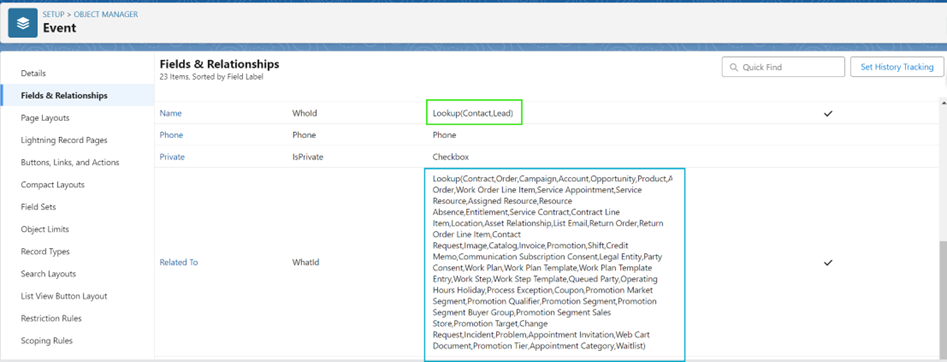
The polymorphic lookup field can make it difficult to pull reports with the information you want. There is no built-in way to only return Events related to a Contact, or Events related to Opportunities.
Løsning
To resolve this issue, we can create a formula field on the Activity object. Tasks and Events are types of Activity, so any field you create on Activity can be used in Tasks or Events. Learn more about how they work here.
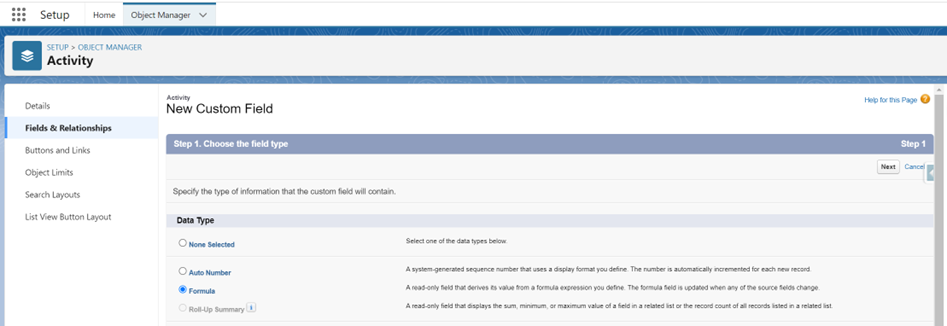
Step 1: Go to Setup > Object Manager > Activity > Fields & Relationships > New > Select Formula
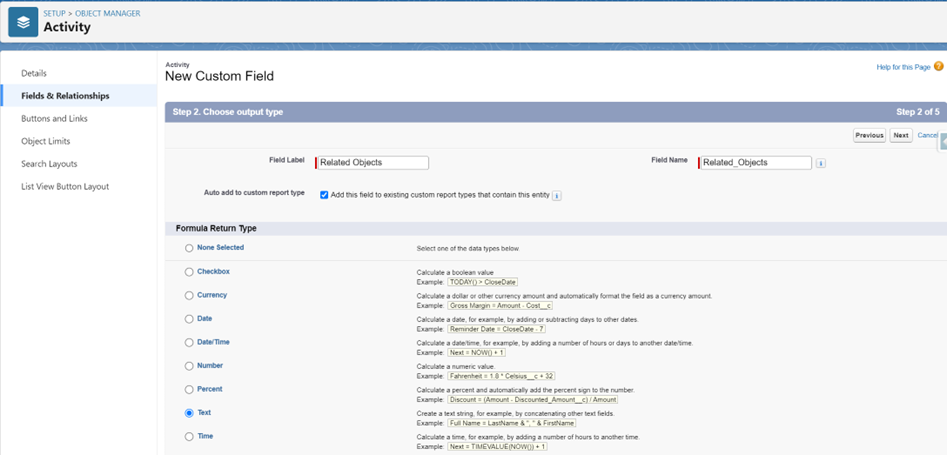
Step 2: Create an appropriate Field Label and Field Name
Step 3: Select Formula Return Type: Text
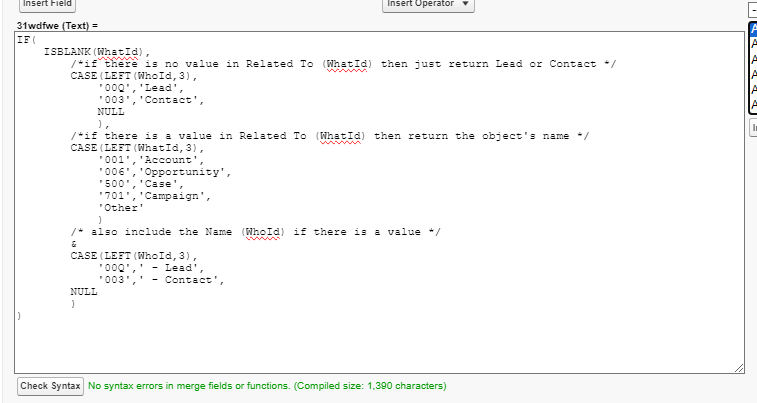
Step 4: The following Formula will show you Activities related to Accounts, Opportunities, Cases, or Campaigns. Any other object will be grouped as “Other”
IF( ISBLANK(WhatId), /*if there is no value in Related To (WhatId) then just return Lead or Contact */ CASE(LEFT(WhoId,3), '00Q','Lead', '003','Contact', NULL ), /*if there is a value in Related To (WhatId) then return the object's name */ CASE(LEFT(WhatId,3), '001','Account', '006','Opportunity', '500','Case', '701','Campaign', 'Other' ) /* also include the Name (WhoId) if there is a value */ & CASE(LEFT(WhoId,3), '00Q',' - Lead', '003',' - Contact', NULL ) )
Credit to Steve Molis for sharing this formula from his organization with the community.
Note: You can modify the formula to include additional objects by adding the prefix (first three characters) from the objects ID number. You can find this by opening a record and looking at the URL. Here we can see the first three characters for an Opportunity are 006. Daniel Ballinger provides a list of Obscure Salesforce Object Key Prefixes.
Step 5: Set the Field-Level Security, if needed add to Page Layout
Step 6: Save your new field
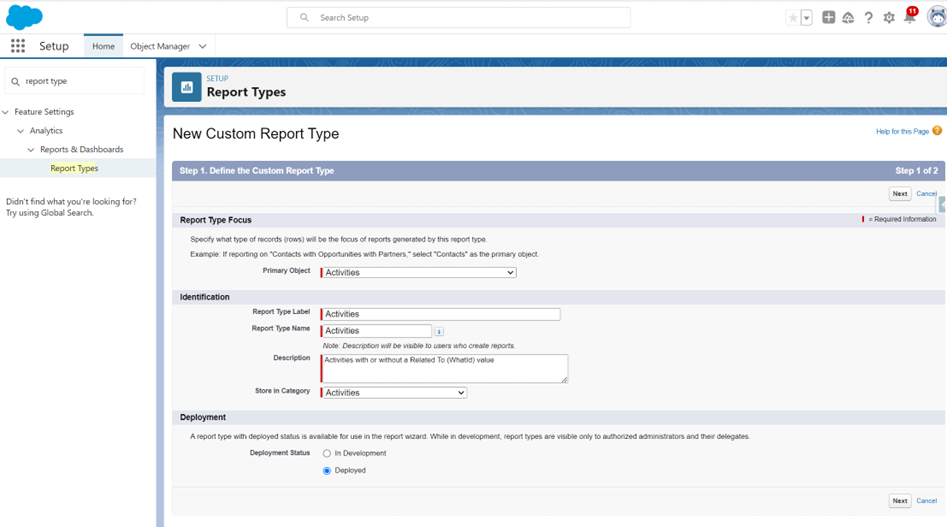
Step 7: Create a Custom Report Type on the Activities object to ensure your report will get all data
Note: The standard reports built on Activities will not display all records
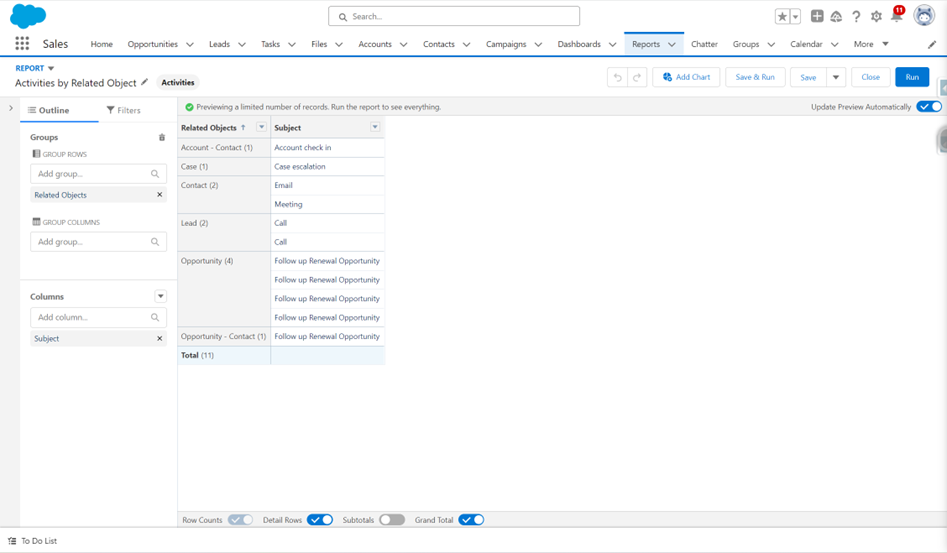
Step 8: Create a Report using your new Custom Report Type. Group the rows by your new formula field

Yderligere ressourcer
Vidensartikelnummer
000397158
Løste denne artikel dit problem?
Giv os besked, så vi kan forbedre os!
