Valitse organisaatio
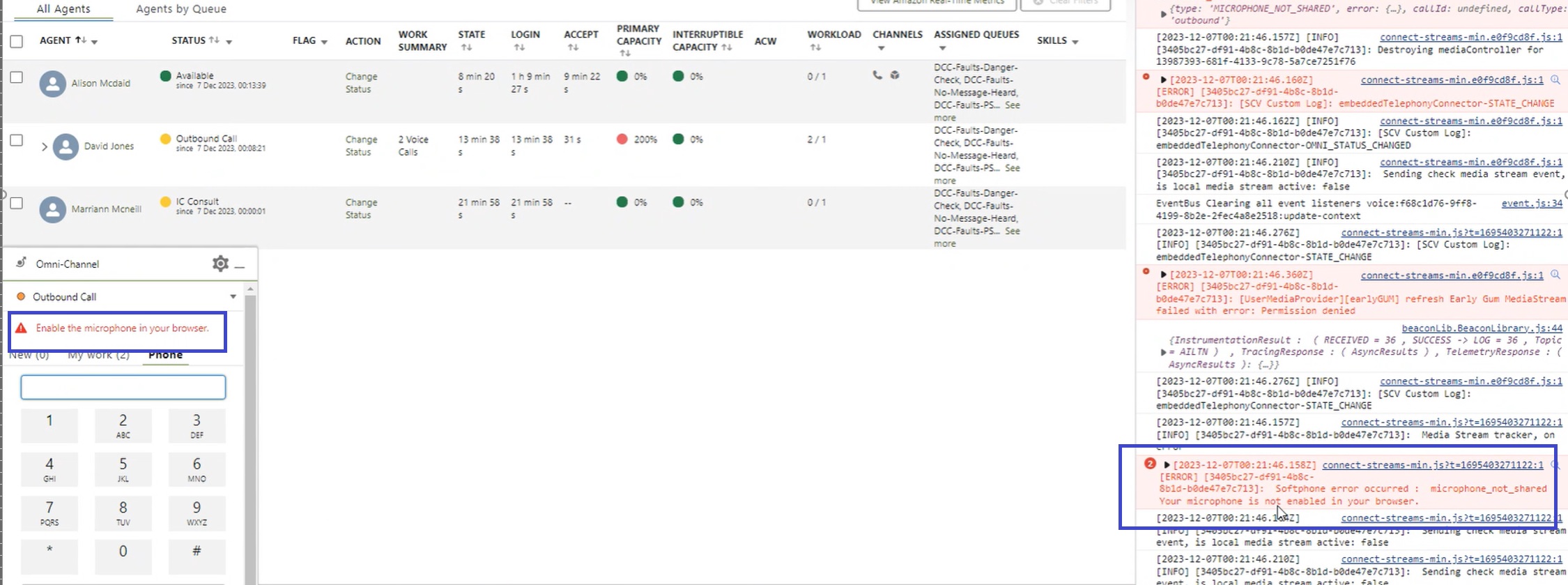
"enable microphone in your browser" error message on the Omni Widget
Julkaisupäivä: May 14, 2024
Kuvaus
The issue regarding microphone enablement occurs across multiple browsers. Third-party cookies were enabled at Chrome and Edge end. Microphone access is also allowed for Salesforce as well as Amazon Connect sites for both Edge and Chrome browsers.
Ratkaisu
To avoid this error follow the below steps -
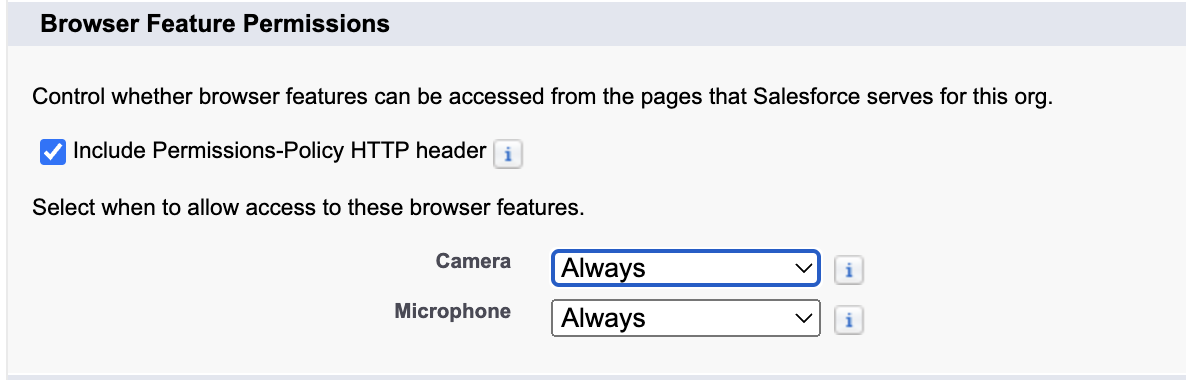
In Setup → Session Settings → Browser Feature Permissions
Either "Include Permissions-Policy HTTP header" should be unchecked; or if that is checked, the Microphone should be set as Always.
Knowledge-artikkelin numero
000570789
Ratkaisiko tämä artikkeli ongelmasi?
Anna palautetta, jotta voimme kehittyä!