조직 선택
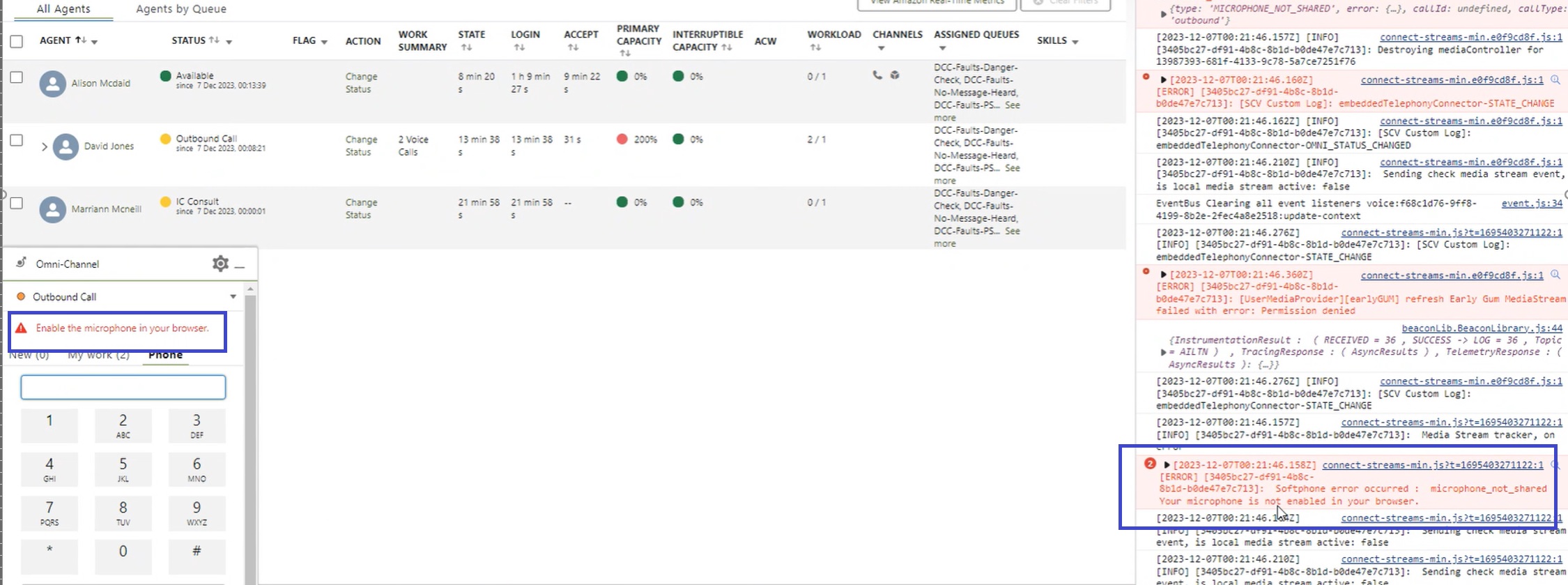
"enable microphone in your browser" error message on the Omni Widget
게시 일자: May 14, 2024
상세 설명
The issue regarding microphone enablement occurs across multiple browsers. Third-party cookies were enabled at Chrome and Edge end. Microphone access is also allowed for Salesforce as well as Amazon Connect sites for both Edge and Chrome browsers.
솔루션
To avoid this error follow the below steps -
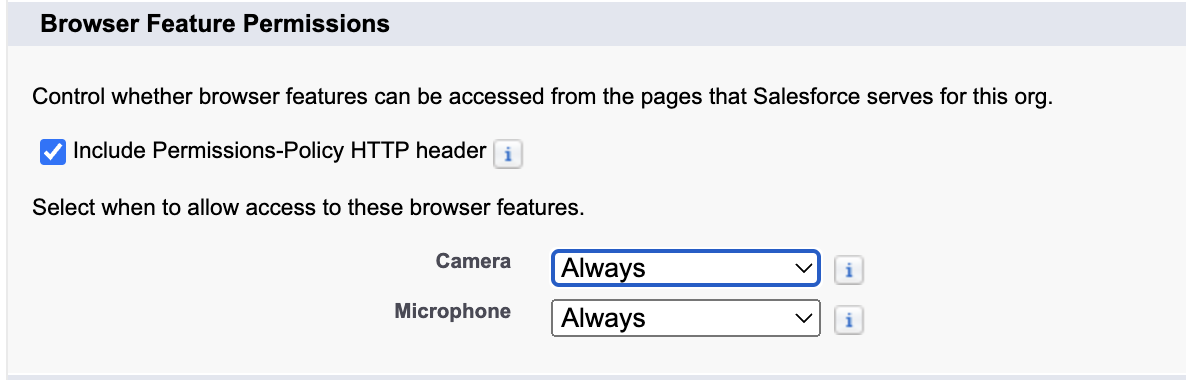
In Setup → Session Settings → Browser Feature Permissions
Either "Include Permissions-Policy HTTP header" should be unchecked; or if that is checked, the Microphone should be set as Always.
Knowledge 기사 번호
000570789
이 기사를 통해 문제를 해결했습니까?
개선을 위한 의견을 보내주세요.
