組織を選択
多要素認証 (MFA) が有効な組織における新規ユーザーの MFA 検証手段の設定方法
公開日: Aug 21, 2026
説明
新規ユーザーは初回ログイン時にパスワード設定し、次に MFA の検証手段の登録が必要です。本記事では、パスワードの設定から MFA の各種検証方法を接続する一連の手順を説明します。
解決策
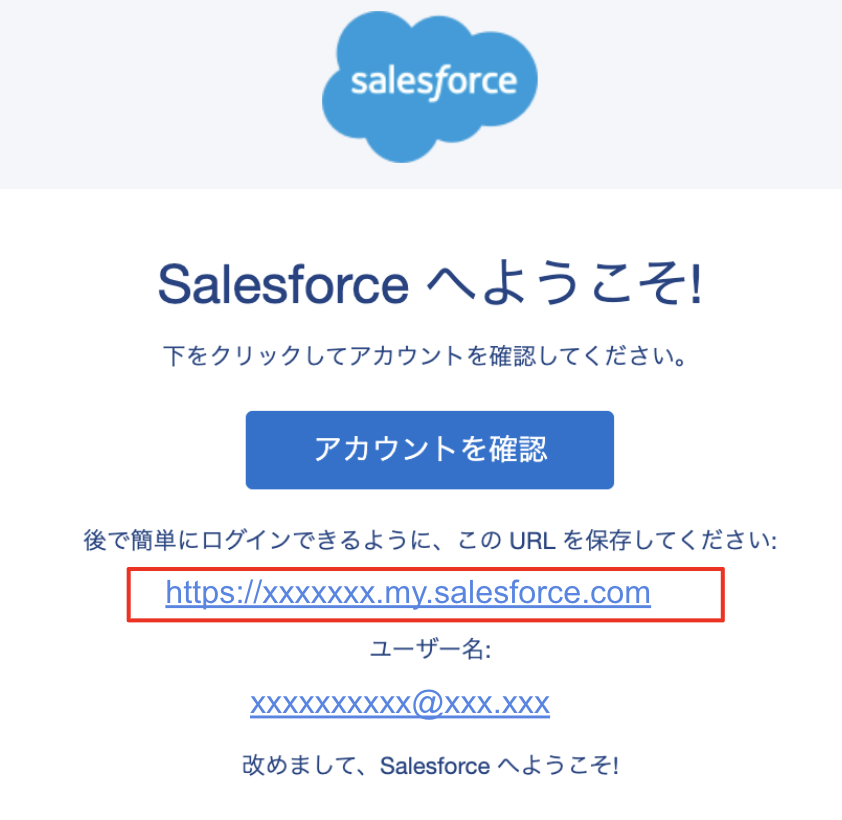
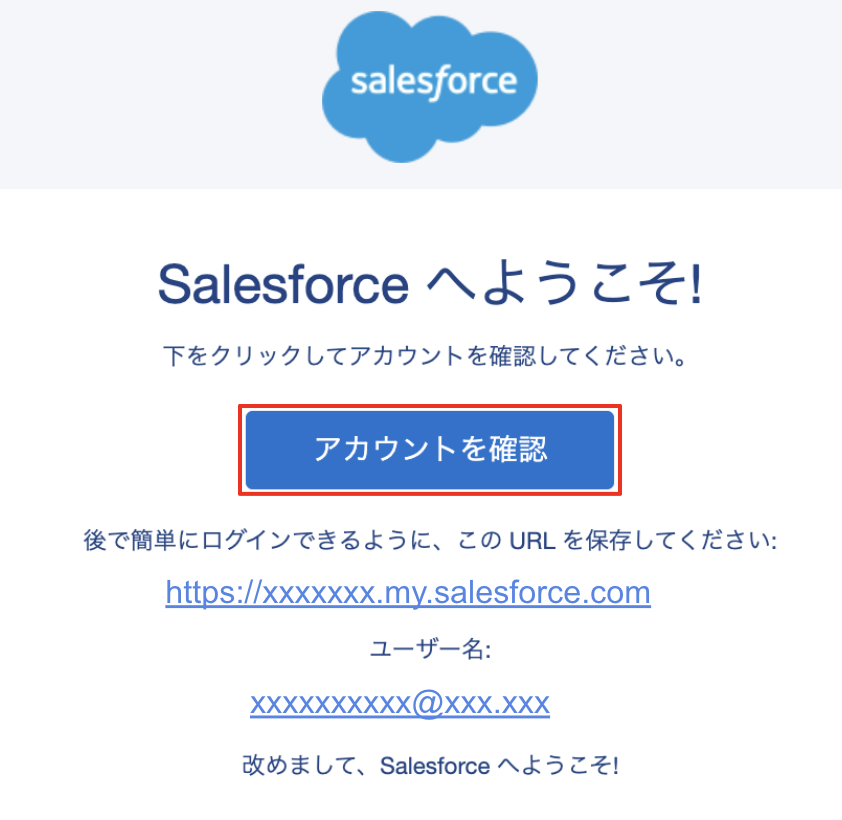
1. 「 Salesforce へようこそ」のメールの [アカウントを確認] をクリック
※ リンクをクリックしてもパスワード設定用の画面が開かずログイン画面が開いてしまった場合は、システム管理者がユーザーのパスワードのリセットを実施してパスワード設定用のリンクを再送します
※ ID 検証が要求された場合は、メールアドレス宛てにコードが送信されるため、メールに記載のコードを用いて認証します
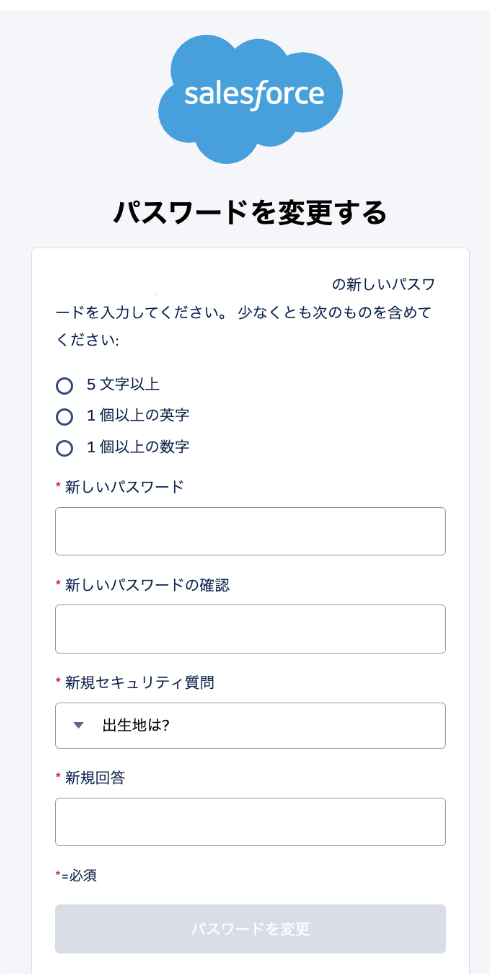
2. 以下の画面からパスワードとセキュリティの質問と回答を設定し[パスワードを変更]をクリック
※ セキュリティの質問に対する[新規回答]は、5 文字以上で入力する必要があります
3. ログインができたことを確認する
4. 右上のプロファイルアイコン をクリックし、一度ログアウトをする
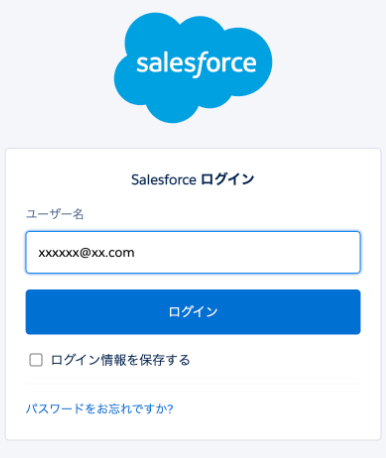
5. 「Salesforce へようこそ」のメールに記載のログイン URL へアクセスし、ユーザー名と設定したパスワードでログインする
※ ログイン URL は次回以降すぐにログインできるようブラウザーのブックマークなどに保存します
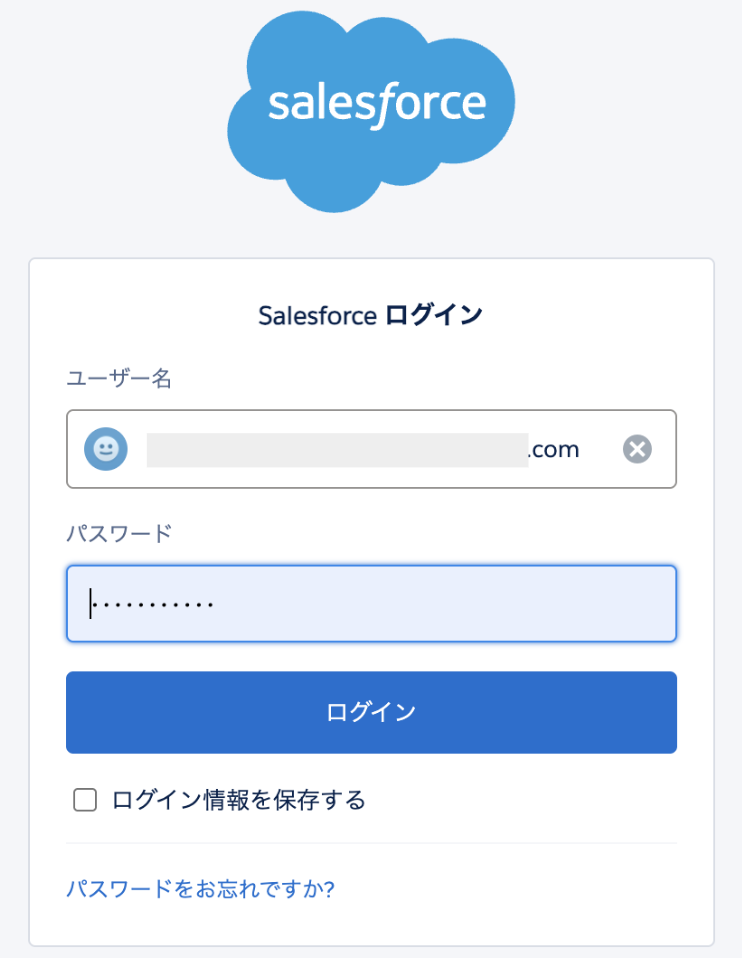
ユーザー名を入力して [ログイン] をクリック
パスワードを入力して[ログイン]をクリック
6. [パスキーを作成] の画面が表示されることを確認する

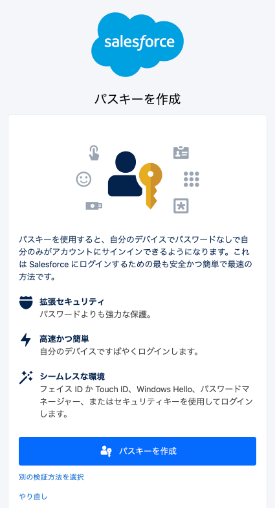
7. 使用する MFA 検証手段に応じて下記の手順 7-1 以降を実施する
※ 登録する検証手段の指定があるかどうかは、組織のシステム管理者へと確認します
- パスキー( 生体認証を用いた組み込みAuthenticator や、スマートフォンをセキュリティキーとして) 登録をする場合
7-1. [パスキーを作成] をクリック
7-2. パスキーの保存場所を選択
※ 認証情報(パスキー)をスマートフォンやパスキー対応のパスワードマネージャーなどに登録する場合 Windows 端末で「変更」Mac 端末では「キャンセル」をクリックし、ご利用環境で使用可能なほかの保存先を選択して進めます。端末のOS や制御設定起因で、表示される選択肢が異なります
例:
- この Windows デバイス (Mac の場合は [パスワード] )
- iPhone、iPad、またはAndroid デバイス(Mac の場合は [スマートフォン、タブレット、またはセキュリティキー] )
- セキュリティキー
- パスワードマネージャー
- 自分のChrome プロフィール
※ PC とモバイルなど複数端末からログインする可能性のあるユーザーは、スマートフォンにパスキーを保存すると便利です。
7-3. 選択先に応じた認証で登録を進める
「iPhone、iPad、またはAndroid デバイス」(「スマートフォン、タブレット、またはセキュリティキー」) を選択した場合は、PC とスマートフォンの両方でBluetooth を有効にし、表示される QR コードをスマートフォンのカメラ機能で読み込み、[パスキーを保存(パスキーを使用)]をクリックしてパスキーを保存します
手順通りに進められない場合は PC の機能が制限されている場合がありますので、組織内の端末管理者にご確認ください。 - セキュリティキー ( YubiKey などの物理セキュリティキー)を使用する場合
7-1. [パスキーを作成] を選択
7-2. Windows 端末で「変更」、Mac 端末では「キャンセル」をクリック
7-3. パスキーの保存場所の選択肢が表示されることを確認
7-4. セキュリティキー(Mac の場合は[スマートフォン、タブレット、またはセキュリティキー])を選択
メッセージが表示されたらセキュリティキーをコンピューターやモバイルデバイスの適切なポートに挿入
※ボタンがある場合はボタンを押します
セキュリティキーは生体認証デバイスではありませんが、一部にはボタンが付いており、ユーザーがそのボタンに触れてデバイスを有効にする必要があります。
7-5. PIN を登録したら、表示されるガイダンスに従いセキュリティキーをタップし登録を完了させる
※ご利用の OS 次第で異なります
- Salesforce Authenticator を使用する場合
※システム管理者や特権ユーザーは使用不可
7-1. 画面下部の [別の検証方法を選択] をクリックし、[Salesforce Authenticator] をクリック
7-2. Salesforce Authenticator の設定方法 の「■A.初めて Salesforce Authenticator を接続する場合」セクションを展開して手順を確認します
- ワンタイムパスワードアプリケーションを使用する場合
※ システム管理者や特権ユーザーは使用不可
※ Google Authenticator などのサードパーティ製の認証アプリケーションを使用する場合
7-1. 画面下部の [別の検証方法を選択] をクリックし、[ワンタイムパスワードアプリケーション] をクリック
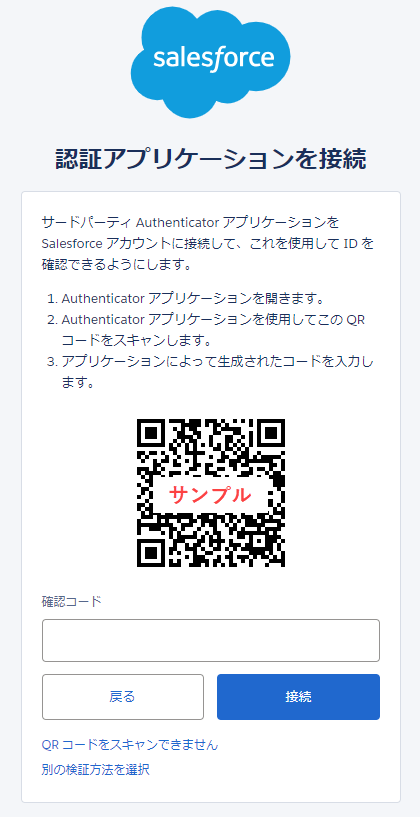
7-2.「認証アプリケーションを接続」画面に QR コードが表示されたら、スマートフォンにインストール済みの認証アプリケーションを起動し、 QR コードを読み込みます。
※ ワンタイム認証アプリケーションに QR コードの読み込み機能がない場合は、画面下部の [QR コードをスキャンできません] をクリックし、「キー」欄に表示される文字列をワンタイム認証アプリケーションに登録します。
7-3. ワンタイム認証アプリケーションに表示される 6 桁の確認コードを「認証アプリケーションを接続」画面の「確認コード」欄に入力し、[接続] をクリックします。
8. ログインが完了したことを確認する
その他のリソース
ユーザーが Salesforce 組織の MFA 検証方法を登録できるようにする
多要素認証 (MFA) の よくあるトラブルシューティング
パスワードリセットやログイントラブルに関するよくある問い合わせ
ナレッジ記事番号
000594755
この記事で問題は解決されましたか?
ご意見をお待ちしております。
