Seleccionar una organización
Salesforce Field Service Guided Setup Shows Blank Scheduling Policy Page with TypeError in Browser Console
Fecha de publicación: May 17, 2026
Descripción
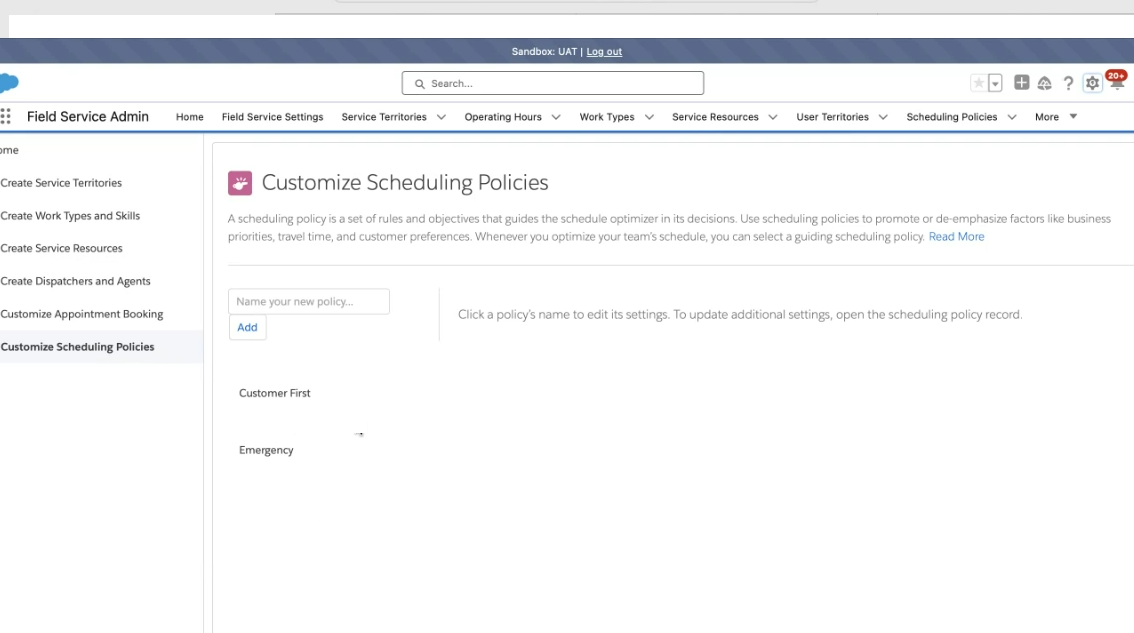
When attempting to access a Salesforce Scheduling Policy through the Guided Setup in Field Service Admin Settings, the Scheduling Policy page appears completely blank instead of displaying the list of available policies.
When attempting to access any Salesforce scheduling policy via the guided setup in the Field Service settings, the scheduling policy page appears blank. In the browser page, inspect the HAR logs to find the error "Type Error: 'Can’t read properties of undefined (reading 'Name')".
Solución
When a user clicks on a Scheduling Policy from the Field Service Guided Setup, the system queries all Work Rule records (FSL__Work_Rule__c) and their associated Record Types. If any Work Rule record does not have a Record Type assigned, the system encounters a null value when reading the Record Type Name, which triggers the TypeError and causes the page to render blank.
Step 1: Identify Work Rules Without a Record Type
Run the following query in the Salesforce Developer Console to find all Work Rule records where no Record Type is assigned. Open the Developer Console from Setup, then run: SELECT Id FROM FSL__Work_Rule__c WHERE RecordTypeId = null
Note the IDs returned by this query — these are the Work Rules causing the issue.
Step 2: Add the Record Type Field to the Work Rule Page Layout
To assign a Record Type to the affected Work Rules, the Record Type field must first be visible on the Work Rule page layout:
- Navigate to Setup > Object Manager
- From the object list, select Work Rule
- Click Page Layouts and select Page Layout Assignment
- Choose the Master Page Layout for your profile (this is likely "Match Boolean (Service) Layout")
- In the Page Layout editor, search for the Record Type field
- Drag and drop the Record Type field onto the layout and click Save
Step 3: Assign the Record Type to Affected Work Rules
Open each Work Rule record identified in Step 1 and assign the appropriate Record Type. After all affected Work Rules have a Record Type assigned, return to the Field Service Guided Setup and click on the Scheduling Policy — the page should now load correctly.
Recursos adicionales
Número del artículo de conocimiento
000694748
¿Resolvió este artículo su problema?
¡Háganos saber cómo podemos mejorar!
