Välj en organisation
Salesforce Field Service: Service Appointment Slot Grades Differ Between Dispatcher Console Gantt and Service Appointment Page — Caused by Missing Geocoding on Service Appointment
Publiceringsdatum: May 17, 2026
Beskrivning
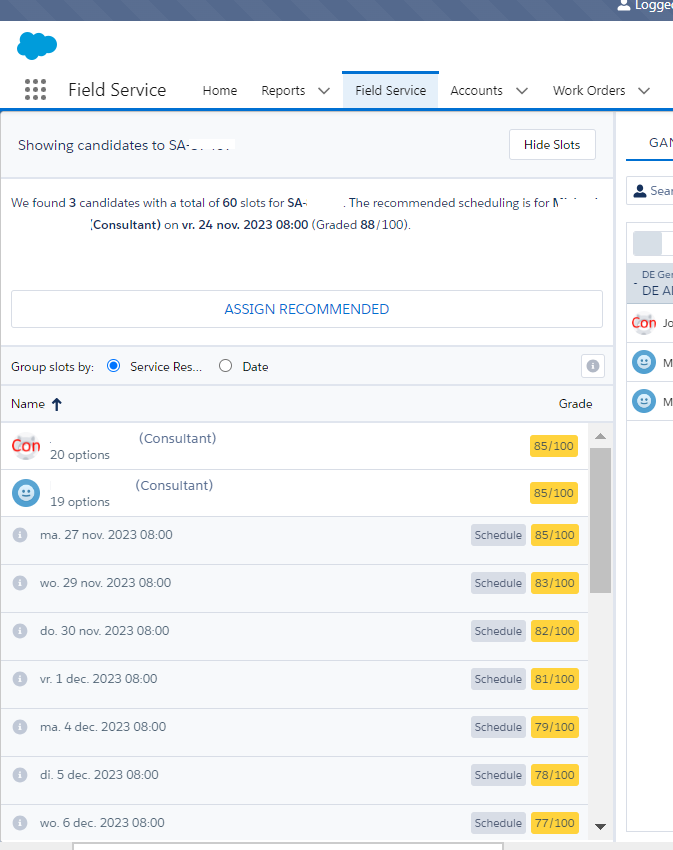
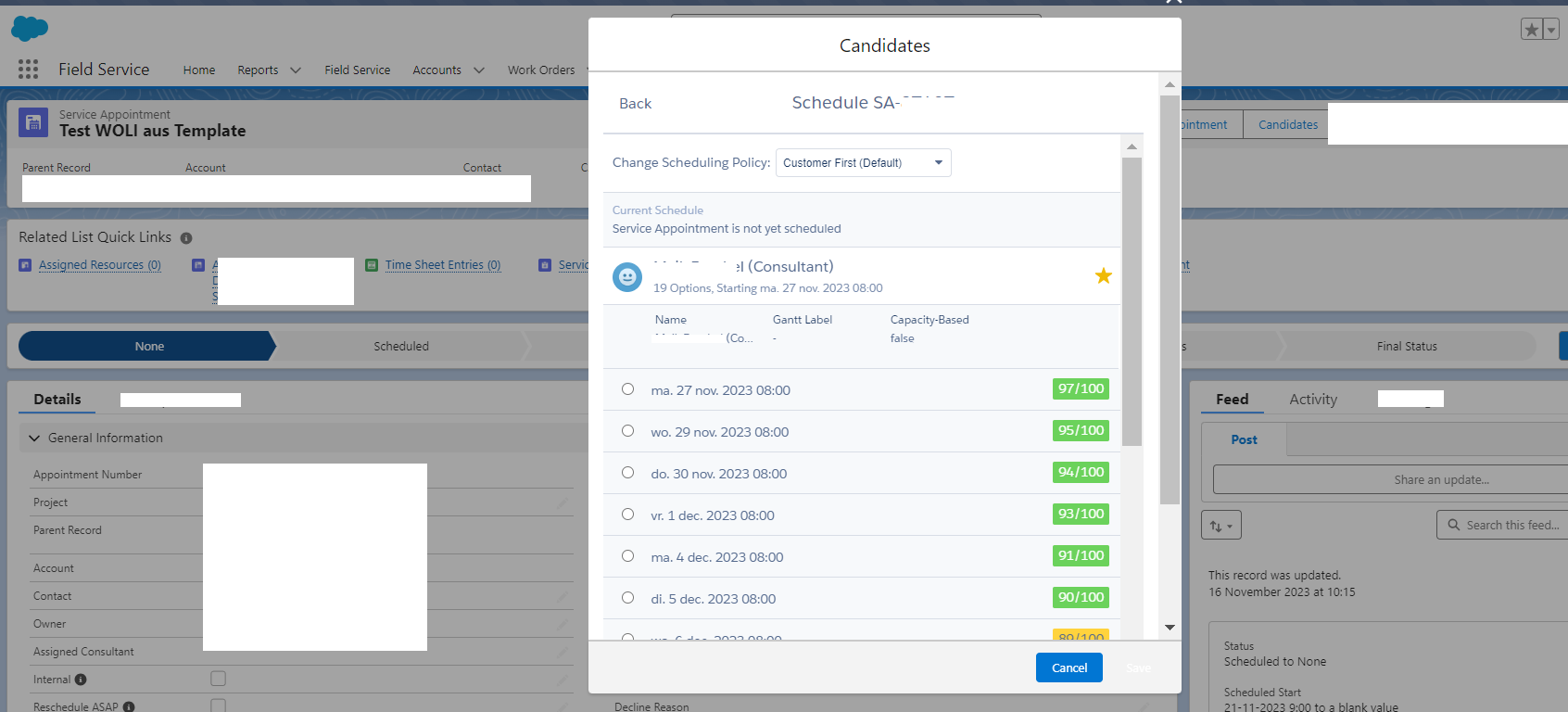
In Salesforce Field Service (SFS), when using the Candidates action, the slot grades shown in the Dispatcher Console Gantt differ from the slot grades shown on the Service Appointment (SA) page (the Candidates action directly on the Service Appointment record page).
When comparing API response data using browser developer tools, the raw grade values are identical in both locations. The visual discrepancy appears only in the UI rendering.
Lösning
This issue occurs because the Service Appointment (SA) is not geocoded. Geocoding is the process of converting a physical address into geographic coordinates (latitude and longitude). The Minimize Travel scheduling objective requires geocoded coordinates to calculate a travel distance grade.
How Geocoding Works: Gantt vs. Service Appointment Page
The behavior differs between the two locations by design:
- Dispatcher Console Gantt: The Minimize Travel grade is always 0 when the SA is not geocoded, because the Gantt requires already-geocoded coordinates for travel-distance calculations. You cannot create a Service Appointment from the Gantt — you can only retrieve candidates for SAs already on the Service List.
- Service Appointment page (Chatter action): Salesforce uses a Google API call to geocode the address on the fly, temporarily assigning coordinates to the SA for that specific slot calculation. This allows a Minimize Travel grade of 100 to be returned. In the HAR (HTTP Archive) logs, this appears as two sequential remote calls:
CreateOrUpdateService(which updates Latitude and Longitude) followed byDoFirstStage(which calculates slots and then reverts the geocode changes).
This is expected, designed behavior. The SA page allows slot calculation without waiting for a background geocoding update.
Solution:
To get matching slot grades in both the Gantt and the Service Appointment page, the Service Appointment must be geocoded (must have valid Latitude and Longitude field values).
Steps to Investigate and Resolve Missing Geocoding
- Open the Service Appointment record.
- Check the Latitude and Longitude fields. If empty or 0, the SA is not geocoded.
- Verify the address on the Service Appointment is complete and valid.
- Enable Address History Tracking on the Service Appointment Address field (Setup > Object Manager > Service Appointment > Fields & Relationships > Address > Field History Tracking) to monitor geocoding updates.
- Once geocoded via a background job or manual update, the Minimize Travel grades in the Gantt and on the SA page will match.
Ytterligare resurser
Knowledge-artikelnummer
000694750
Löste denna artikel ditt problem?
Berätta för oss vad vi kan förbättra!
