Sélectionner une organisation
Deployment of Lightning Email Templates Using Metadata API and Visual Studio Code (VS Code)
Date de publication: Mar 25, 2026
Description
Résolution
First, We will use 2 queries we will use to find out which folder these email templates are in and we will use the api name of that folder to retrieve those folders.
Query:
Select id, Name, ParentId, DeveloperName from Folder
Another SOQL we will use to find out the developer name of the lightning email template for retrieving purposes:
SELECT Id, Name, developerName, FolderName FROM EmailTemplate
Retrieval:
Now we use below similar package.xml format for retrieving the desired lightning email template:
Example:
<Package xmlns="http://soap.sforce.com/2006/04/metadata">
<types>
<members>unfiled$public</members>
<name>EmailTemplateFolder</name>
</types>
<types>
<members>unfiled$public/Merrill_Salesforce_Feedback_ET_1693339645628</members>
<name>EmailTemplate</name>
</types>
<version>54.0</version>
</Package>
Note: Here above “unfiled$public” is the public folder name and “Merrill_Salesforce_Feedback_ET_1693339645628” is lightning email template’s developer name under this folder.
Payload :
After retrieval we get a zipped file including the lightning email template and it’s metadata.xml file.
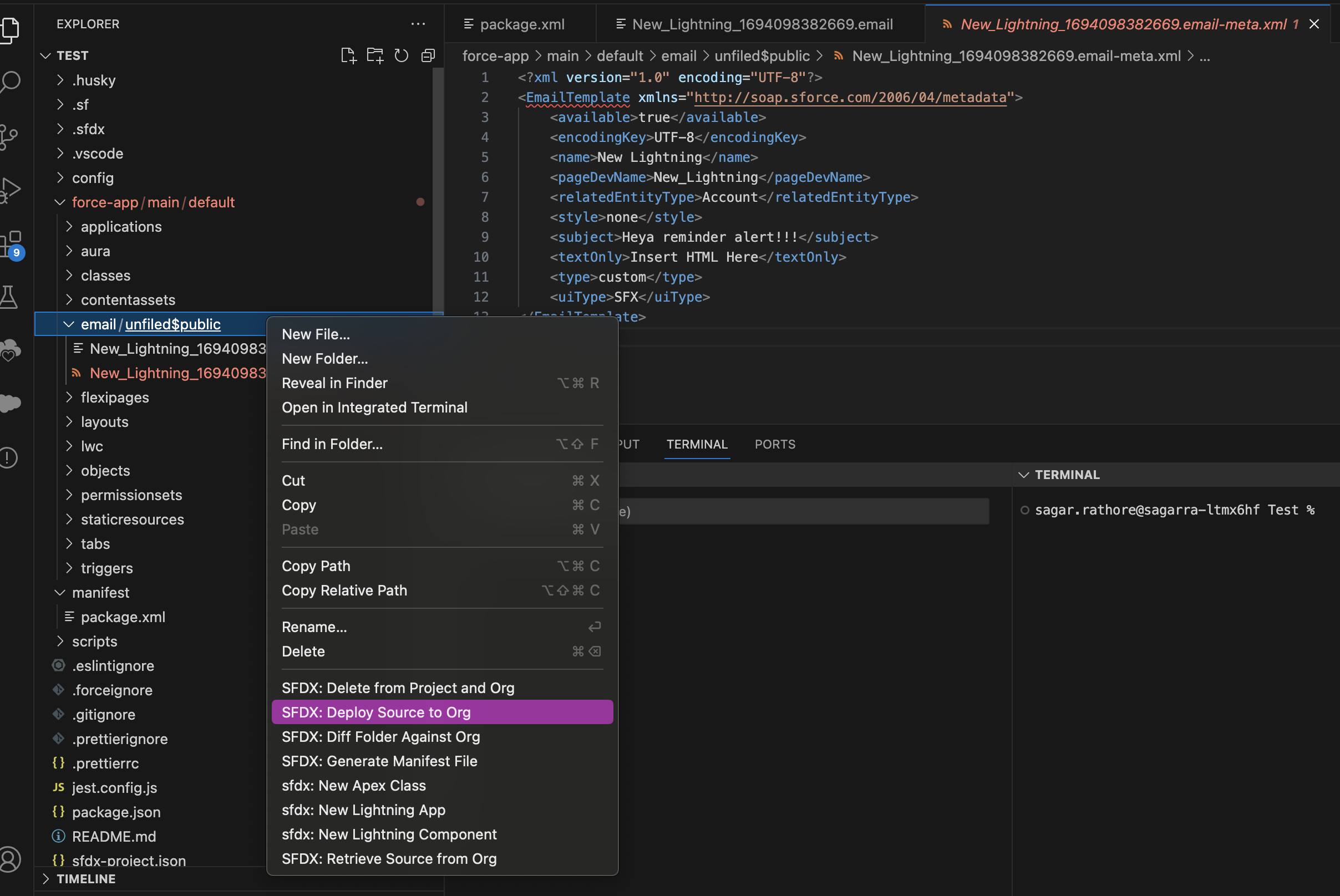
Now we select our payload in vs code and we deploy the payload using cli command or simply right clicking the email template folder there.
Example : Refer below screenshot for deploying the payload:
Numéro d’article de la base de connaissances
000742641
Cet article a-t-il résolu votre problème ?
Dites-nous ce que nous pouvons améliorer !
