Organisation auswählen
Marketing Cloud Connect - Attempt to de-reference a null object error after selecting Connect to Marketing Cloud
Veröffentlichungsdatum: Jan 3, 2025
Beschreibung
The error is likely occurring when Tenant Specific Oauth Endpoints are not enabled. The error mentions "Attempt to de-reference a null object."

Lösung
1. Prior to selecting the Connect to Marketing Cloud button during intial setup, select the Show Advanced Setting link just above the button.
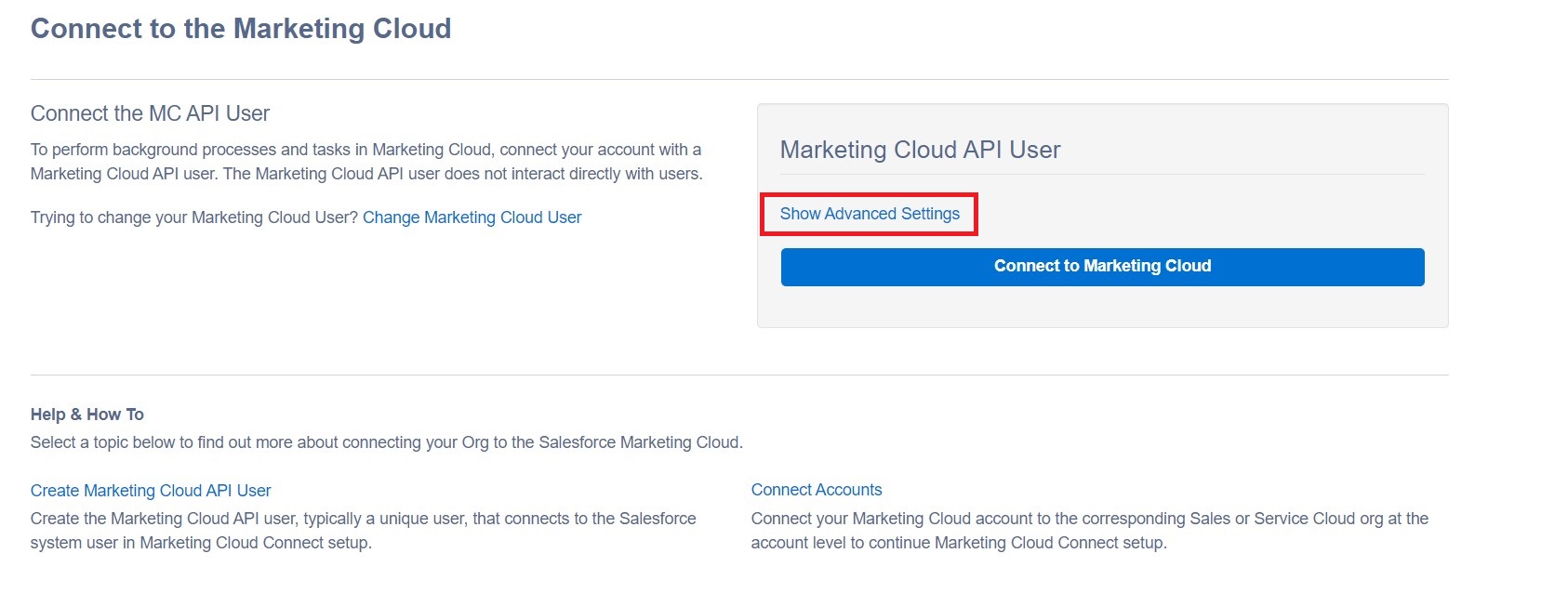
2. After selecting the Show Advanced Settings button, you should see a setting available for Tenant Specific Oauth Endpoints. Please enable this setting and Save.
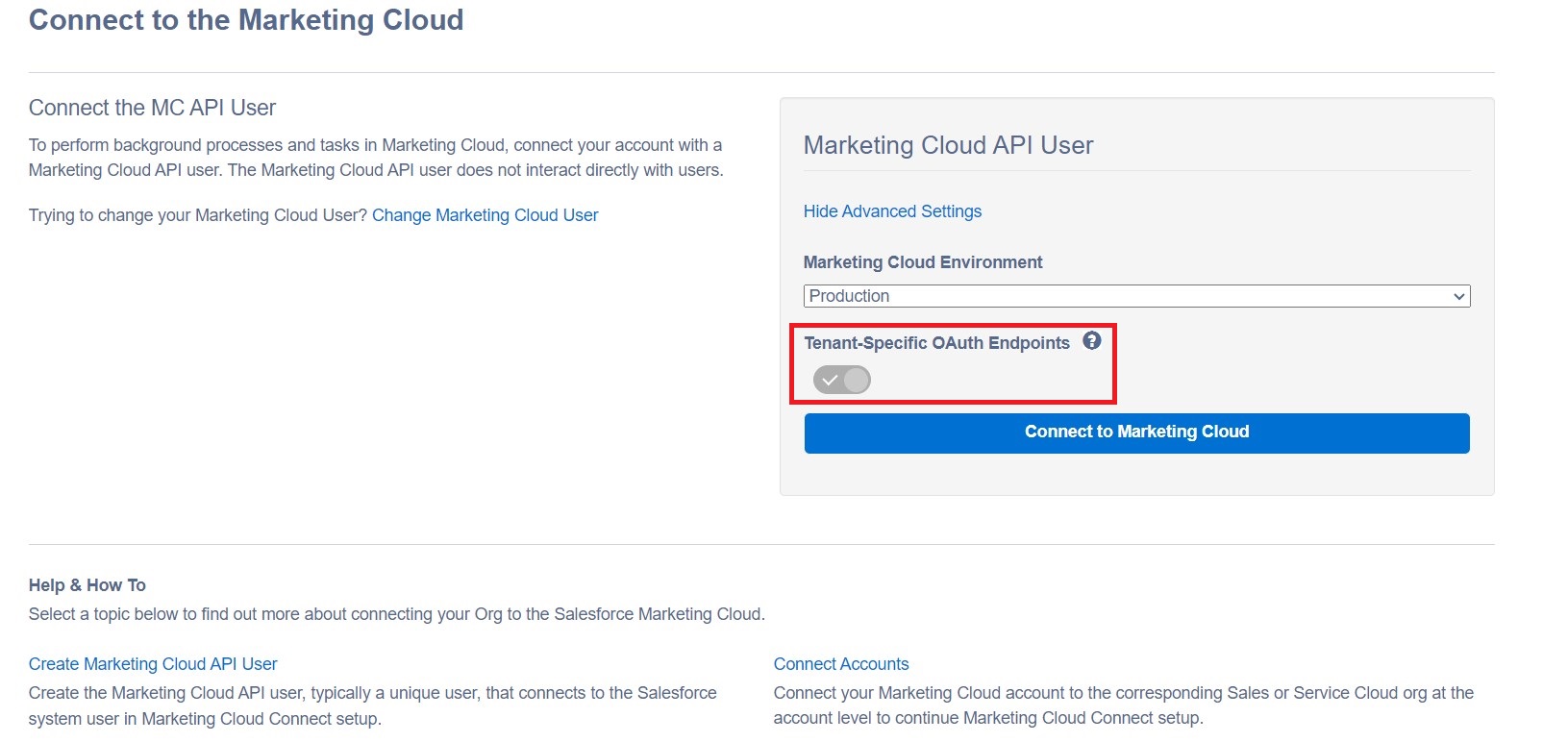
3. After the setting for Tenant Specific Oauth Endpoints has been enabled, please proceed with selecting the Connect to Marketing Cloud button. At this point you should be able to continue configuring the Connector Settings.
***If the issue persists after following the steps provided above, please create a Support Case so the matter can be reviewed further.***
Nummer des Knowledge-Artikels
000835986
Konnten Sie Ihr Problem mithilfe dieses Artikels lösen?
Geben Sie uns Feedback, damit wir uns verbessern können.
