Sélectionner une organisation
New Google Consent Settings in Marketing Cloud Advertising Studio
Date de publication: Oct 29, 2024
Description
Starting March 6, 2024 Google requires advertisers to provide two consent settings when uploading data for use with Customer Match. Marketing Cloud Advertising (Ad Studio) submits data to Customer Match. Ad Studio Customers can now update these settings within the Ad Studio UI for new and existing audiences.
These settings inform how Google uses data for matching (user data), and for ad targeting (personalization). Google’s documentation describes these as follows.
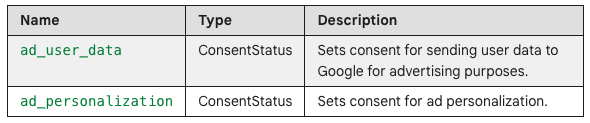
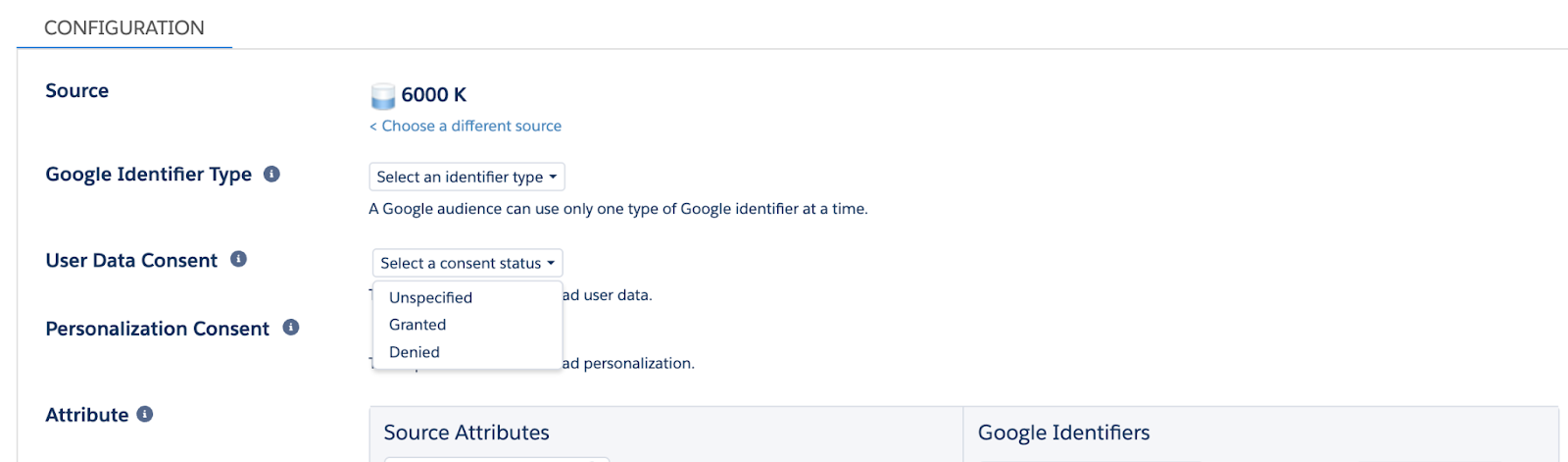
For each setting, advertisers may provide a value of Granted, Denied, or Unspecified. By default, Ad Studio will send a value of Unspecified.
EEA user data sent without an ad_user_data value of “Granted” will not be processed by Google for matching. EEA user data sent without an ad_personalization value of “Granted” cannot be used for ad personalization (targeting). Google makes a determination of whether data pertains to an EEA user.
Résolution
How do I update consent settings?
These are set in Advertising Studio at an audience level. They can be applied when creating a new audience, or for existing audiences. Google acts on these signals at the time user data is provided – not retroactively.
When creating a new audience:
On the audience configuration page, select a value for “User Data Consent” and a value for “Personalization Consent.”
For existing audiences:
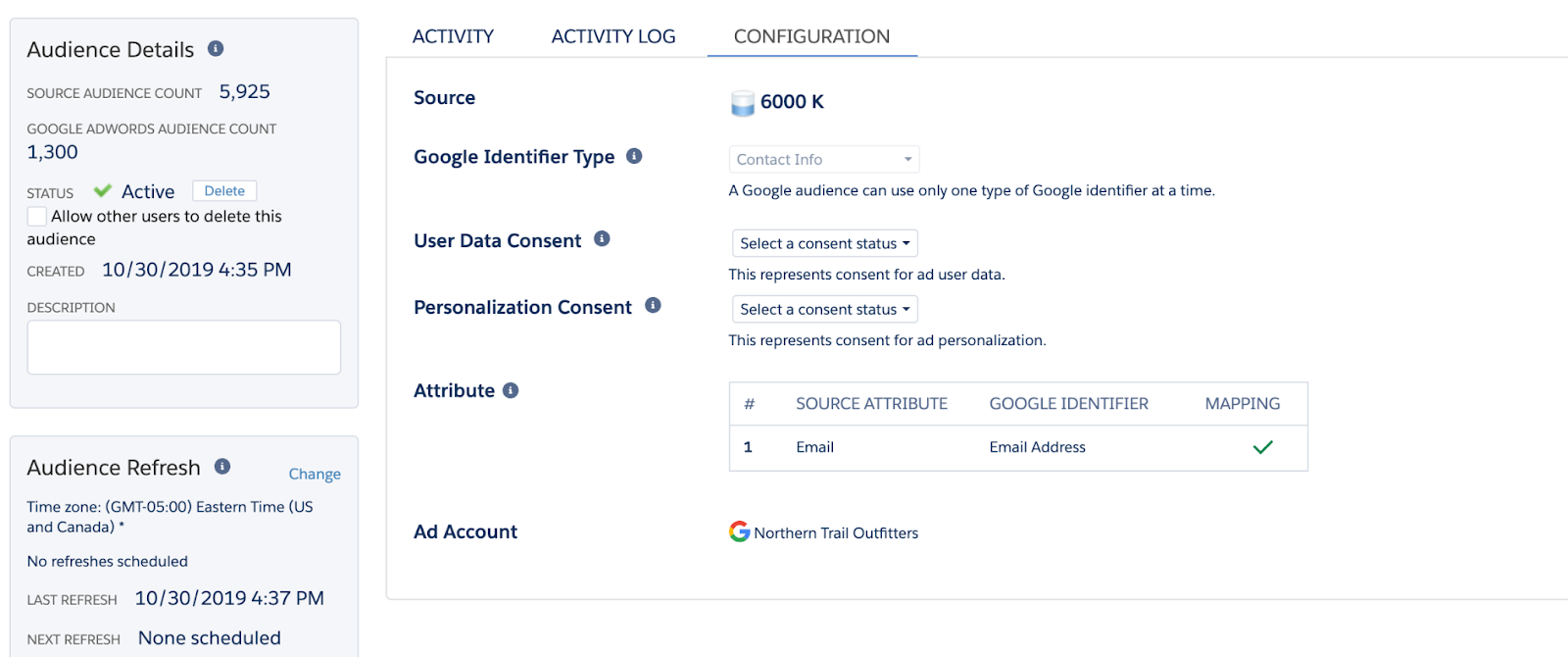
Consent settings will be processed by Google only when data that is submitted for matching. For example, if an audience has a refresh schedule, any refresh jobs with new audience members will send consent status for those users. Google does not require advertisers to submit consent status retroactively for data sent prior to March 6th 2024.
On the audience configuration page, select a value for “User Data Consent” and a value for “Personalization Consent.” Click “Save.”
Q&A:
Does this apply to all of my audience data submitted through Ad Studio, or just the audience data shared to Google?
These changes are a response to Google policies and Ad Studio does not collect these consent parameters for other ad platforms.
What if I have questions about Google’s consent policies or how Google is using my data submitted through Ad Studio?
Please reach out to your Google account team, as they are in the best position to explain their policies.
Do I need to add these consent values to my source data, such as add new columns to my data extensions?
No. Google processes these values at the time Ad Studio submits data for matching, and applies the provided consent to all members of the audience that are processed at that time.
Do I need to go back and make changes to my existing audiences?
If you anticipate updating the source data for existing audiences, it would be a best practice to update consent settings for those audiences. Google does not require this consent information be provided for user data submitted prior to March 6, 2024.
Is there a way to bulk-update multiple audiences at the same time?
No.
I also send data to Google via Salesforce Data Cloud Ad Audiences, does it work the same way in Data Cloud?
Data Cloud has a different implementation to support Google’s consent policies. Please click here to review Data Clouds new consent settings for Google activations.
Numéro d’article de la base de connaissances
000983248
Cet article a-t-il résolu votre problème ?
Dites-nous ce que nous pouvons améliorer !
