組織を選択
How To Avoid client_secret To Be Recorded By Message Logging Policy
公開日: Mar 2, 2024
タスク
GOAL
I am using Message Logging Policy.It is printing all HTTP Headers by using DW Expression
#[attributes.headers]
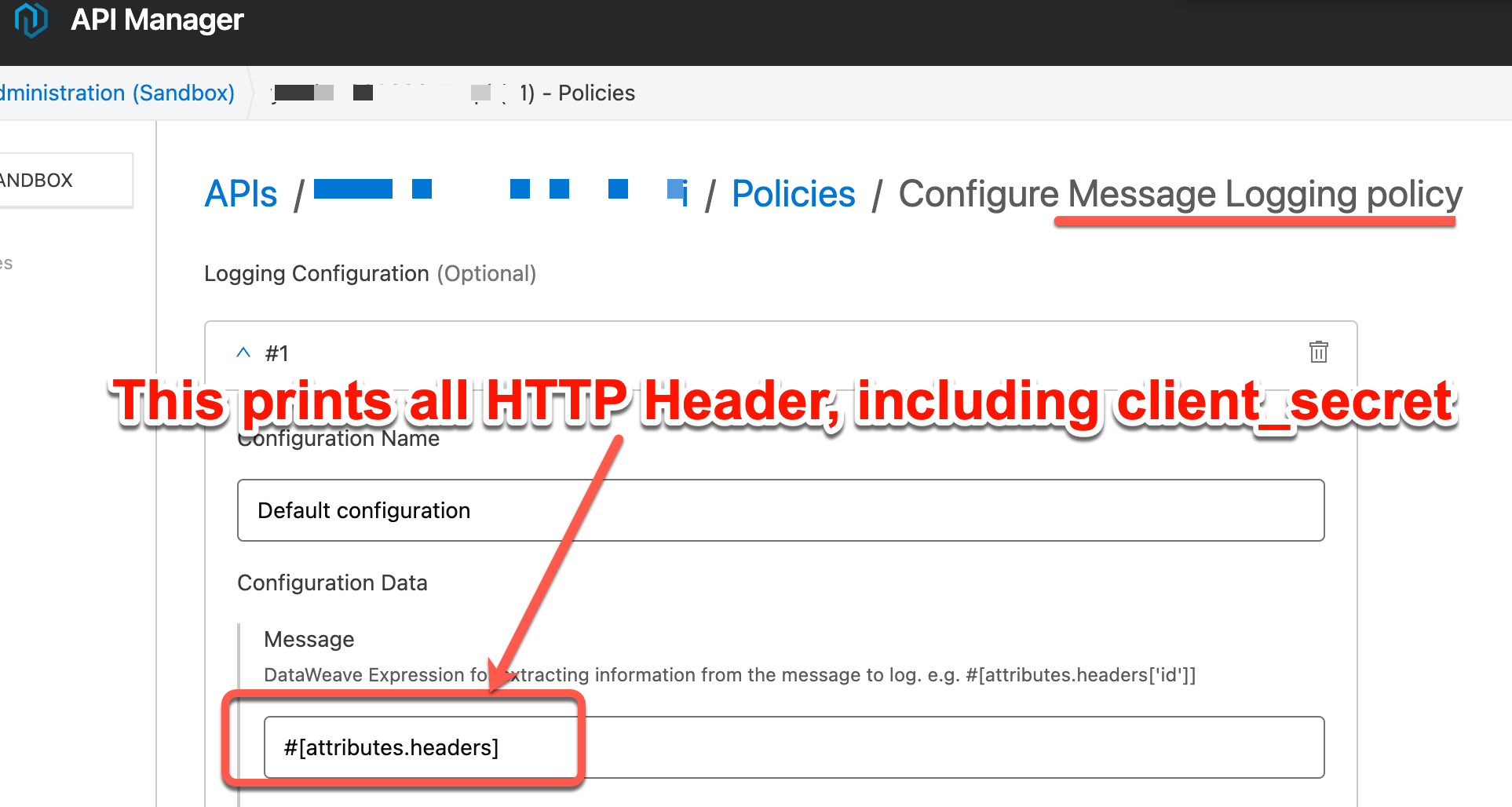
But I want to avoid printing some HTTP Headers, for example, "client_secret".
How can I do it?
ステップ
It is possible by the below DataWeave expression. In this example, we specify "client_secret".
#[attributes.headers -- ["client_secret"]]
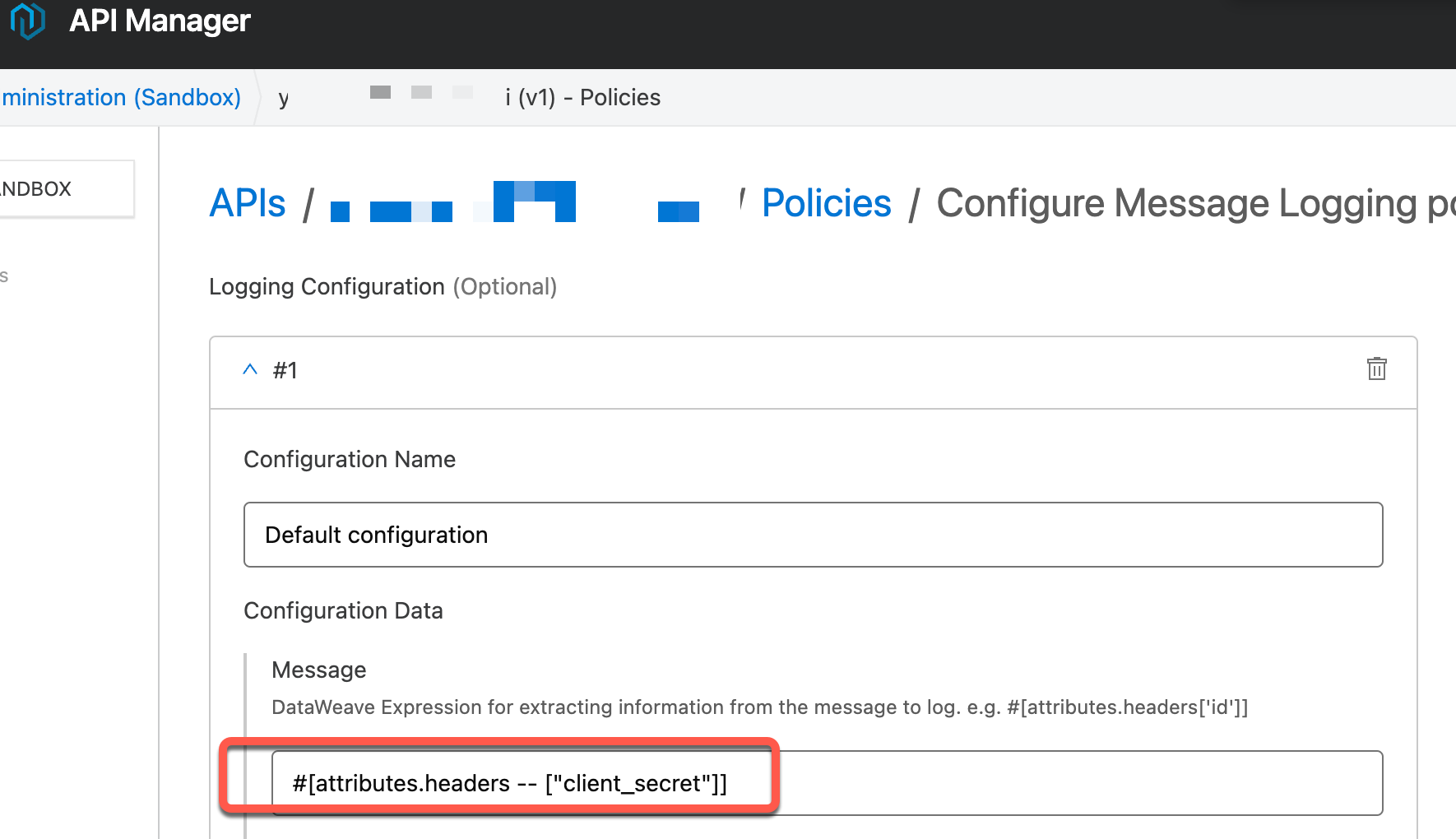
The Message Logging Policy will print all HTTP headers except "client_secret".
- If the API is Flex Gateway:
However, the above DW expression does not work since it is NOT supported by Flex Gateway as per Document: DataWeave Support in Flex Gateway Policies.
Alternatively, we can utilize Header Injection Policy in order to exclude some particular headers(in this example, client_secret) as below.
Policy Order(1) Client ID Enforcement
Policy Order(2) Header Injection
+ Key: client_secret
+ Value: #['dummy']
Policy Order(3) Message Logging
+ Message: #[attributes]
The limitations of the above approach:
- Client ID Enforcement Policy should be BEFORE Header Injection and Message Logging. This is because the Header Injection modifies the actual client_secret value
- Failed API requests at the Client ID Enforcement(for example, requests with a wrong client_id, missing client_secret, etc) will not be printed by Message Logging. This is because Header Injection, Message Logging should be AFTER Client ID Enforcement
Disclaimer: This solution provides a suggestion that should be considered in conjunction with your specific use-case and requirements and does not represent a complete solution for all circumstances.
ナレッジ記事番号
001114303
この記事で問題は解決されましたか?
ご意見をお待ちしております。
