Seleccionar una organización
How to create API Proxy for /callback and /authorize, Oauth dance needs those endpoint
Fecha de publicación: Mar 2, 2024
Pasos
If using services Oauth for authentication like Salesforce/Slack etc from Application, Application must export those /callback and /authorize endpoints. Usually those settings are in Connector config then app has those endpoint exposed.
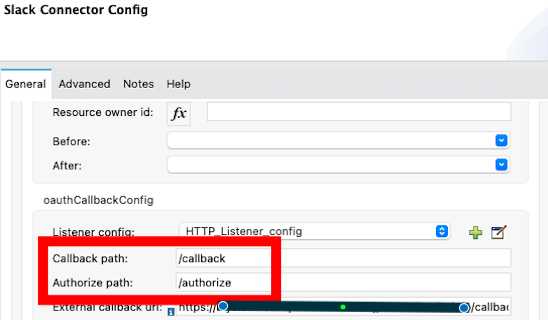
But API proxy usually does not forward it because API Proxy usually created from API Specifications and those usually not include /callback and /authorize endpoints. So API Proxy does not forward those endpoints the Oauth dance not working.
For resolving this, it is good to modify API Proxy project to allow /callback and /authorize endpoints.
You can download JAR file for API Proxy in API Manager.
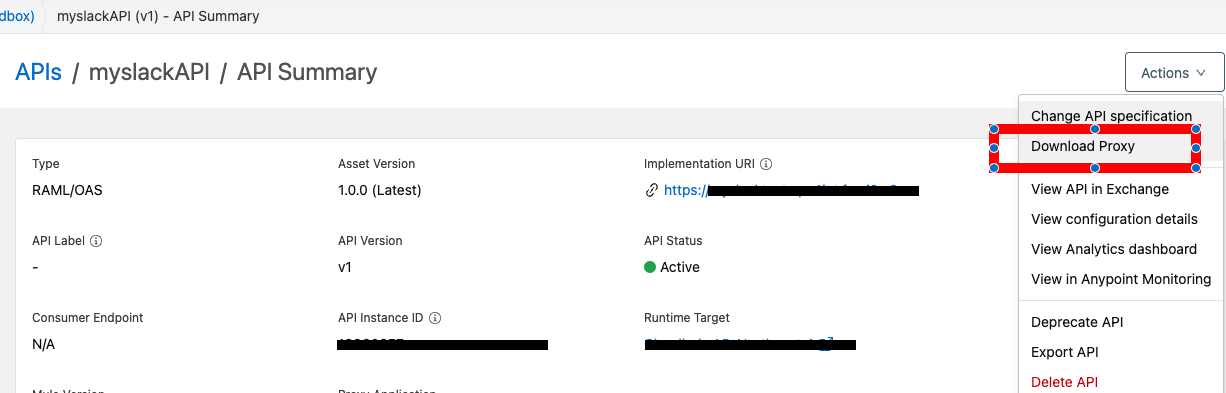
Then, open JAR file in Anypoint Studio and modify it following steps.
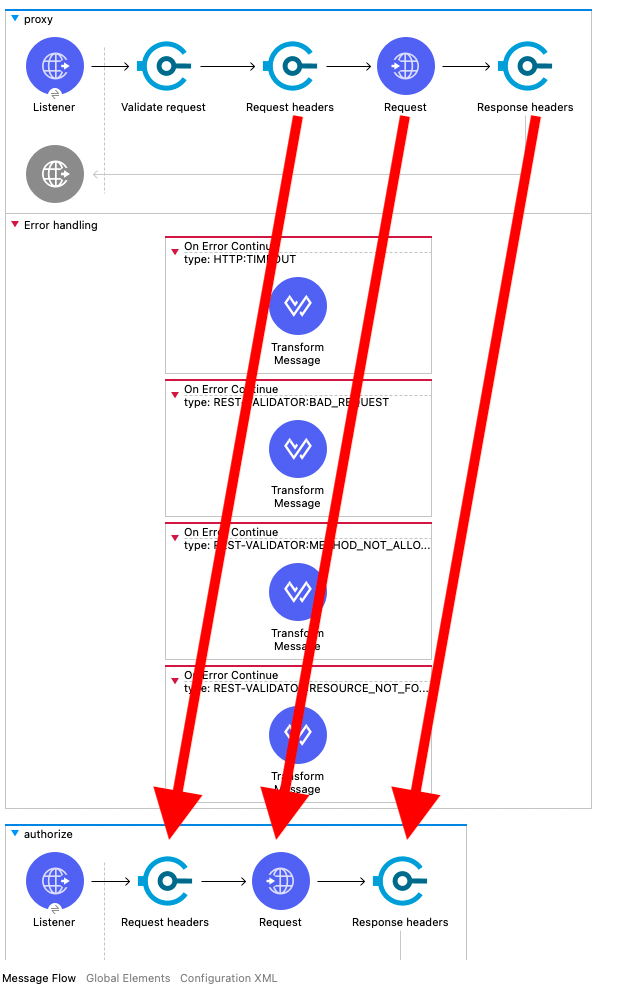
- There are already API Proxy flow (named “Proxy”).
- Add 2 new flows starting with HttpListener.
- 1st HttpListener path is /callback, 2nd one is /authorize
- On both, Copy “Request headers”, “Request”, “Response Headers” to those flow from “Proxy” flow
- On both, in “Request”, change Path to “/callback” or “/authorize”
- Export JAR file.
- Then, upload this JAR file from RunTime Manager for you API Proxy
How to use Enterprise Maven Repository credentials with settings.xml and pom.xml example
This is image of Step 2-2.
Disclaimer: This article is just example of API Proxy. MuleSoft support does not provide support to modify it or any any additional support for this sample. If you use this in your project, please test this enough and use this in your own risk.
Recursos adicionales
Número del artículo de conocimiento
001114379
¿Resolvió este artículo su problema?
¡Háganos saber cómo podemos mejorar!
