Sélectionner une organisation
Salesforce OAuth 2.0 JWT Bearer flow with HTTP connector
Date de publication: Aug 4, 2025
Étapes
DESCRIPTION
The goal of this article is to implement the Salesforce OAuth 2.0 JWT Bearer flow using the HTTP connector. This functionality is available in the Salesforce connector but you may have a requirement to connect to Salesforce using JWT with the HTTP connector.
If you require guidance on how to create a certificate and associated connected app in Salesforce, you can use the following guide up to step 3:
Salesforce Connector - How to authenticate using JWT
https://help.salesforce.com/s/articleView?id=Salesforce-Connector-How-to-authenticate-using-JWT&type=1&language=en_US
STEPS TO FOLLOW
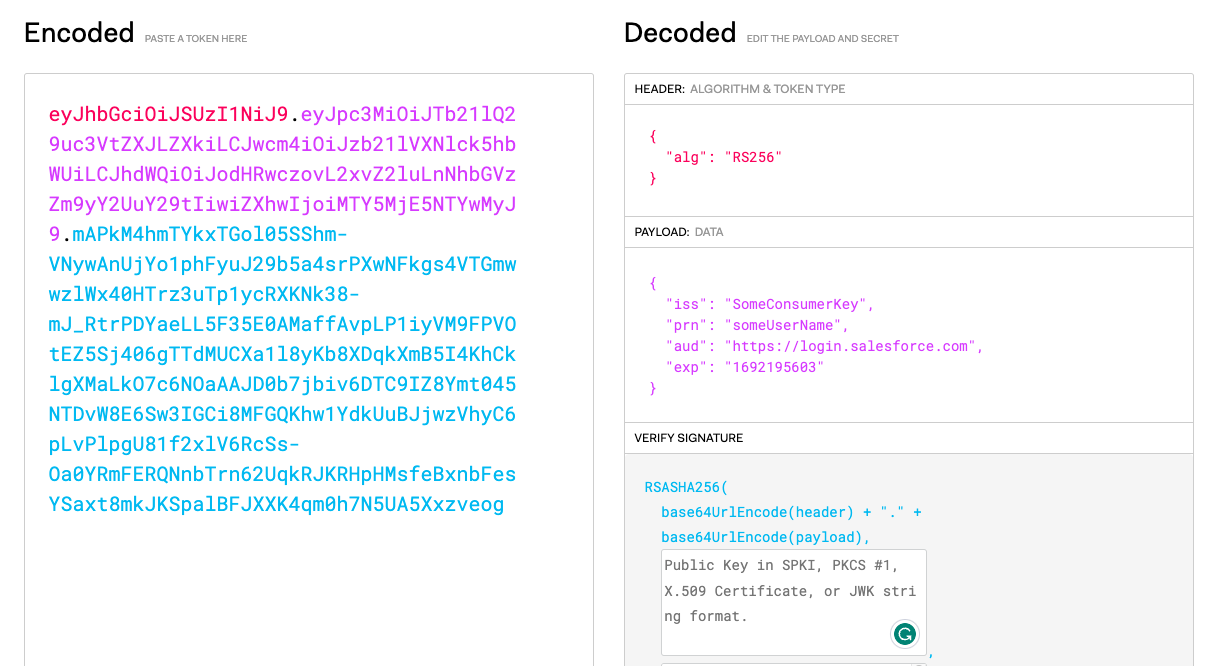
1. Once the connected app has been created, you will need to manually create the JWT token. This can be done using https://jwt.io/.HEADER:ALGORITHM & TOKEN TYPE
{"alg": "RS256"
}
PAYLOAD:DATA
{"iss": "<Consumer Key from connected app>",
"prn": "<username/principal>",
"aud": "https://login.salesforce.com",
"exp": "Current time stamp + 5 minutes"
}
To retrieve the Unix timestamp, you can use https://www.unixtimestamp.com/ and add 5 minutes to the time.
VERIFY SIGNATURE
RSASHA256(
  base64UrlEncode(header) + "." +
  base64UrlEncode(payload),
  Private Key
)
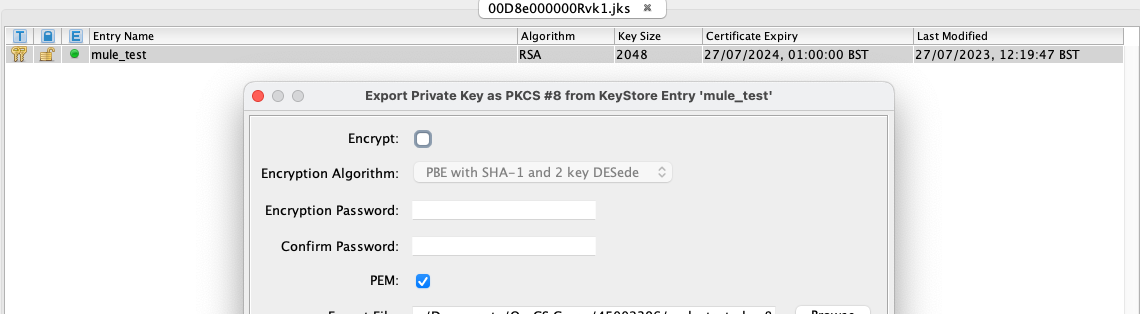
The private can be exported from your .jks file you created (if you followed the guide Salesforce Connector - How to authenticate using JWT).
This can be exported using KeyTool Explorer. Make sure that it is not encrypted as shown below:
The final JWT token should show no errors and will look similar to the below:
2. Now it is time to get the access token using JWT and the HTTP connector.
In your Mule application, add a HTTP Request configuration and operation as below:
<http:request-config name="HTTPS_Request_configuration" doc:name="HTTP Request configuration" doc:id="8e2bb8c4-4dfa-4846-ba34-70588045811f" >
		<http:request-connection host="login.salesforce.com" protocol="HTTPS"/>
	</http:request-config>
<http:request method="POST" doc:name="Request" doc:id="997d9f45-7ea9-4800-9be9-7ceb5e3e121c" config-ref="HTTPS_Request_configuration" path="/services/oauth2/token">
			<http:body ><![CDATA[#[%dw 2.0
output application/x-www-form-urlencoded
---
{

grant_type:"urn:ietf:params:oauth:grant-type:jwt-bearer",
assertion: "<insert JWT token here>"

}]]]></http:body>
		</http:request>
Add your JWT token to the assertion tag in the body of the request.
After executing this request, you will receive an access_token from Salesforce which you can use in subsequent requests. This can be access in the payload using:
payload.'access_token'
Numéro d’article de la base de connaissances
001114399
Cet article a-t-il résolu votre problème ?
Dites-nous ce que nous pouvons améliorer !
