Выбрать организацию
How to change the domain project log location
Дата публикации: Jul 25, 2025
Задача
GOAL
Goal of this article is to explain how to change the log location for a domain project
Действия
To change the log location for a domain project,
- Inside your domain project, create a new Log4j configuration file by right clicking on Project -> Mule -> Create Log4j Configuration
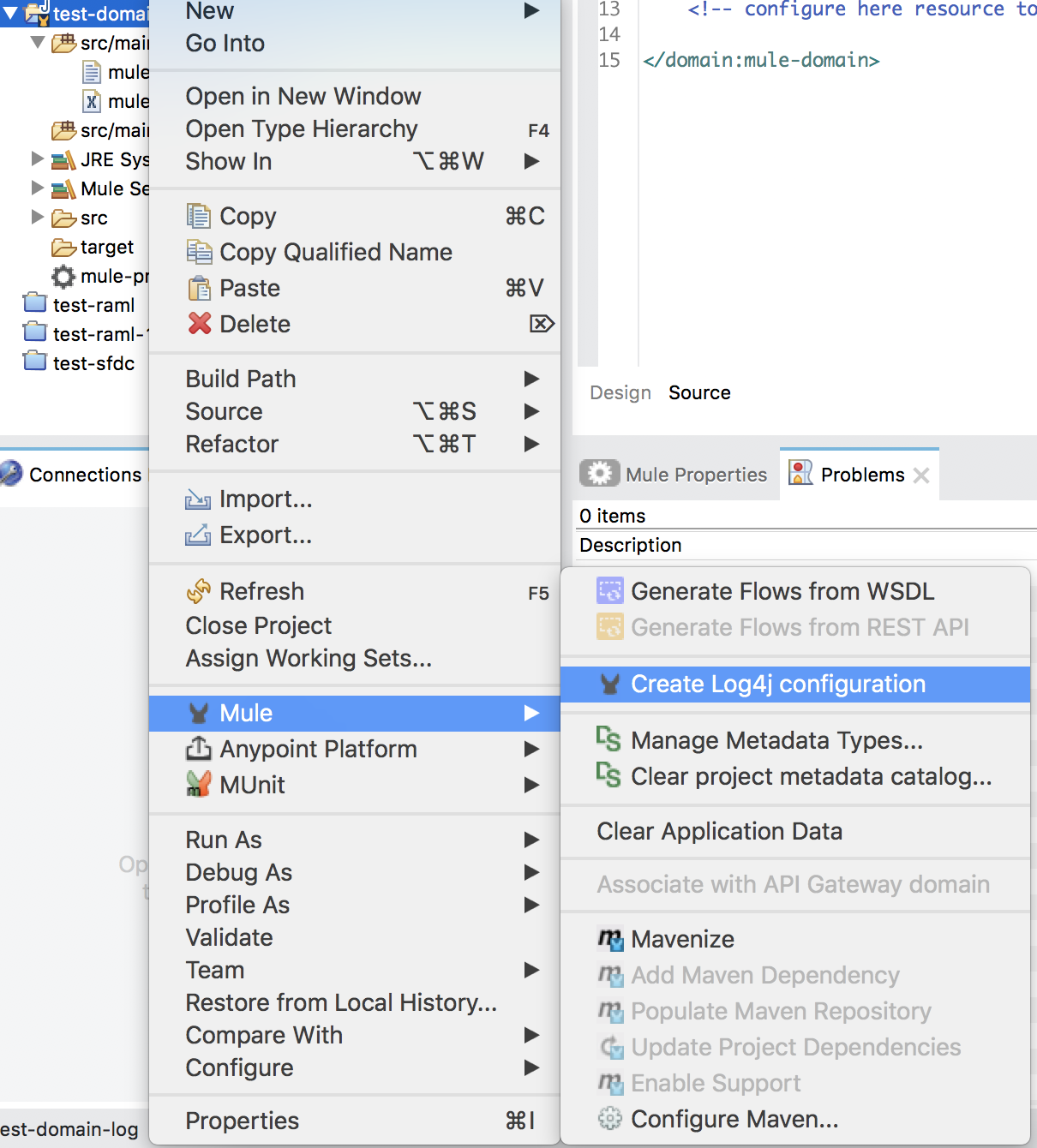
- log4j2.xml will be created under "src/main/resources" folder
- Modify the log4j2.xml to set the appropriate file log location for "fileName" field.
- Build and re-deploy the domain project.
- Once re-deployed, the logs for that domain project will be printed in the new log location.
Номер статьи базы знаний
001114415
Эта статья решила вашу проблему?
Оставьте свой отзыв, чтобы мы могли стать лучше!
