Välj en organisation
How to access Mule workers through different connectivity methods
Publiceringsdatum: Jul 24, 2025
Uppgift
GOAL
Explain how to access the Mule workers through different connectivity options.
Steg
An application can be deployed to a customer VPC or on MuleSoft's shared infrastructure. The application can be deployed to 1 worker or multiple workers.
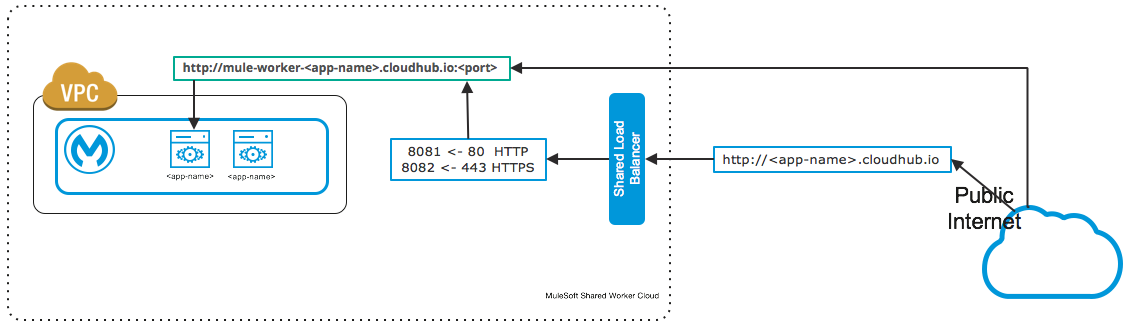
- No VPC: Mule Worker deployed on shared infrastructure
When no VPC has been created for your Org and associated with an Environment, any application you deploy will be deployed on MuleSoft's Shared Worker Cloud.
Fig 1 - Mule Worker - No Org VPC
- VPC: IPSec, AWS Peering and Direct Connect
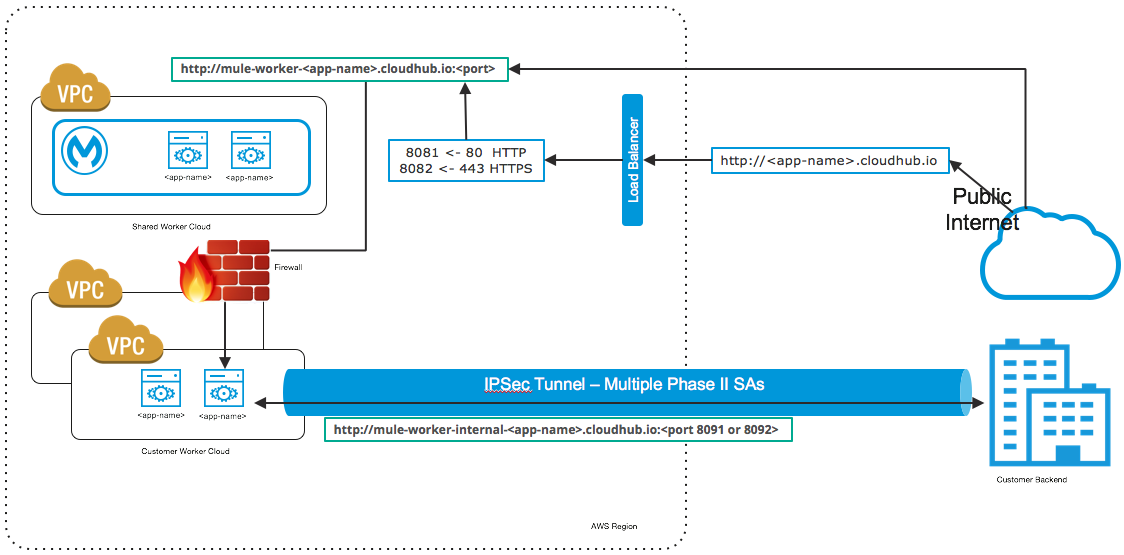
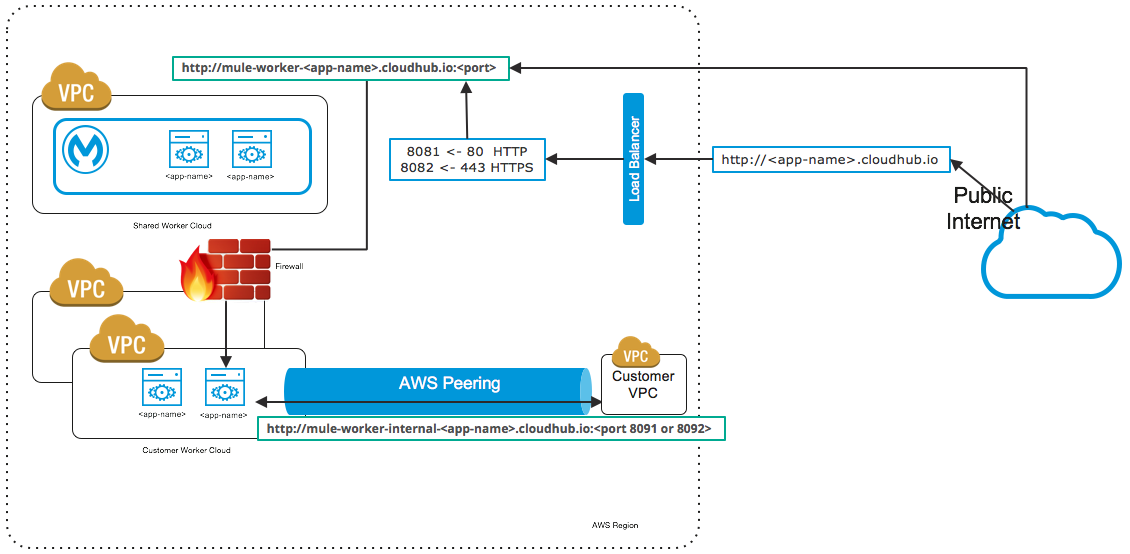
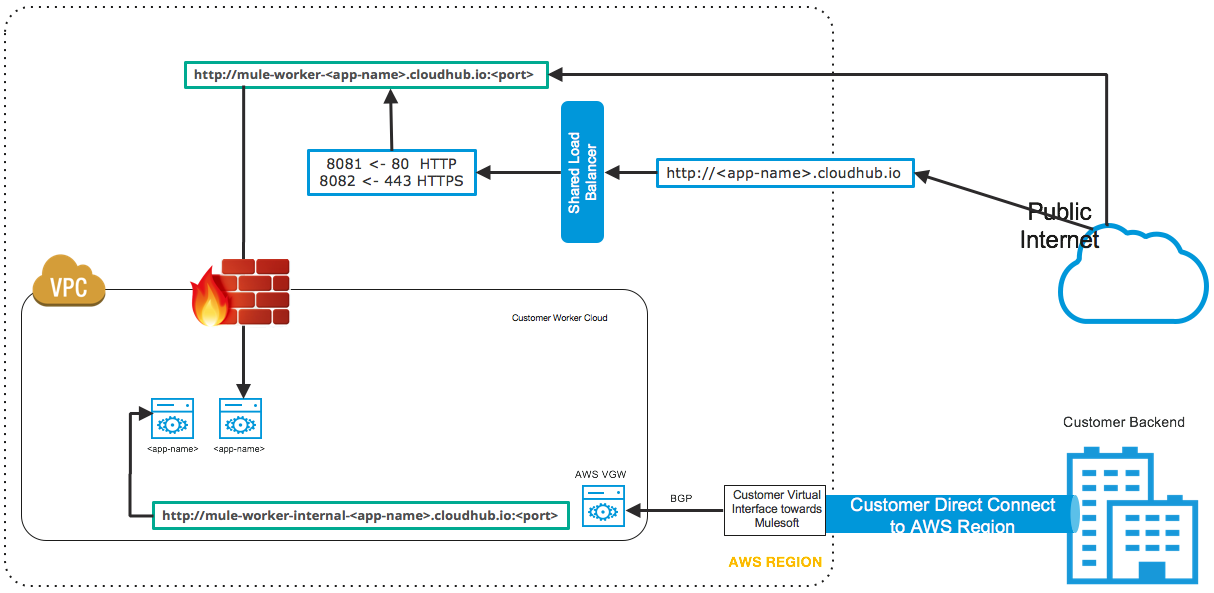
If your Org has a VPC that is associated with an Environment and if the application is deployed to the right environment, your application should be deployed into your VPC.
Fig 2 - Mule Worker - VPC - IPsec
Fig 3 - Mule Worker - VPC Peering
Fig 4 - Mule Worker - AWS Direct Connect
When deployed within the VPC and connected to the backend via a IPsec tunnel or AWS peering. The application can be accessed via its Public and Private IP address, the following KB has more details on finding these IPs:
How to find my CloudHub Worker IP Address
Related to the topic of worker IP addresses, its common to have questions regarding Static IPs for workers, the KB below addresses a lot of question around this:
CloudHub Static IP Frequently Asked Questions
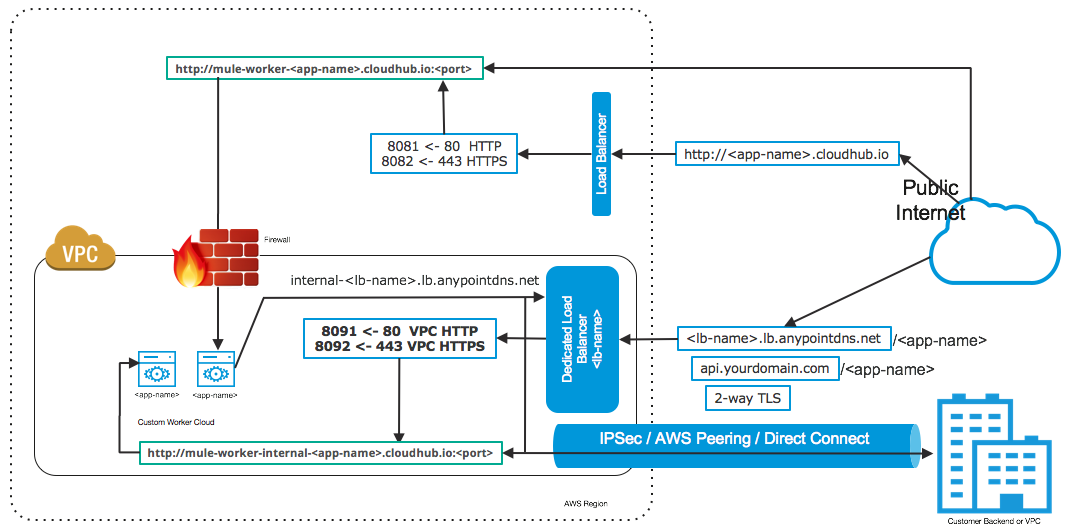
- VPC: Dedicated Load Balancer
Fig 5 - Mule Worker - DLB
The application deployed within the VPC can be accessed using its Private and Public IP just as described in the KB links in the section above. However, when the DLB is introduced, you would want to leverage the DLB features as described in the link below:
Dedicated Load Balancer Overview and Features
Customers usually firewall all internet traffic to the Mule Workers and only allow access to the Dedicated Load Balancer IPs.
Common Questions regarding DLB IPs can be found in the KB below:
Dedicated Load Balancer public and private IP FAQ
Knowledge-artikelnummer
001114496
Löste denna artikel ditt problem?
Berätta för oss vad vi kan förbättra!
