Vælg en organisation
How to configure API Instances in Exchange
Udgivelsesdato: Mar 2, 2024
Opgave
GOAL
To configure the API Instances in Exchange in order to try them using the API Console in Exchange
Trin
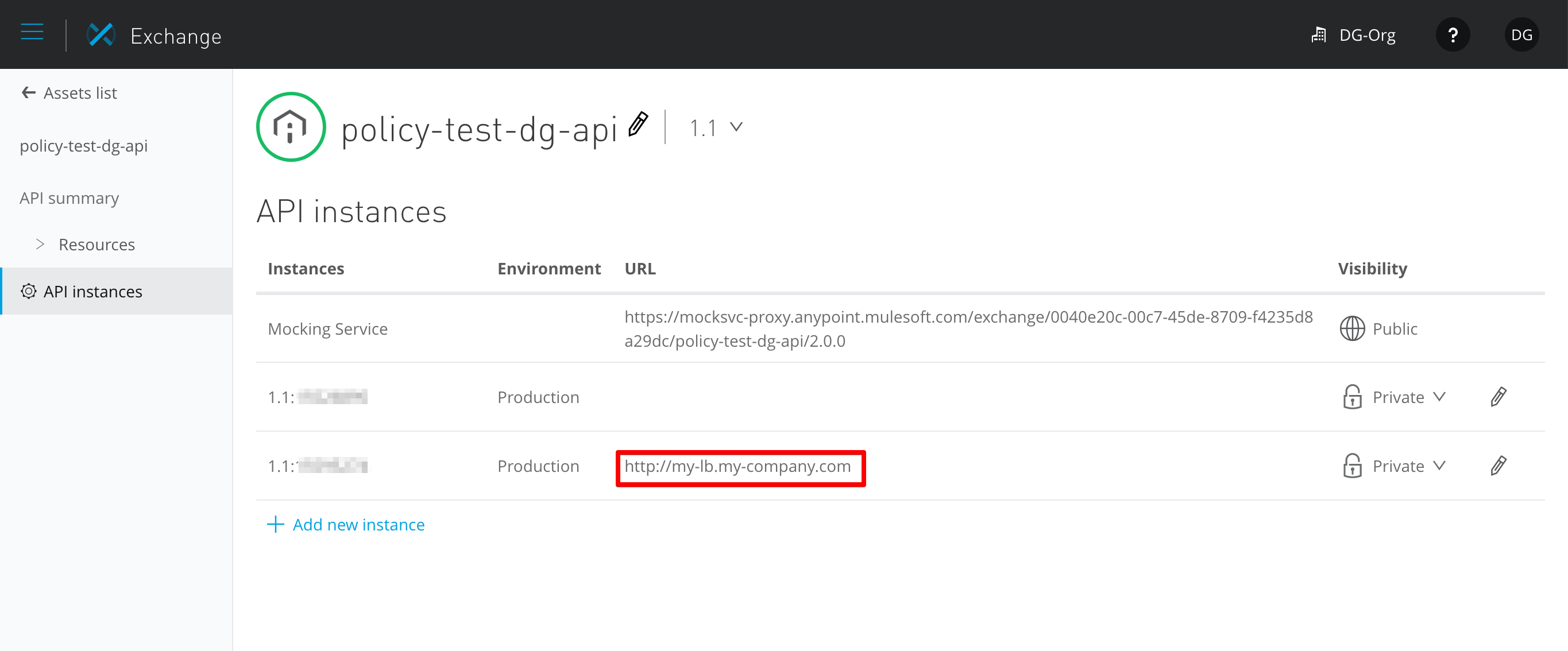
The API Instances in Exchange have to have configured the field URL as in the following image in order to use them in the API Console:
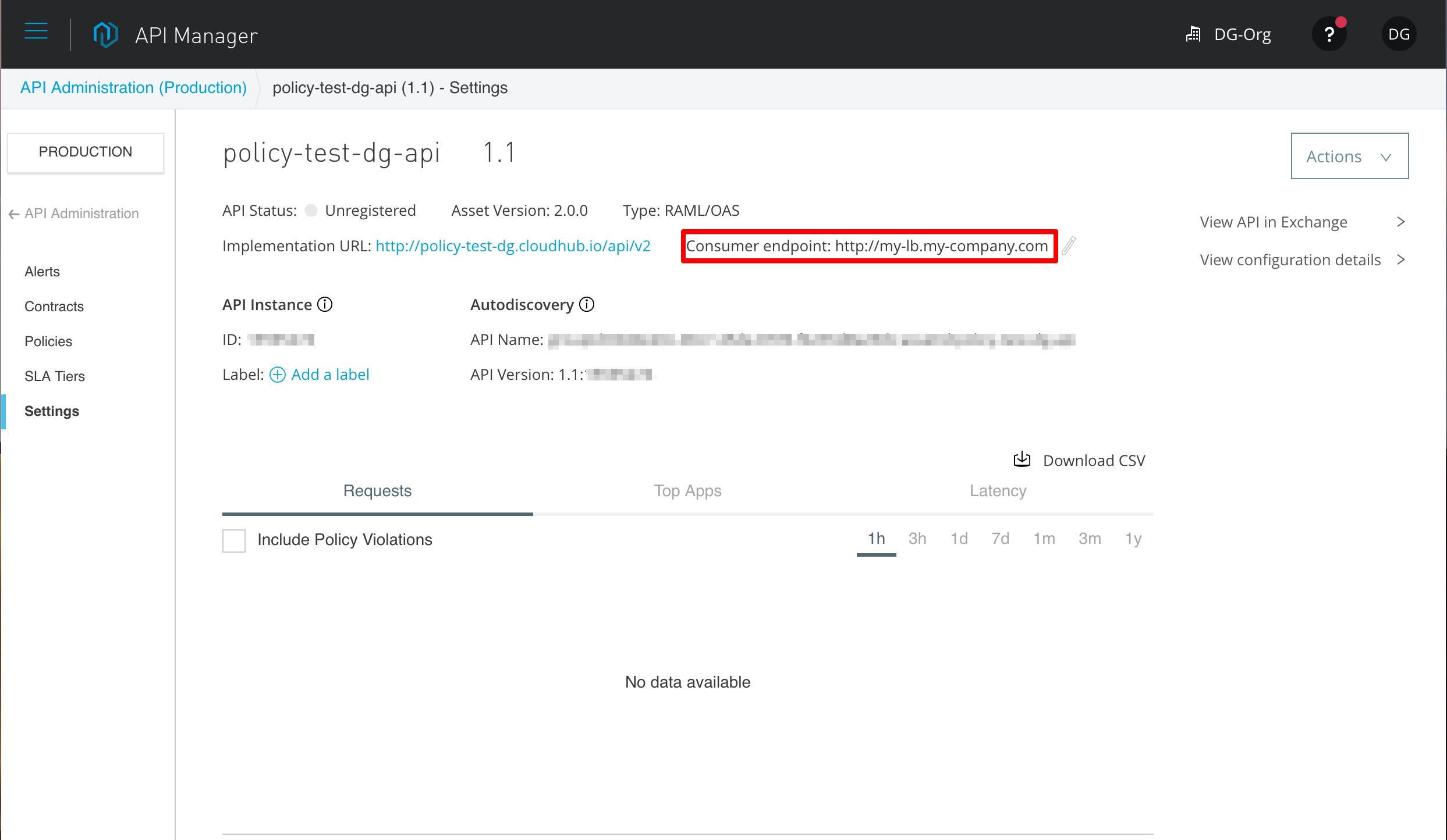
This field can be manually edited or taken directly from API Manager, from the "Consumer endpoint". This consumer endpoint is different than the Implementation URL. The implementation URL can contain internal IP addresses or endpoint that might not be exposed externally in an organization. The consumer endpoint is the load balancer or DNS that exposes externally this implementation. In some situations (for example if the API is deployed in CloudHub) these values are going to be the same.
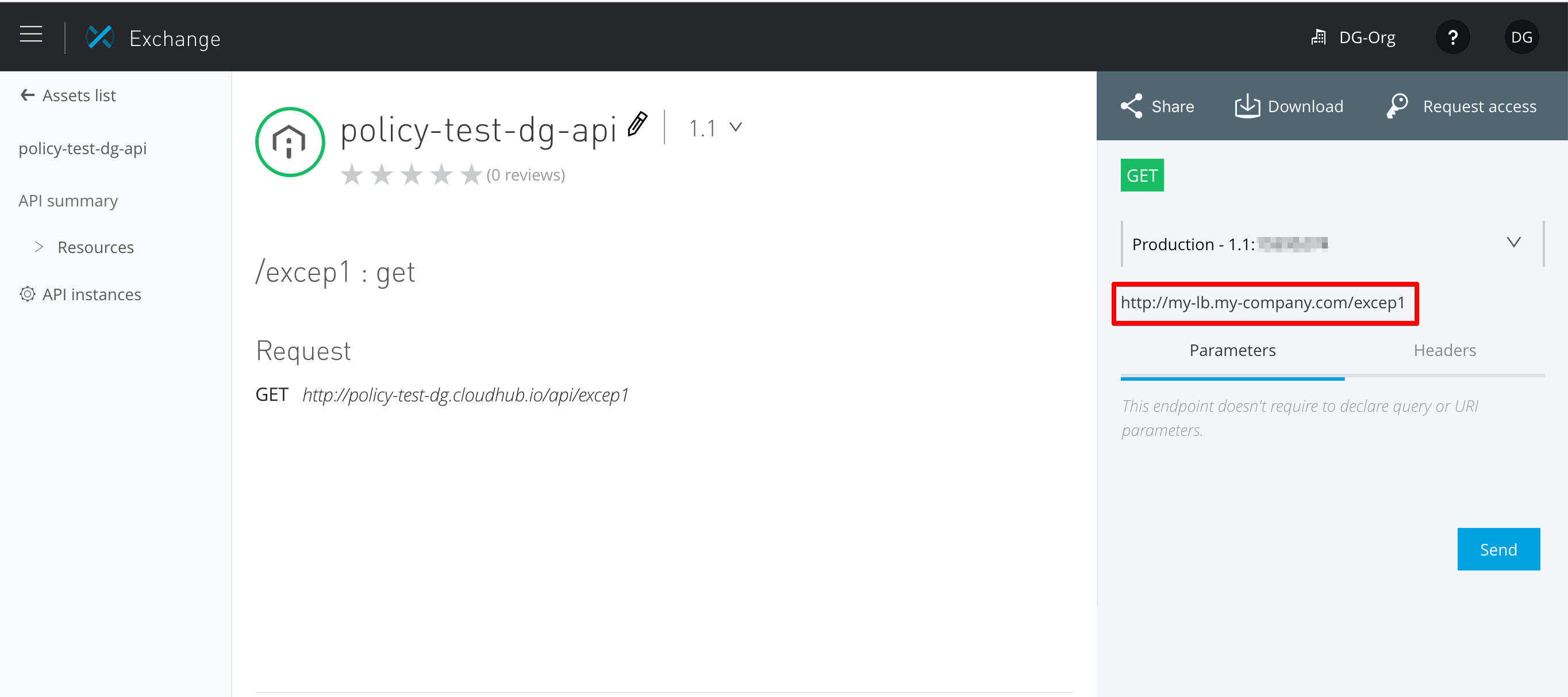
If this value is correctly configured, then the API can be consumed from the API Console in Exchange:
Vidensartikelnummer
001114534
Løste denne artikel dit problem?
Giv os besked, så vi kan forbedre os!
