Seleccionar una organización
How to use dynamic IN clause in your query statement using Database Connector
Fecha de publicación: Mar 2, 2024
Tarea
GOAL
Use parameters inside an in-clause of a SQL query statement.As an example, suppose we have a database with a Table called TEST with several records with fruit names:
| ID | NAME |
| 25 | orange |
| 26 | banana |
| 27 | strawberry |
| 28 | pineapple |
| 29 | blueberry |
| 30 | kiwi |
| 31 | apple |
| 32 | pear |
| 33 | watermelon |
SELECT * FROM TEST WHERE NAME IN ('orange','banana');
We want this array of elements inside the IN clause to be passed as a parameter, as the value will be taken dynamically inside our flow. Following the parametrization logic, the SQL statement would be like this:
SELECT * FROM TEST WHERE NAME IN (:inClauseParameters);But this doesn't work as JDBC connections don't support parameterization. So, we need to generate and pass this parameters dynamically.
Pasos
Then, we would use two Transform Message processors to generate the dynamic parts of the query:
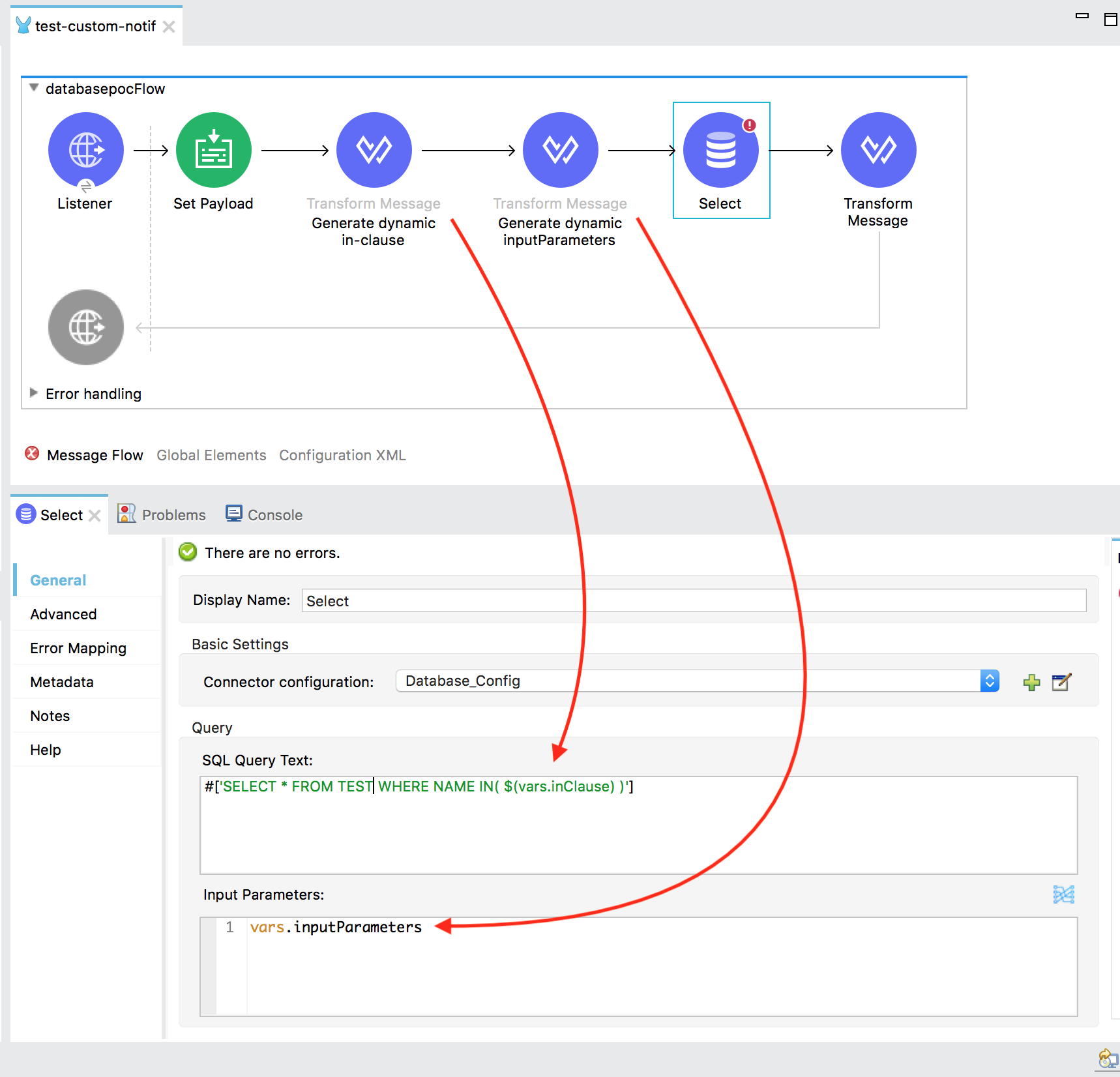
1. Generating the in-clause parameter
Use the following DataWeave script to take the array of values from the payload and generate the in-clause parameter dynamically:%dw 2.0 output application/java --- payload map ":arg$$" reduce ((item, accumulator) -> accumulator ++ ", " ++ item)This will generate
:arg0, :arg1
2. Generating the input parameter
Use the following DataWeave script to take the array of values from the payload and generate the input parameters dynamically:%dw 2.0
output application/java
---
payload map {"arg$$" : $} reduce ((item, accumulator = {}) -> item ++ accumulator)
This will generate:
{
  "arg1": "orange",
  "arg0": "banana"
}
3. Test
Now that all parts of the query are built dynamically, if we run our app the select statement filters successfully the records and retrieves only the ones included in the in-clause of the SQL statement: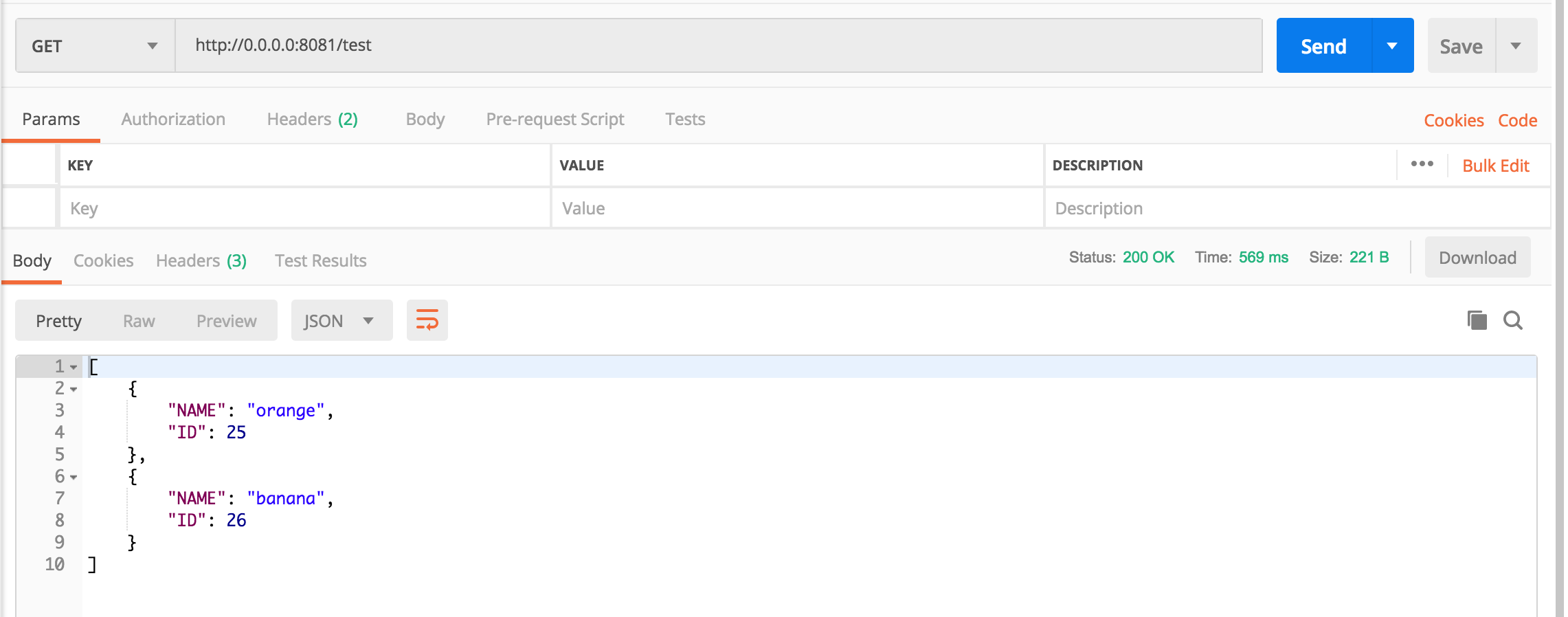
Here is the sample app: test-db-in-clause.jar
Número del artículo de conocimiento
001114543
¿Resolvió este artículo su problema?
¡Háganos saber cómo podemos mejorar!
