Sélectionner une organisation
How to use Windows Authentication in Database Connector with Microsoft SQL Server in Mule4
Date de publication: Apr 11, 2025
Tâche
GOAL
Windows Authentication allows specific Windows user and group accounts to be trusted to log in to SQL Server. Windows users who have already been authenticated do not have to present additional credentials. More info can be found here: Authentication in SQL Server
There is an additional DLL library required to use Windows Authentication. The aim of this article is to explain how to install this DLL in Mule4 and configure the connector to use Windows Authentication.
NOTE: The below procedure is applicable only if you are deploying the application on Windows Server. If you want to deploy the application on Linux server(including CloudHub, RTF), then you can use Kerberos Authentication as mentioned in: Kerberos Authentication to Microsoft SQL Server database from mule-4 app hosted in CloudHub or RTF
Étapes
Configuration for Mule 4
- Add and configure the Database Config Global Element
- Generate the artifact for the DLL and set it as a dependency it in the pom.xml file
- Manually install the DLL file into the <JAVA_JRE>/bin folder
- Ensure the pom.xml file is complete
1) Configure the Database Config Global Element
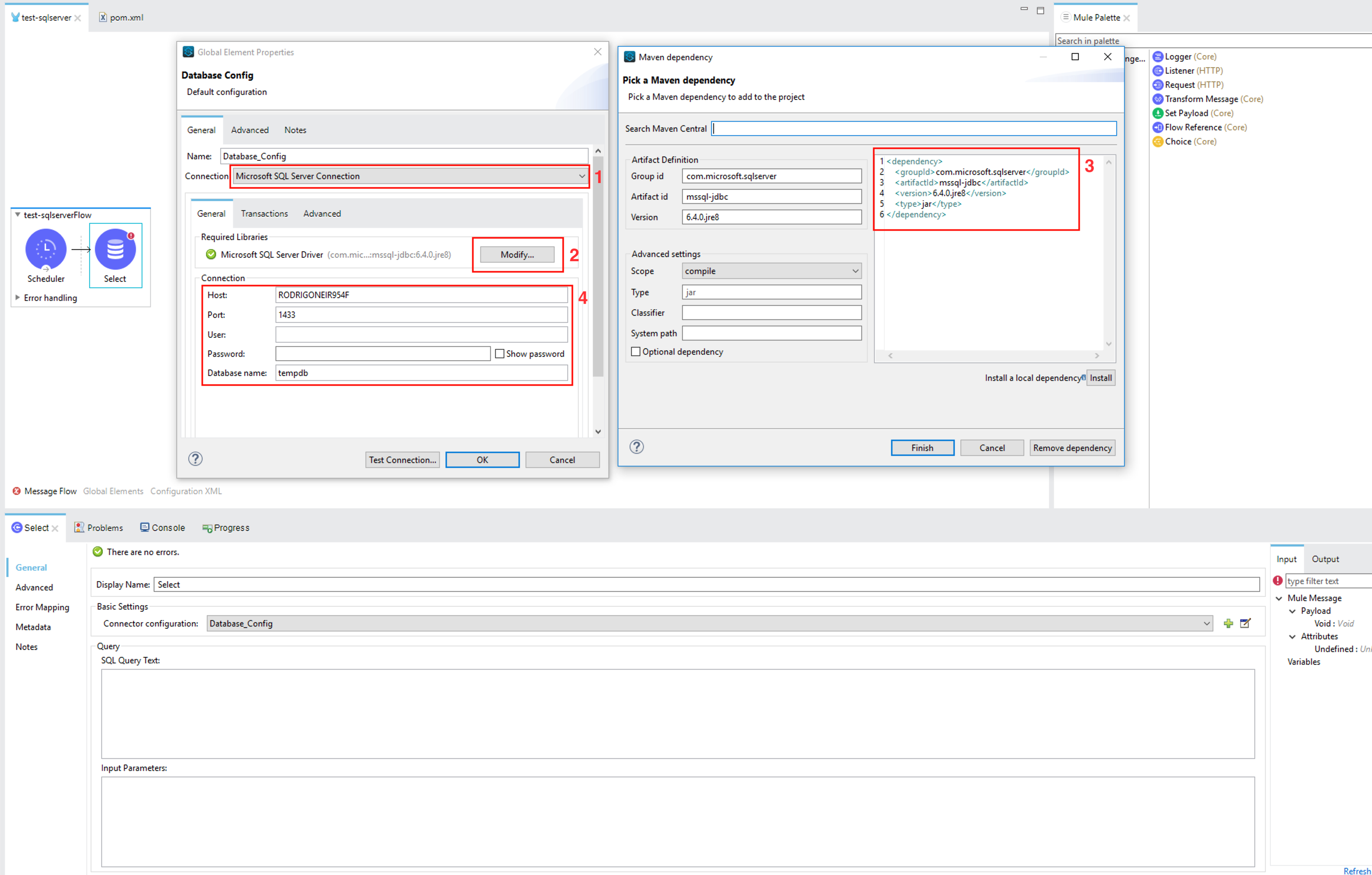
a) Set the connection to Microsoft SQL Server Connection
b) Click on Modify to add the required Maven dependency
c) Complete the box as follows:
<dependency>
    <groupId>com.microsoft.sqlserver</groupId>
    <artifactId>mssql-jdbc</artifactId>
    <version>6.4.0.jre8</version>
    <type>jar</type>
</dependency>
d) Complete the connection parameters
In the Advanced tab set the Connection properties to be edited inline and set:
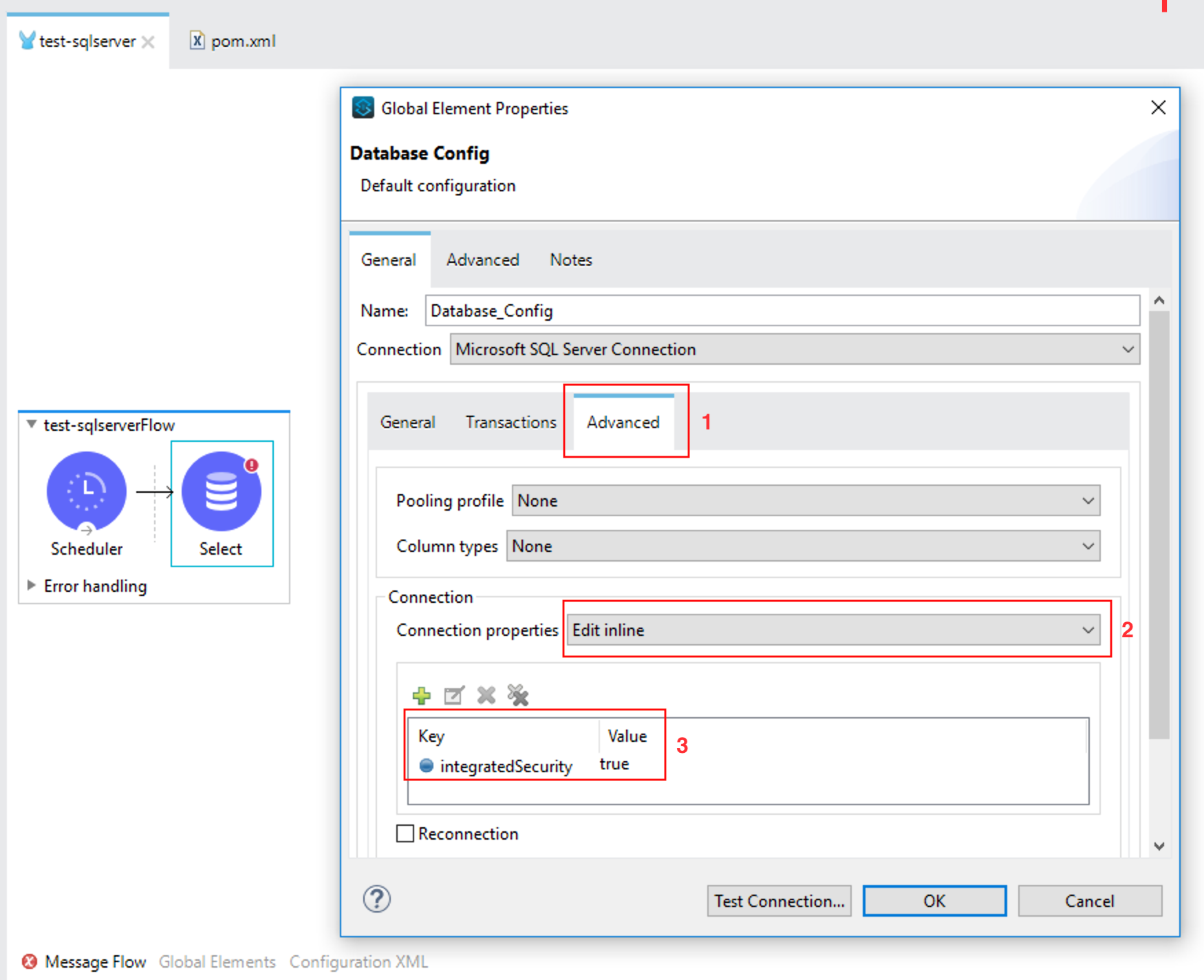
integratedSecurity = true
2) Generate the artifact and set the dependency
You can download the sqljdbc_auth.dll file from https://www.microsoft.com/en-us/download/details.aspx?id=11774
a) Click on the Install Artifact in Local Repository button
b) Click on Browse...
c) Search for your sqljdbc_auth.dll file in your computer. Make sure to filter for DLL files (jar by default)
d) The Artifact ID will be autocompleted taken from the DLL name. But you need to complete the Group ID, for example: com.microsoft.sqlserver
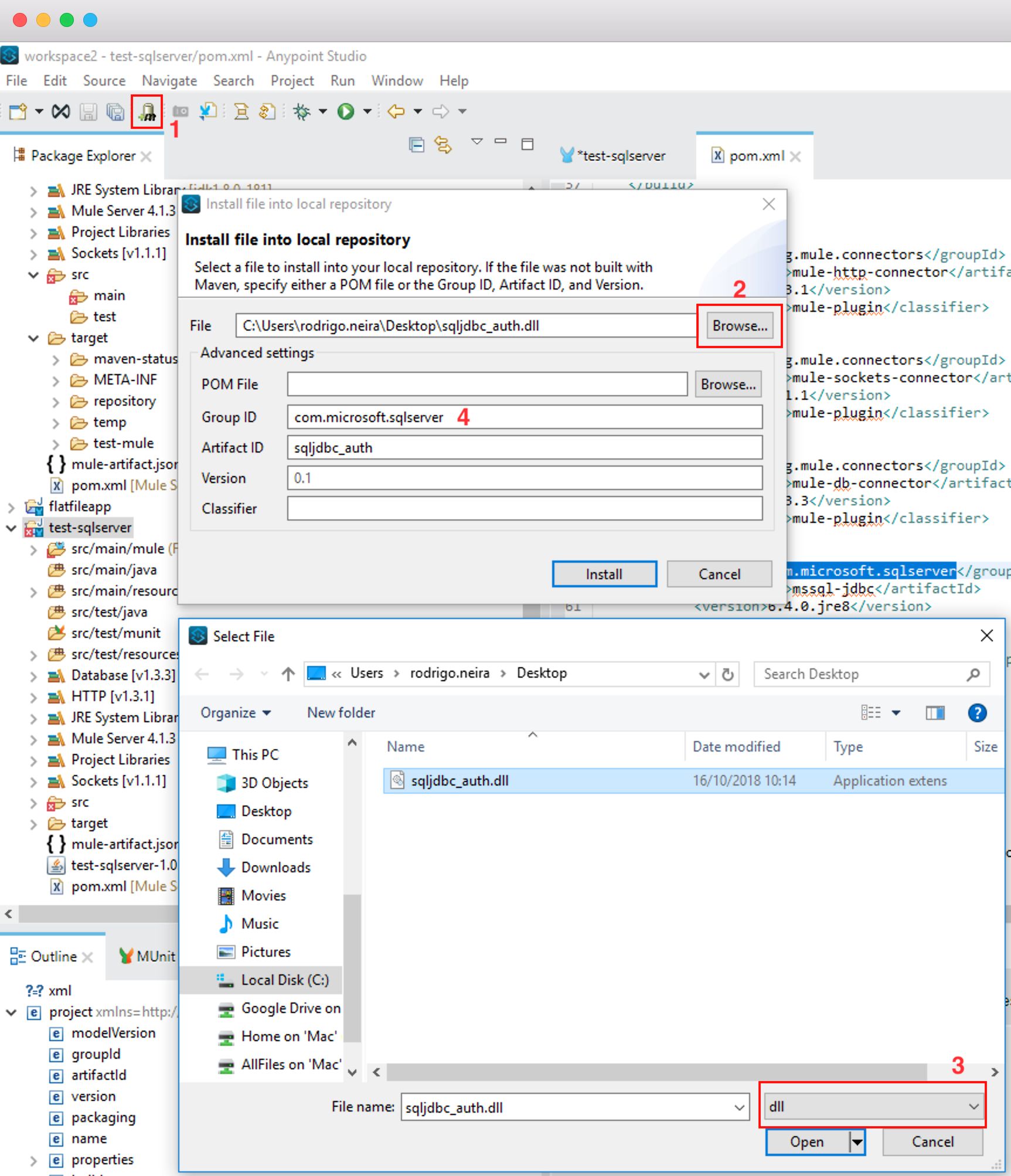
3) Install the DLL file into the jre/bin folder
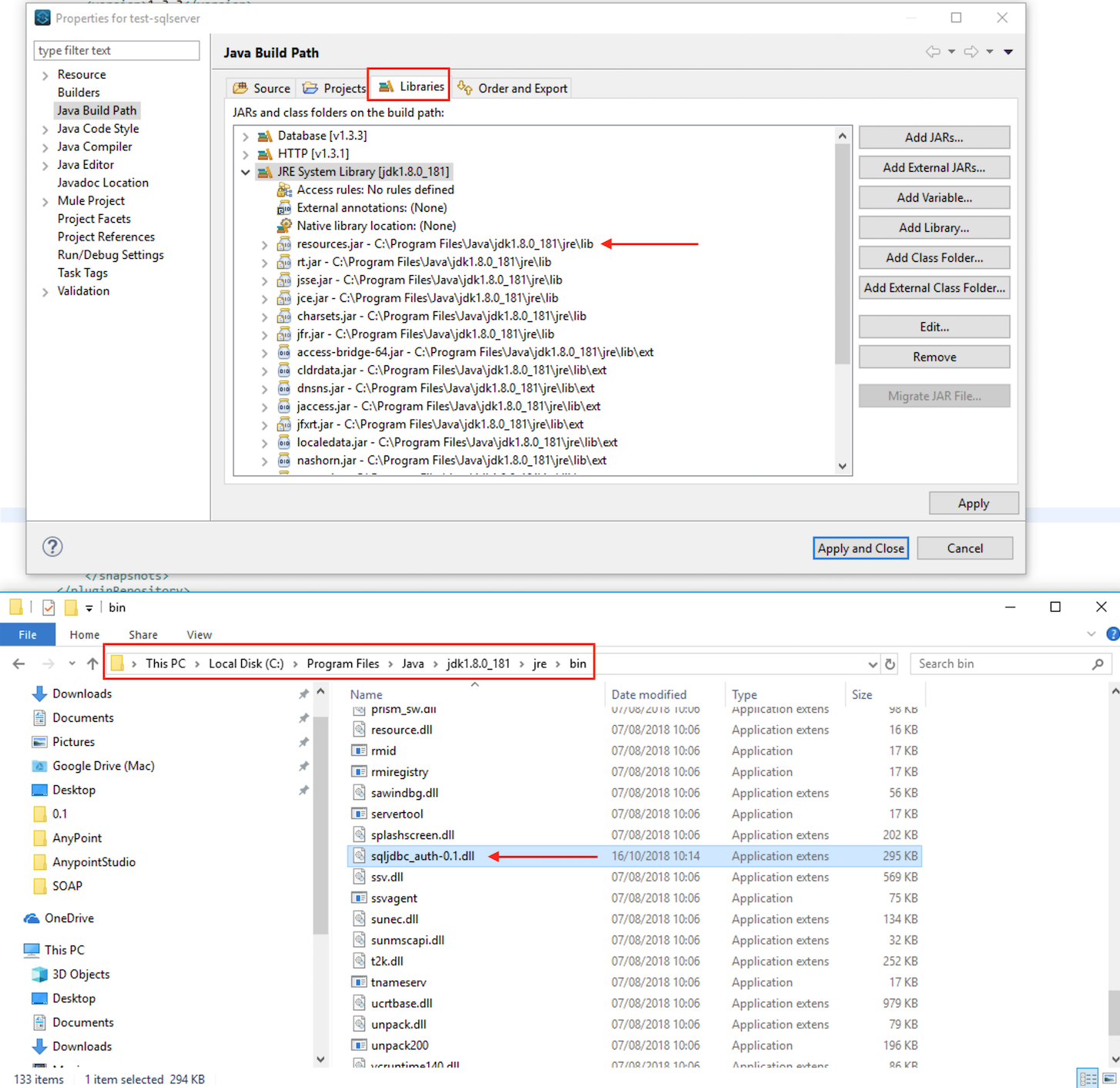
You need to copy the sqljdbc_auth.dll into your <JAVA_JRE>/bin folder. You can know the path of the JRE your Runtime is using from the Java Build Path / Libraries Tab.
4) Ensure the pom.xml file is complete
The sharedLibraries tag should contain:
<sharedLibrary>
    <groupId>com.microsoft.sqlserver</groupId>
    <artifactId>mssql-jdbc</artifactId>
</sharedLibrary>
The dependencies tab should contain:
<!-- DRIVER JAR DEPENDENCY -->
<dependency>
    <groupId>com.microsoft.sqlserver</groupId>
    <artifactId>mssql-jdbc</artifactId>
    <version>6.4.0.jre8</version>
</dependency>
<!-- DRIVER DLL DEPENDENCY -->
<dependency>
    <groupId>com.microsoft.sqlserver</groupId>
    <artifactId>sqljdbc_auth</artifactId>
    <version>0.1</version>
    <type>dll</type>
</dependency>
Configuration for Mule 3
The following article explains how to achieve this in Mule 3: Using Database Connector with Microsoft SQL Server
IMPORTANT MULE 4 NOTE: You may encounter in Mule 4 that you may not be able to delete the API folder due to the "sqljdbc_auth.dll" file being blocked. If you see this error, please refer to the following article: https://help.salesforce.com/s/articleView?id=Unable-to-delete-file-temp-native-sqljdbc-auth-dll-after-implementing-SQL-Server-Windows-Authentication-in-Mule-4-1-x&type=1&language=en_US
Disclaimer
The solution provided in this article is considered a custom implementation and may fall outside the scope of standard product functionality. Support for custom solutions is limited and provided on a best-effort basis. It is the customer's responsibility to assess and accept any risks associated with implementing this solution. Please thoroughly validate this approach in a non-production environment before applying it in production.
Numéro d’article de la base de connaissances
001114573
Cet article a-t-il résolu votre problème ?
Dites-nous ce que nous pouvons améliorer !
