組織を選択
How to add WS-Addressing headers
公開日: Jul 28, 2025
タスク
GOAL
WS-Addressing https://www.w3.org/Submission/ws-addressing/ is a standard for adding addressing information to SOAP Messages (since this is part of the underlying protocol). Mule does not add these headers by default. This article explains how to add them.
DESCRIPTION
Certain WSDLs require adding WS-Addressing headers before calling the Web Service. If you don't send this header, the Web Service will return a "SoapFault: A required header representing a Message Addressing Property is not present"
ステップ
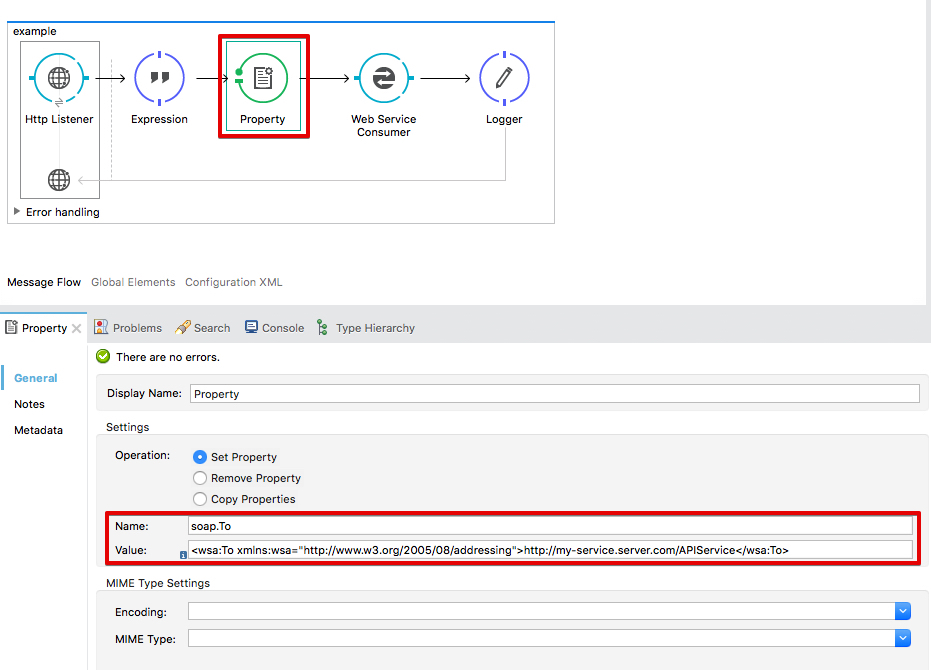
For adding a WS-Addressing header before calling a Web Service in a Mule application, you have to add an outbound Property to your application (search for "Property" in the Mule Palette in Anypoint Studio).
For example, for adding a wsa:To
Name: soap.To
Value: <wsa:To xmlns:wsa="http://schemas.xmlsoap.org/ws/2004/08/addressing">http://my-service.server.com/APIService</wsa:To>
MULE 4 PROCEDURE
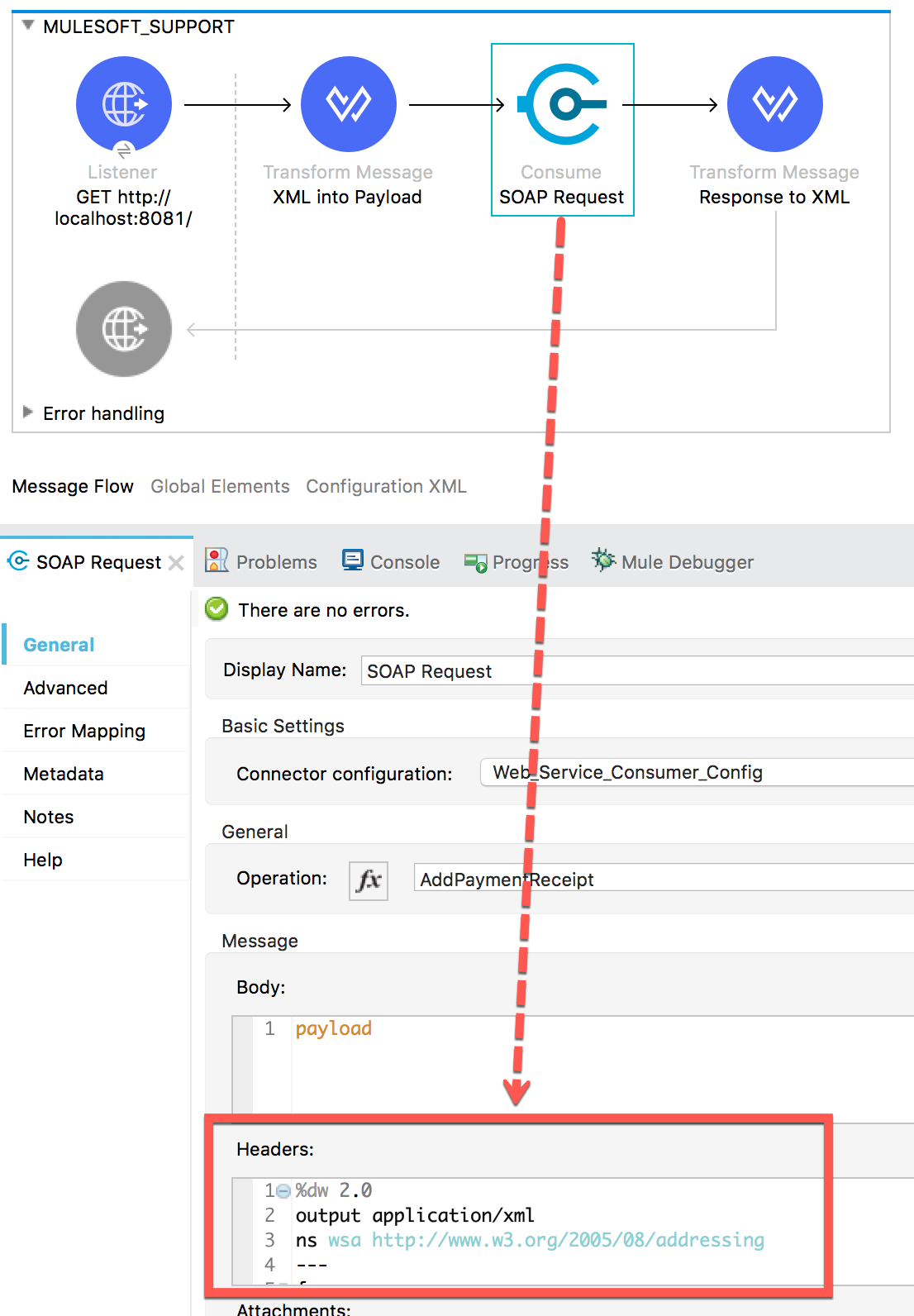
For adding a WS-Addressing header before calling a Web Service in a Mule application, you have to set the header using Dataweave, inside the configuration of the Web Service Consumer event.
For example, for adding a wsa:To
DataWeave Expression:
%dw 2.0
output application/xml
ns wsa http://www.w3.org/2005/08/addressing
---
{
headers: [{
wsa#To: "http://my-service.server.com:port/APIFolder/APIService"
}]
}
Related articles:
Asynchronous CXF WS Addressing Example
ナレッジ記事番号
001114596
この記事で問題は解決されましたか?
ご意見をお待ちしております。
