Seleccionar una organización
How to Delete a Trial Organization from Anypoint Platform?
Fecha de publicación: Jul 24, 2025
Tarea
GOAL
Anypoint platform does not have a menu option to delete a trial organization. Please refer to the documentation here. However, it might be necessary to reuse an existing Organization owner with a new Organization, usually when a paid subscription is purchased.
Pasos
In order to perform this Organization deletion, you need to be:
- the Organization owner
- all contents and users are removed from the Organization
- the last user in this Organization
Once this is done, you are ready to proceed with the deletion of the Trial Organization and moving the user to the new Organization.
For simplicity we will denote the following:
- User A is the Organization Owner of the Old Trial Organization
- User B is the Organization Admin for the new Organization
1) Login as user B into your new Organization where user A needs to be moved into. User B must have an Organization Admin role in the new Organization.
2) Go to Access Management --> Users --> Invite New User.
3) Invite user A using the email ID that you used to register the Trial Organization, i.e., the Trial Organization owner's email ID.
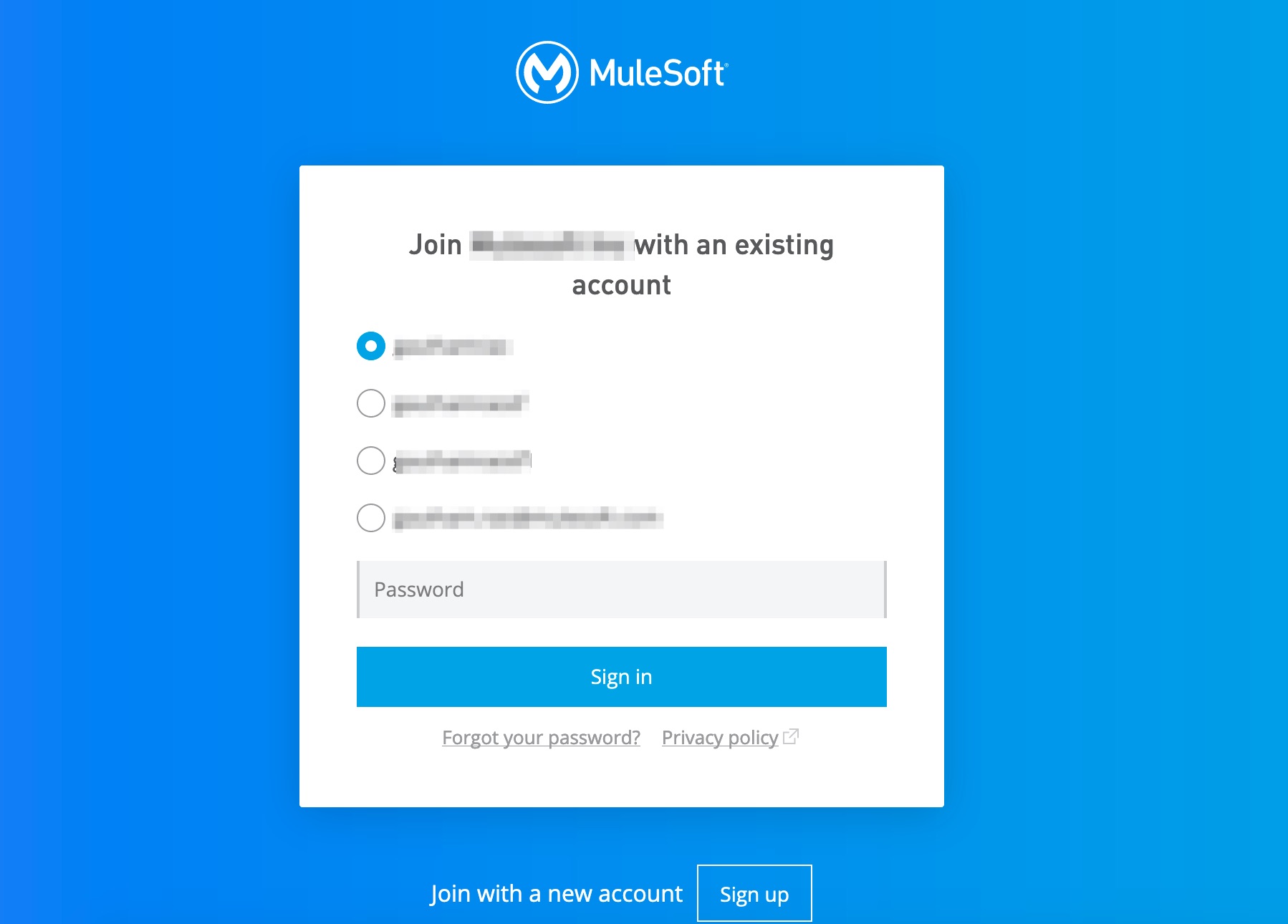
4) You will now receive an invite email. Click on the link. You will get the option to choose one of the accounts associated with the email ID in the Anypoint platform.
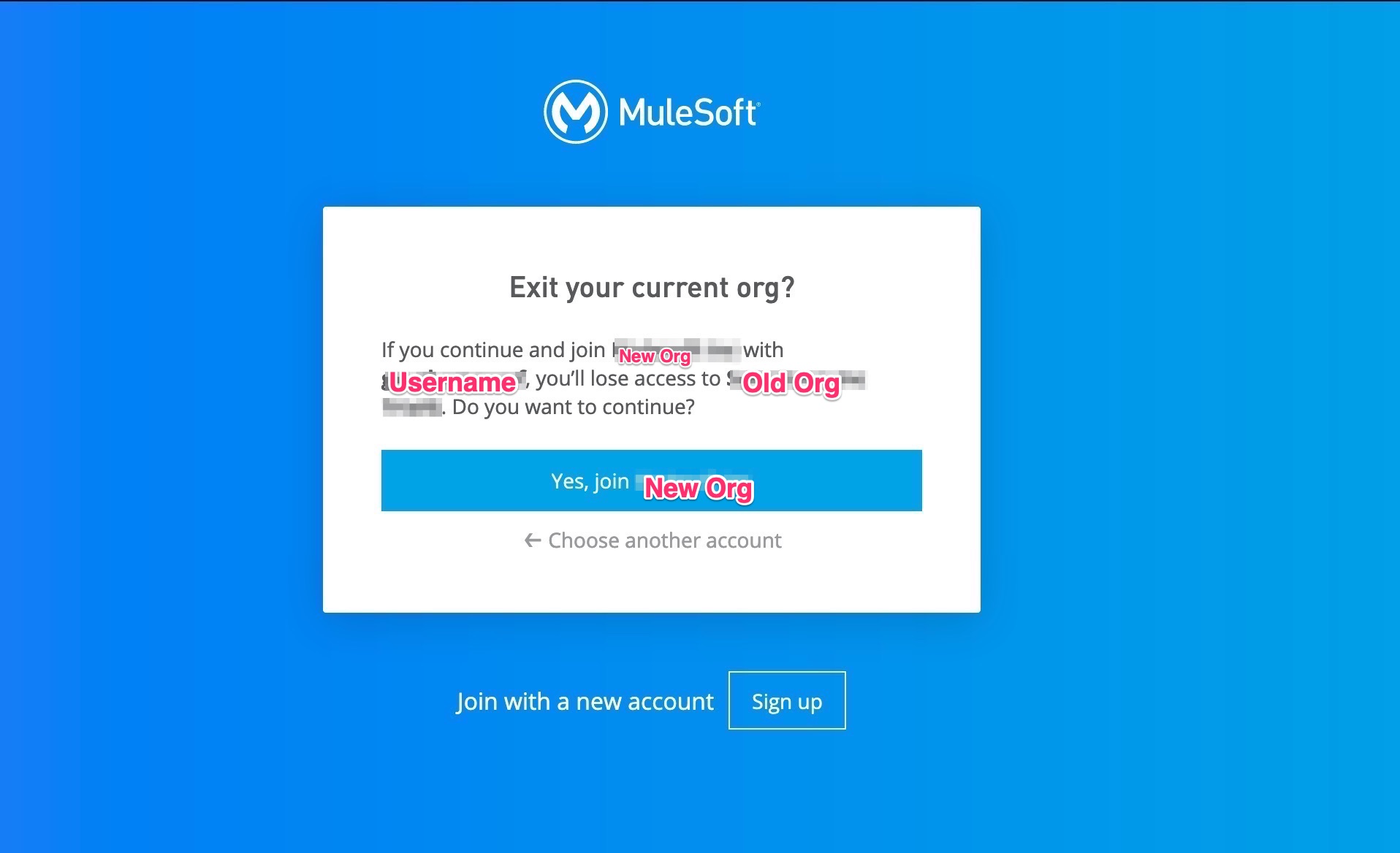
6) You will be led to a page where you will be offered to DELETE the Trial org with the text "Exit and delete your current org?". You will need to type DELETE <<Trial Org Name>> to proceed.
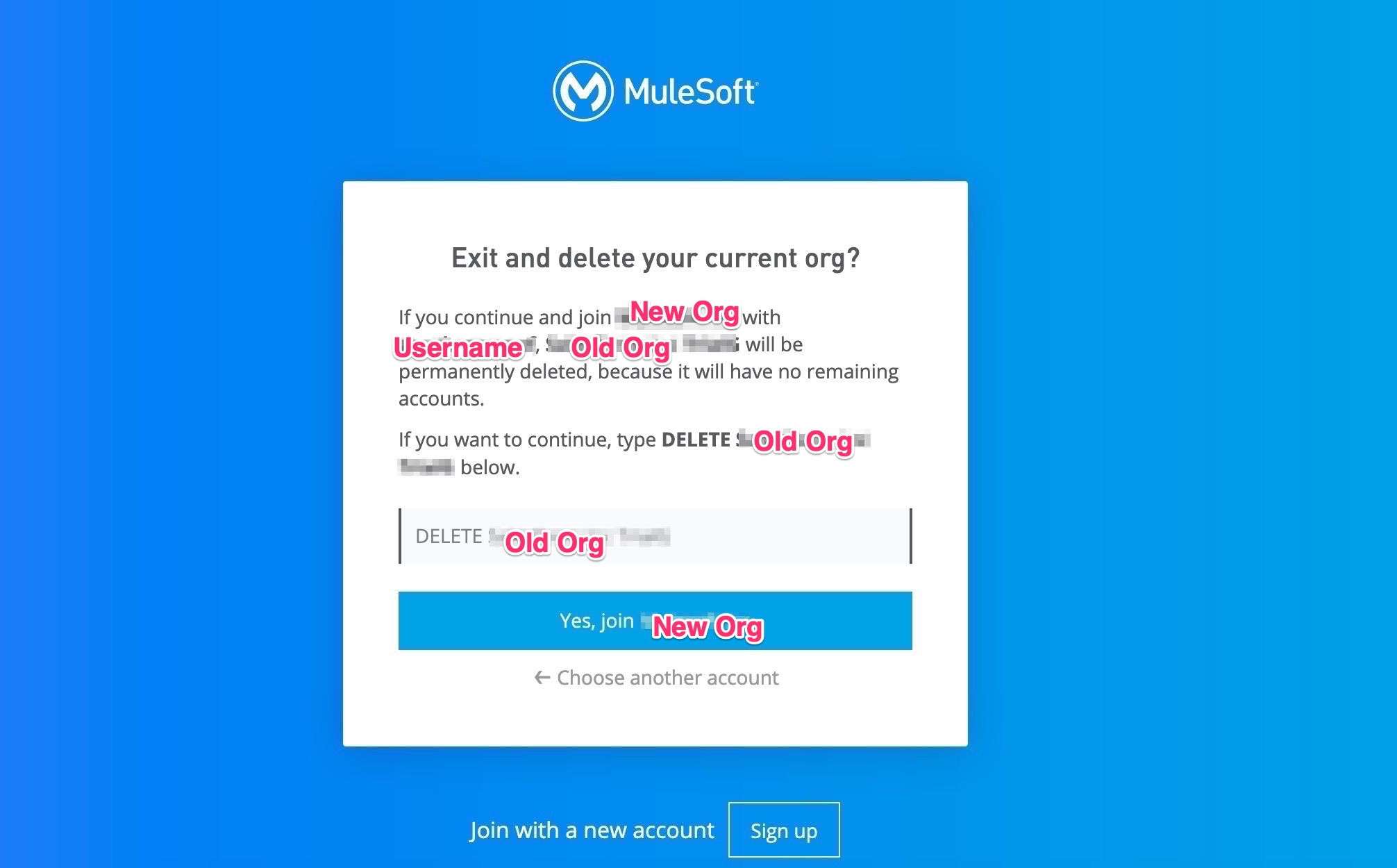
7) This will delete the old Trial Organization and the user will join the new Organization.
Número del artículo de conocimiento
001114699
¿Resolvió este artículo su problema?
¡Háganos saber cómo podemos mejorar!
