Vælg en organisation
How to set SOAP header for Mule 4 Web Service Consumer
Udgivelsesdato: Mar 2, 2024
Opgave
GOAL
You would like to set the SOAP header in a Web Service Consumer connector in Mule 4 APIs.
Trin
We will use the "Web Service Consumer" connector with the "TrackOrder" operation pre-configured at the provided WSDL file.
The expected web service call we will create:
<soapenv:Envelope xmlns:soapenv="http://schemas.xmlsoap.org/soap/envelope/" >
   <soapenv:Header>
      <tsh:AuthenticationHeader xmlns:tsh="http://mulesoft.org/tshirt-service">
         <apiKey>MaxTheMule</apiKey>
      </tsh:AuthenticationHeader>
   </soapenv:Header>
   <soapenv:Body>
      <tsh:TrackOrder>
         <email>test@mulesoft.com</email>
         <orderId>123456</orderId>
      </tsh:TrackOrder>
   </soapenv:Body>
</soapenv:Envelope>
The expected usage in the Consume operation is like this:
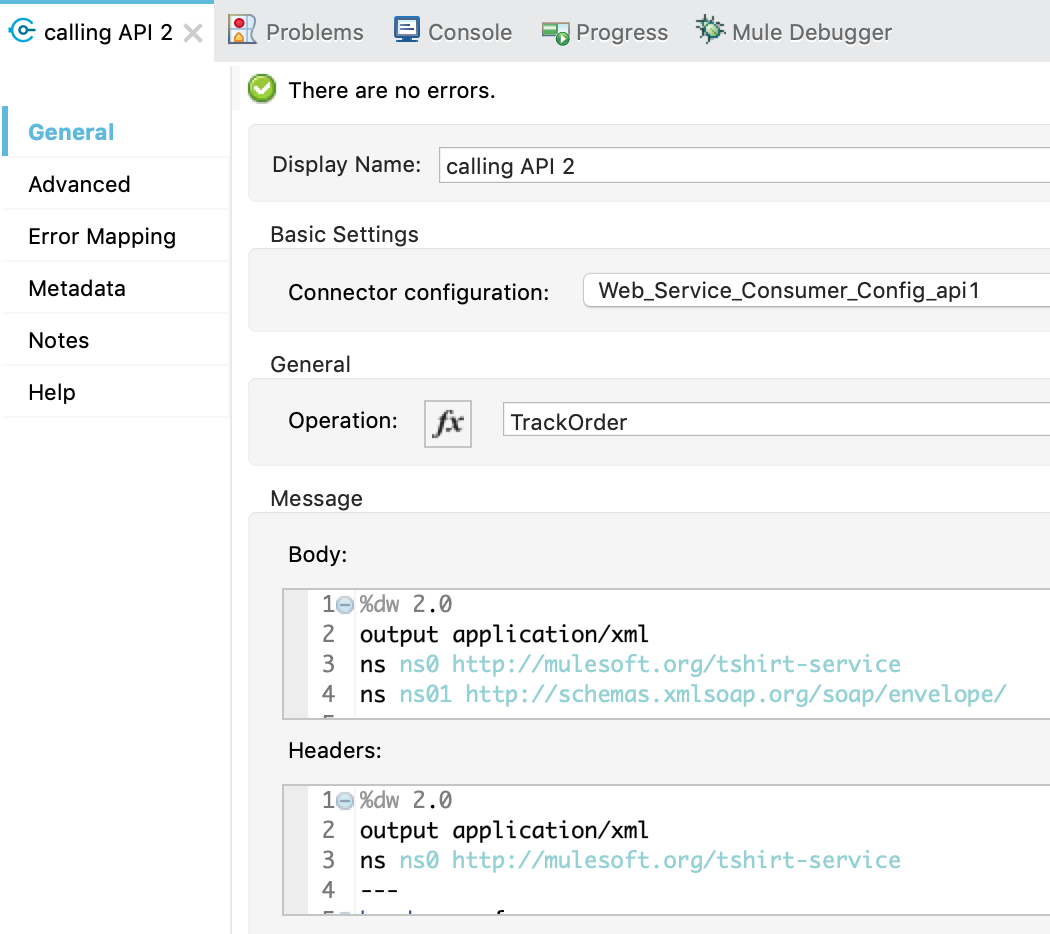
But to make the procedure clearer and easier to understand, we will use "Transform Message" nodes in order to take advantage of their metadata assistance.
Example of the final flow:
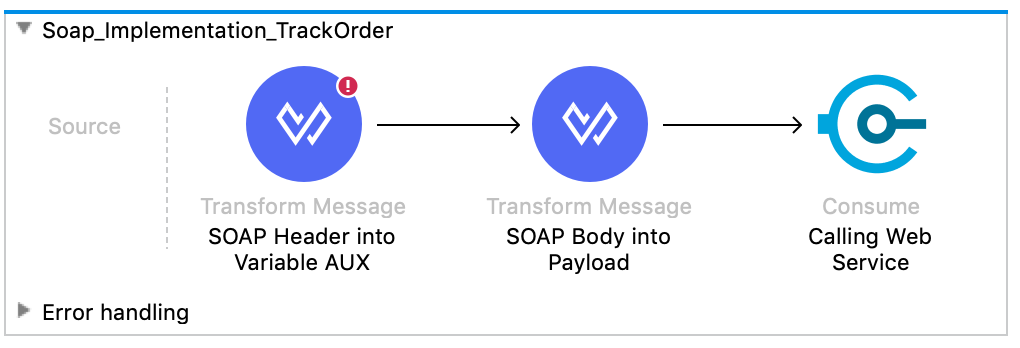
Example of the first Transform Message that sets an XML for the headers to a variable named "AUX":
%dw 2.0
output application/xml
ns ns0 http://mulesoft.org/tshirt-service
---
headers : {
	ns0#AuthenticationHeader: {
		apiKey: "MaxTheMule"
	}
}
Example of the second Transform Message that creates the body of the SOAP message thanks to the metadata assistance:
%dw 2.0
output application/xml
ns ns0 http://mulesoft.org/tshirt-service
ns ns01 http://schemas.xmlsoap.org/soap/envelope/
---
{
	ns0#TrackOrder: {
		email: "test@mulesoft.com",
		orderId: "123456"
	}
}
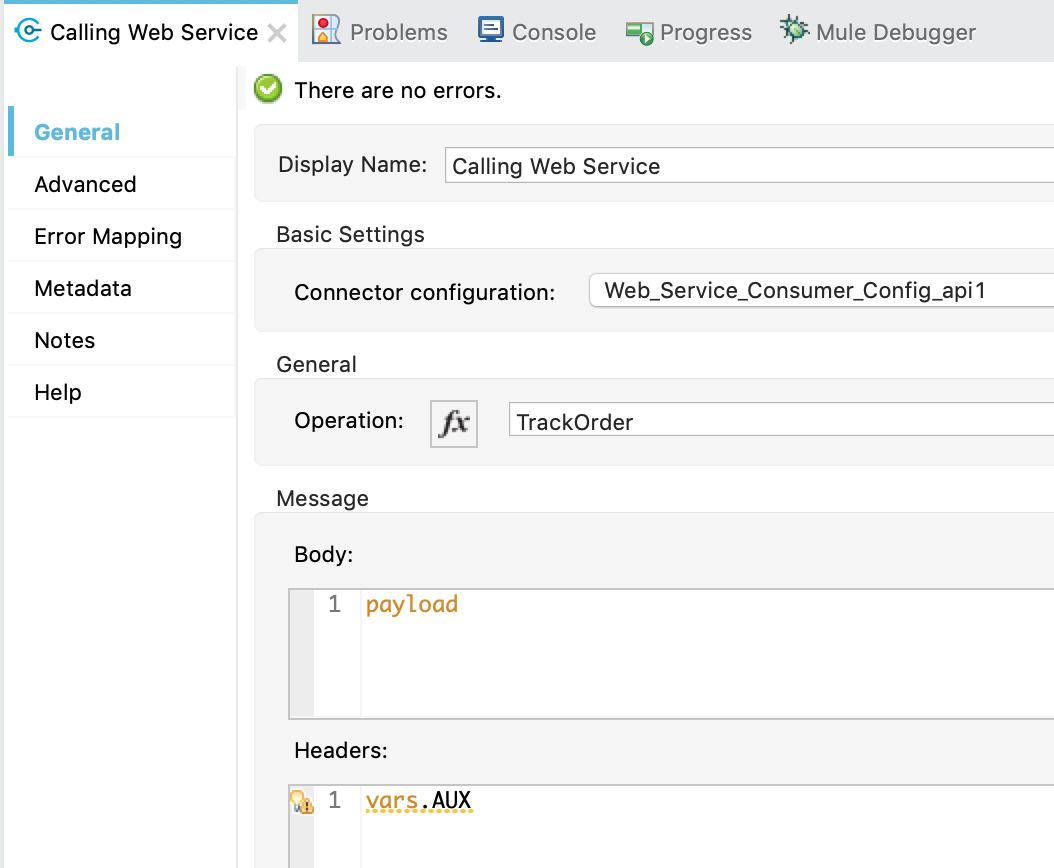
Example of the Consume operation of the Web Service Consumer Connector:
In addition, if you need to add an attribute with the format similar to 'wsu:ID="UsernameToken-XXX"':
<soapenv:Header>
        <wsse:Security wsu:ID="UsernameToken-XXX" xmlns:wsse="http://docs.oasis-open.org/wss/2004/01/oasis-200401-wss-wssecurity-secext-1.0.xsd" xmlns:wsu="http://docs.oasis-open.org/wss/2004/01/oasis-200401-wss-wssecurity-utility-1.0.xsd">
            <wsse:UsernameToken>
                <wsse:Username Type="http://docs.oasis-open.org/wss/2004/01/oasis-200401-wss-username-token-profile-1.0#PasswordText">user@company.com</wsse:Username>
                <wsse:Password>password123</wsse:Password>
            </wsse:UsernameToken>
        </wsse:Security>
</soapenv:Header>
In the Transform message you can do the following:
%dw 2.0
output application/xml
ns soapenv http://schemas.xmlsoap.org/soap/envelope/
ns wsse http://docs.oasis-open.org/wss/2004/01/oasis-200401-wss-wssecurity-secext-1.0.xsd
ns wsu http://docs.oasis-open.org/wss/2004/01/oasis-200401-wss-wssecurity-utility-1.0.xsd
---
headers : {
	wsse#Security @(wsu#ID:"UsernameToken-XXX"): {
		wsse#UsernameToken: {
			wsse#Username @(Type:"http://docs.oasis-open.org/wss/2004/01/oasis-200401-wss-username-token-profile-1.0#PasswordText"): "user@company.com",
			wsse#Password: "password123"
		}
	}
}
Vidensartikelnummer
001114743
Løste denne artikel dit problem?
Giv os besked, så vi kan forbedre os!
