Velg en organisasjon
How to work with query parameter of array type with APIKit in both Mule 3 and 4
Publiseringsdato: Mar 2, 2024
Oppgave
GOAL
To define an APIKit that receives an array of values through the URL query string, enforcing it using an APIKit router and being able to easily test it on the API Console.
Trinn
The RAML definition must make use of the queryParameters node and the array builtin type:
#%RAML 1.0
title: test raml
baseUri: http://localhost:8081/api

/test:
  get:
    queryParameters:
      ids:
        type: array
        items: integer
        minItems: 2
        default: [6,9]
        description: "This parameter is to test how to define an array in a query string parameter"
    responses:
      200:
Then you go ahead with the implementation using APIKit. If you are using API Console to test your API should specify the array value on it using JSON notation, like the following: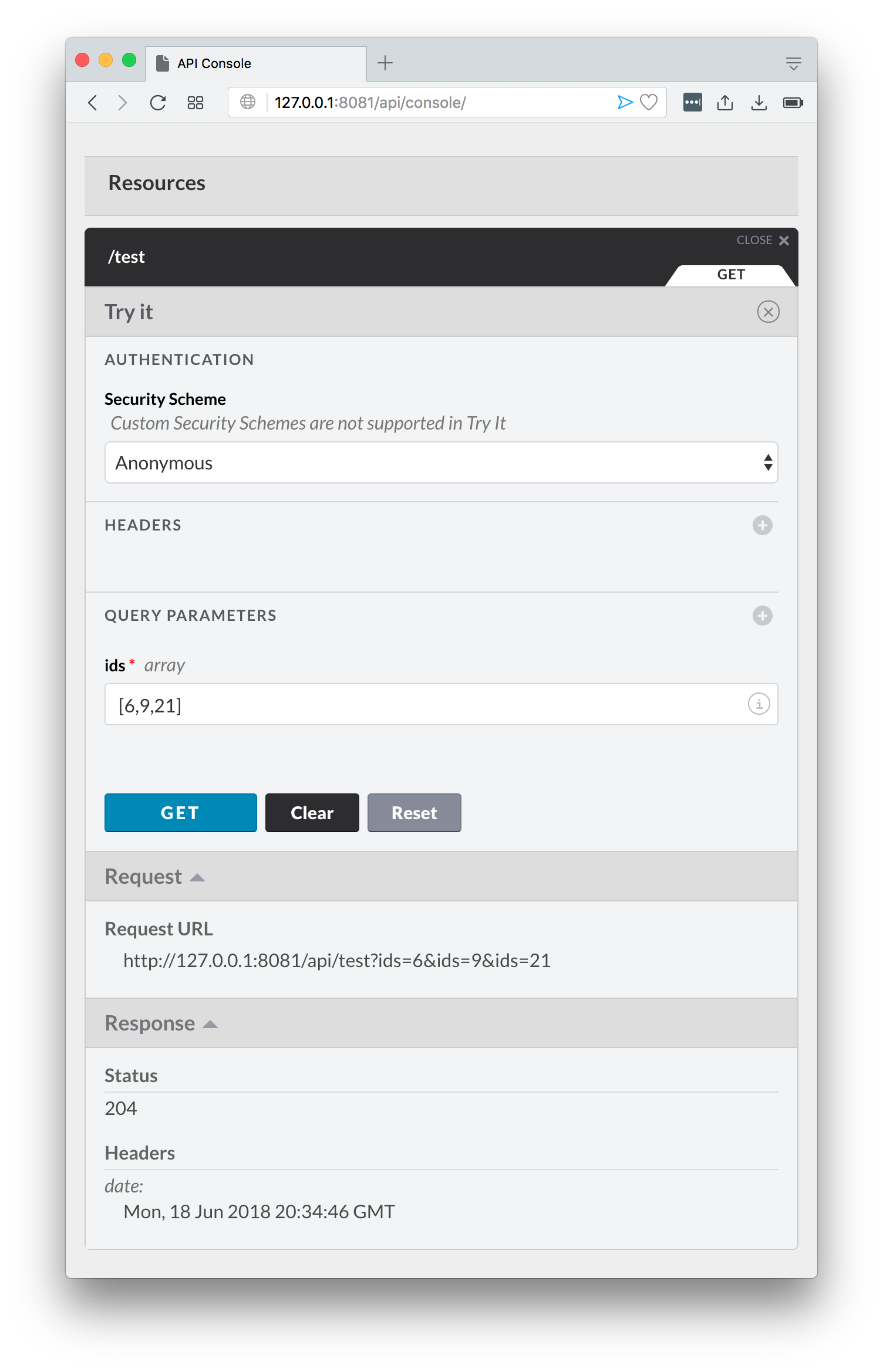
As you can see on the above screenshot too, for actual API call you must just repeat the same key name for each of the values of the array, every value must be of the correct type or your request will result in a 400 response. Call the URL like this: http://127.0.0.1:8081/api/test?ids=1&ids=2
Flere ressurser
Please have in mind that behavior has been enhanced from previous versions. For Mule 4, you will need to access the array by calling it as attributes.queryParams.*ids:
<logger level="INFO" message="#[attributes.queryParams.*ids]" />
Knowledge-artikkelnummer
001114901
Hjalp denne artikkelen med å løse problemet ditt?
La oss få vite det slik at vi kan forbedre!
