Seleziona un'organizzazione
How to retrieve certificate from remote server and import to truststore
Data pubblicazione: Aug 4, 2025
Operazione
GOAL:
Truststore has to be configured while using modules like HTTP and communicating with remote server using TLS. Below procedure explains how to create a truststore and import certificate from remote server in to truststore
Fasi
Step 1: Use openssl command as below to print the complete certificate chain to console. Now you'll just have to copy each certificate to a separate PEM file
openssl s_client -showcerts -connect <hostname>:<tls_port>example:
openssl s_client -showcerts -connect mulednstest.cloudhub.io:443
Step 2: Import each certificate in the certificate chain to your (Java) truststore using keytool command. Below certificate imports provided certificate in to the truststore. If the provided truststore is not available then it would prompt for creating a new truststore.
keytool -importcert -file <certificate_location> -keystore <keystore_name> -alias "<alias_name>"example:
keytool -importcert -file digicertca.cer -keystore trust.jks -alias "digicertca cert"
keytool -importcert -file cloudhub.cer -keystore trust.jks -alias "cloudhub.io cert"
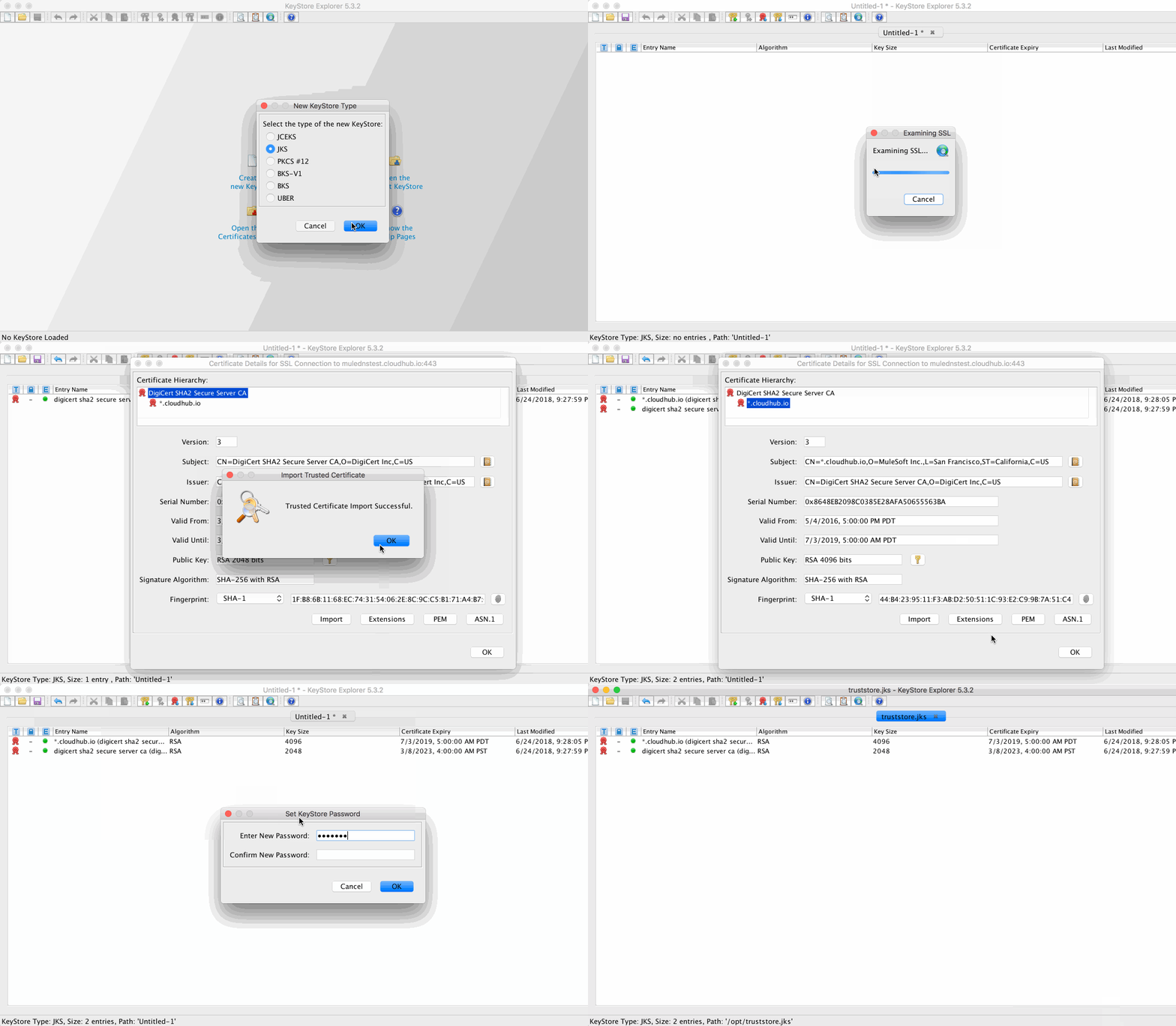
Option 2: Using KeyStore Explorer
KeyStore explorer is Open Source GUI based tool that would allow you to manage your keystore (as well as truststore).
Below gif showcase how a trustore is created and certificate from remote server is imported
Risorse aggiuntive
Keystore Explorer
openssl docs
Numero articolo Knowledge
001114912
Questo articolo ha risolto il problema?
Facci sapere, così possiamo migliorare!
