Выбрать организацию
How to create default object store using Object Store v2 REST API in Mule 4
Дата публикации: Aug 4, 2025
Задача
GOAL
In some scenarios, the default object store (__defaultPersistentObjectStore) was deleted and the application has to be restarted in order to have the default object store recreated.Действия
Step 1) Get the client ID (CLIENT_ID) and client secret (CLIENT_SECRET) for the app. Please refer to the link here for detailed steps.
Step 2) Get the bearer token for the app.
curl -X POST \
  https://anypoint.mulesoft.com/accounts/oauth2/token \
  -H 'Content-Type: application/x-www-form-urlencoded' \
  -d 'client_id=<client_id>&client_secret=<client_secret>&grant_type=client_credentials'
Step 3) Run the curl command to create the default object store.
curl --location --request PUT 'https://object-store-<region>.anypoint.mulesoft.com/api/v1/organizations/<orgID>/environments/<envID>/stores/APP_<app_name>__defaultPersistentObjectStore' \
--header 'Content-Type: application/json' \
--header 'Authorization: Bearer <token>' \
--data-raw '{
    "encrypted": "true",
    "persistent": "true",
    "defaultTtlSeconds": 2592000,
    "defaultConfirmationTtlSeconds": 600,
    "isFixedTtl": "false",
    "permanentOsFlag": "false"
}'
For example:
curl --location --request PUT 'https://object-store-ap-southeast-2.anypoint.mulesoft.com/api/v1/organizations/18a04ea1-3b84-42fb-837a-bbcbe964f394/environments/7d1a0de5-8c49-4cc3-a21d-2566312469d2/stores/APP_demo-osv2__defaultPersistentObjectStore' \
--header 'Authorization: bearer <token>' \
--header 'Content-Type: application/json' \
--data-raw '{
	"encrypted": "true",
	"persistent": "true",
	"defaultTtlSeconds": 2592000,
	"defaultConfirmationTtlSeconds": 600,
	"isFixedTtl": "false",
	"permanentOsFlag": "false"

}'
After this request is completed, you should be able to see the newly created defaultPersistentObjectStore as shown below.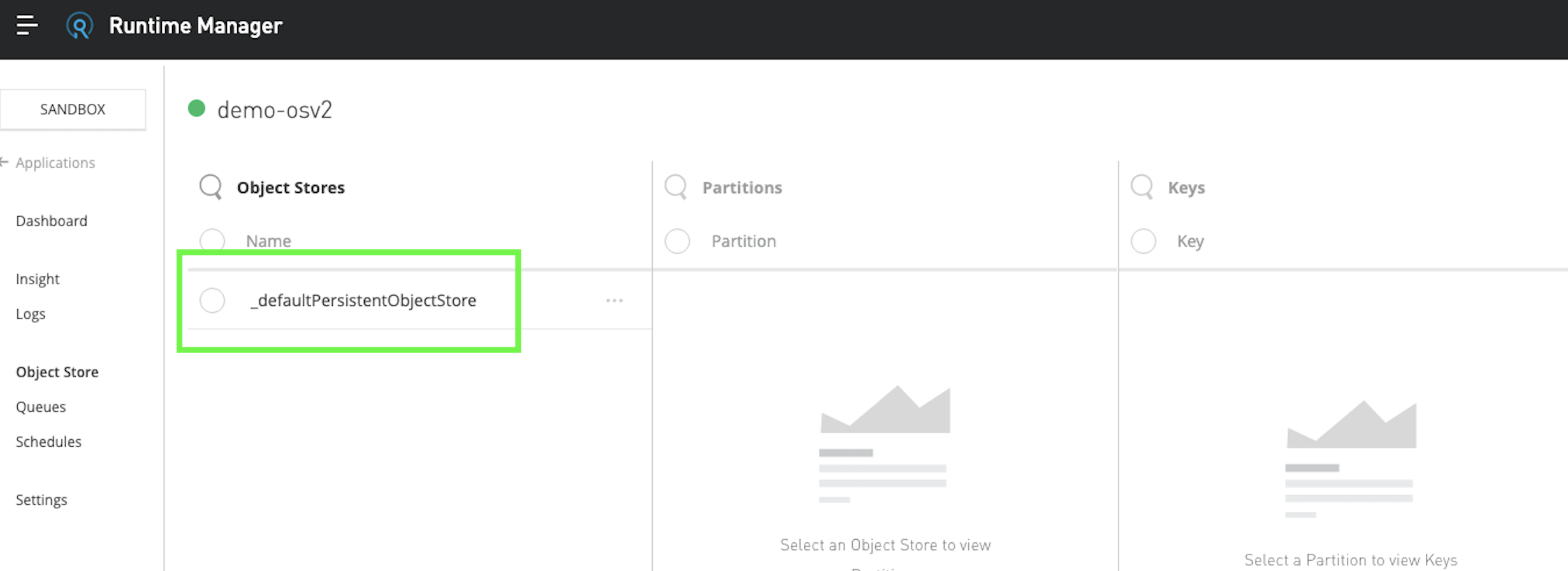
Номер статьи базы знаний
001115238
Эта статья решила вашу проблему?
Оставьте свой отзыв, чтобы мы могли стать лучше!
