Välj en organisation
How to create default object store using Object Store v2 REST API in Mule 4
Publiceringsdatum: Aug 4, 2025
Uppgift
GOAL
In some scenarios, the default object store (__defaultPersistentObjectStore) was deleted and the application has to be restarted in order to have the default object store recreated.Steg
Step 1) Get the client ID (CLIENT_ID) and client secret (CLIENT_SECRET) for the app. Please refer to the link here for detailed steps.
Step 2) Get the bearer token for the app.
curl -X POST \
  https://anypoint.mulesoft.com/accounts/oauth2/token \
  -H 'Content-Type: application/x-www-form-urlencoded' \
  -d 'client_id=<client_id>&client_secret=<client_secret>&grant_type=client_credentials'
Step 3) Run the curl command to create the default object store.
curl --location --request PUT 'https://object-store-<region>.anypoint.mulesoft.com/api/v1/organizations/<orgID>/environments/<envID>/stores/APP_<app_name>__defaultPersistentObjectStore' \
--header 'Content-Type: application/json' \
--header 'Authorization: Bearer <token>' \
--data-raw '{
    "encrypted": "true",
    "persistent": "true",
    "defaultTtlSeconds": 2592000,
    "defaultConfirmationTtlSeconds": 600,
    "isFixedTtl": "false",
    "permanentOsFlag": "false"
}'
For example:
curl --location --request PUT 'https://object-store-ap-southeast-2.anypoint.mulesoft.com/api/v1/organizations/18a04ea1-3b84-42fb-837a-bbcbe964f394/environments/7d1a0de5-8c49-4cc3-a21d-2566312469d2/stores/APP_demo-osv2__defaultPersistentObjectStore' \
--header 'Authorization: bearer <token>' \
--header 'Content-Type: application/json' \
--data-raw '{
	"encrypted": "true",
	"persistent": "true",
	"defaultTtlSeconds": 2592000,
	"defaultConfirmationTtlSeconds": 600,
	"isFixedTtl": "false",
	"permanentOsFlag": "false"

}'
After this request is completed, you should be able to see the newly created defaultPersistentObjectStore as shown below.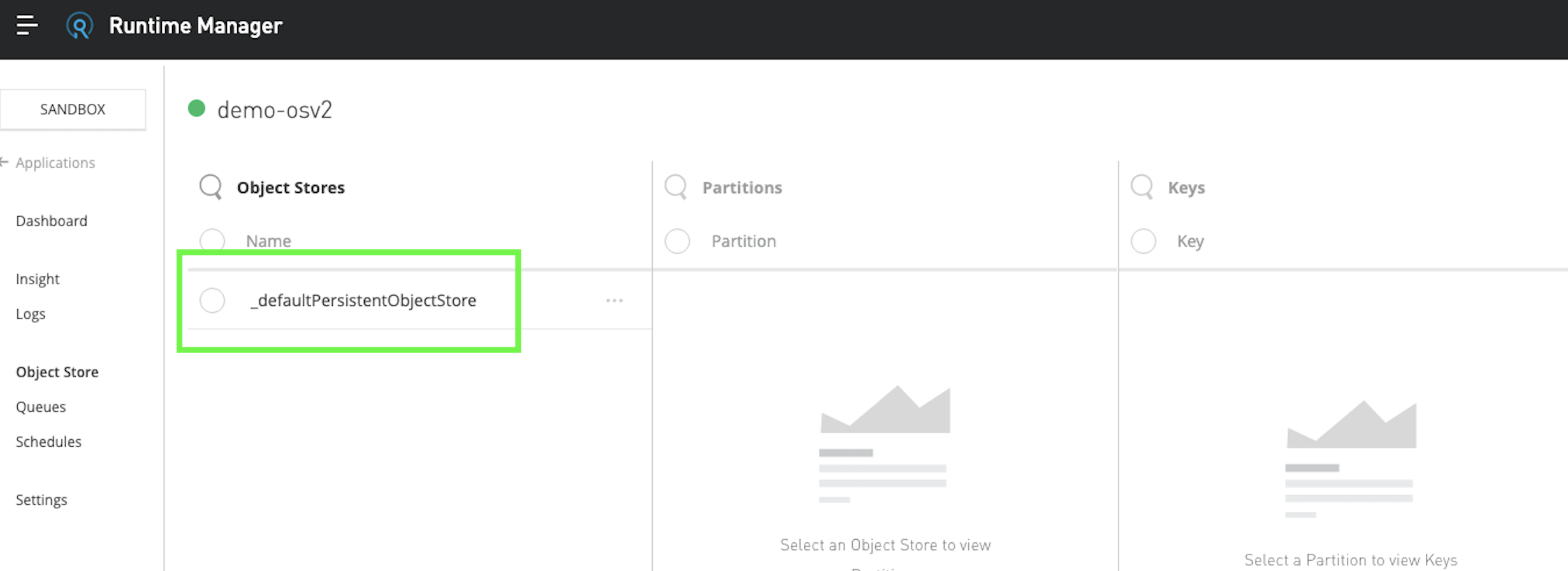
Knowledge-artikelnummer
001115238
Löste denna artikel ditt problem?
Berätta för oss vad vi kan förbättra!
