조직 선택
How to update policy definition to latest version against an API in API Manager?
게시 일자: Jul 28, 2025
단계
QUESTION
How to update the policy definition version to the latest version against an API in API Manager?
ANSWER
Suppose I have an API and a Client ID Enforcement policy with version 1.3.0 associated with it. I found that the latest version 1.3.1 is available for the policy definition and I want to update to that particular version of the policy definition.
To update to the latest policy definition version:
1. We can remove the policy and then reapply the policy again with the latest version in the UI (API Manager). Or follow step 2.
2. Call REST API to update by executing the command below.
curl 'https://anypoint.mulesoft.com/apimanager/api/v1/organizations/<orgId>/environments/<envId>/apis/<apiVersionId>/policies/<policyId>' \
-X 'PATCH' \
-H 'Accept: application/json, text/plain, */*' \
-H 'Authorization: <token>' \
--data-raw '{"groupId":<policyGroupId>, "assetId":<policyAssetId>,"assetVersion":<latestPolicyVersion>,"apiId":<apiVersionId>}'
Note: The latestPolicyVersion should be the latest version available (1.3.1in this case). Also, all the information needed for making this curl can be found in the UI URL.
ADDITIONAL INFORMATION
Now the question arises, what does “Check for updates” imply against an API Policy in API manager?
Ans:
The “Check for updates” against an API policy in API manager basically checks for any newer version of API implementation is available for the same Policy Definition and update to that version if it finds any. It doesn’t check for API definition version.
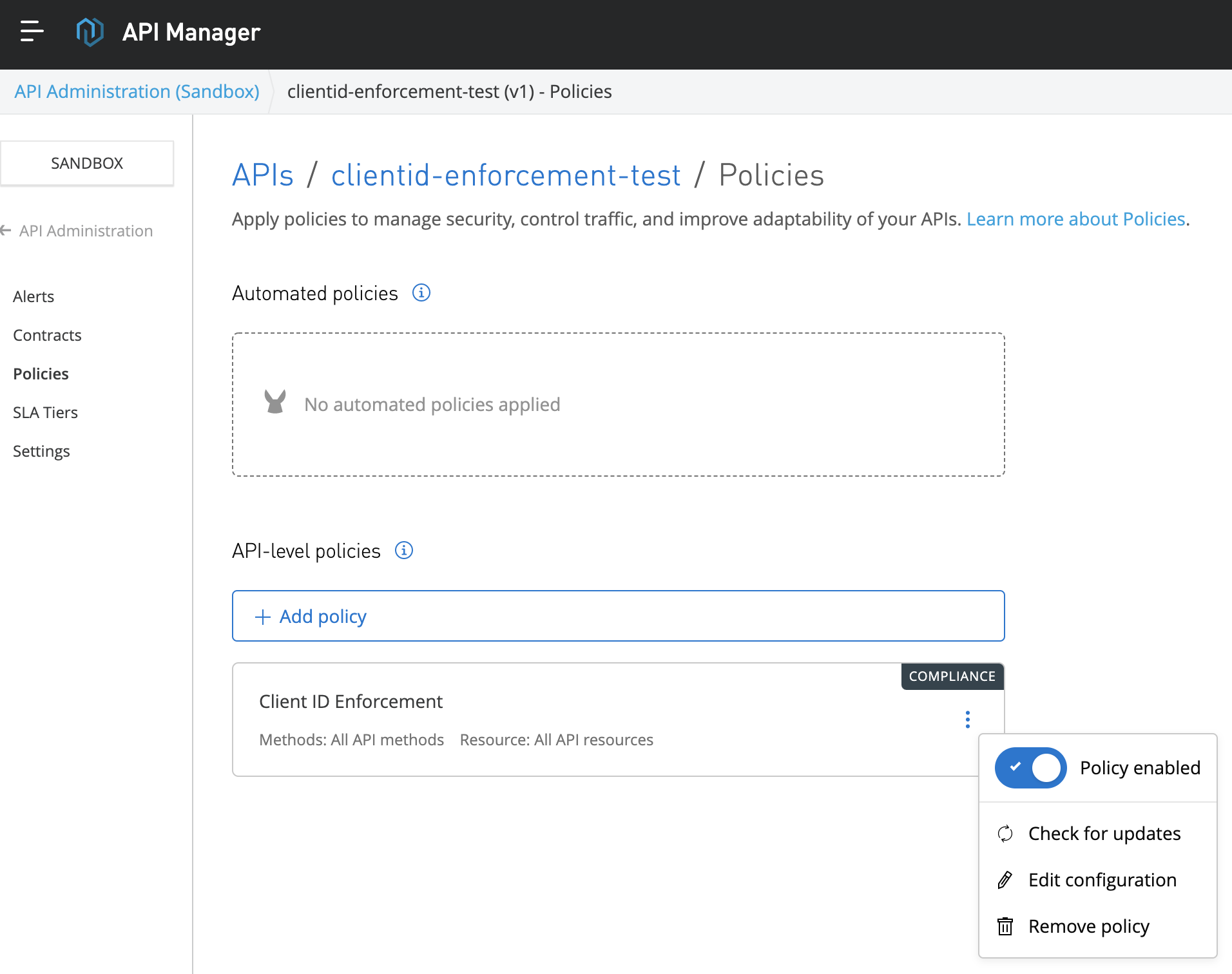
Let’s take one example:
We have a policy (e.g. Client ID Enforcement) of version 1.3.0 is associated to an API in API manager but latest policy definition with version 1.3.1 is available now.
The "check for updates" feature does not upgrade the policy version, instead, it searches for new policy implementations associated with the configured policy version, in this case 1.3.0.
The addition of flex gateway to the platform introduced a change where now, every policy definition has many implementations (for flex, for mule, etc) giving the user the possibility of decoupling definitions from implementations. So this button in the UI, "check for upgrades", tries to search for new version of policy implementations for those runtimes, associated with the configured policy. For example, if a new client id enforcement policy implementation is released for flex gateways, that feature will automatically update the implementation for that runtime, but the policy config would still be the same, the one the user configured, the policy with version 1.3.0.
Knowledge 기사 번호
001115247
이 기사를 통해 문제를 해결했습니까?
개선을 위한 의견을 보내주세요.
