Valitse organisaatio
Transferring resources (such as vCores, VPCs, load balancers, and so on) between existing Business Groups
Julkaisupäivä: Aug 4, 2025
Tehtävä
GOAL
To transfer resources (such as vCores, VPCs, load balancers, and so on) between existing Business Groups
PREREQUISITES
There are a few prerequisites that need to meet in order to transfer the resources-- Resources need to be available in the immediate parent business group or organization.
- User transferring the resources needs to be an Organization Administrator of the source/parent business group or organization.
- User transferring the resources also needs to be an Organization Administrator of the destination child business group.
- The root organization or parent business group cannot reclaim resources that are currently allocated to a business group that is lower in the hierarchy
Example:
In the below organization, if any user wants to transfer the vCores from the TestBG business group to TestGroup-211214 business group then-
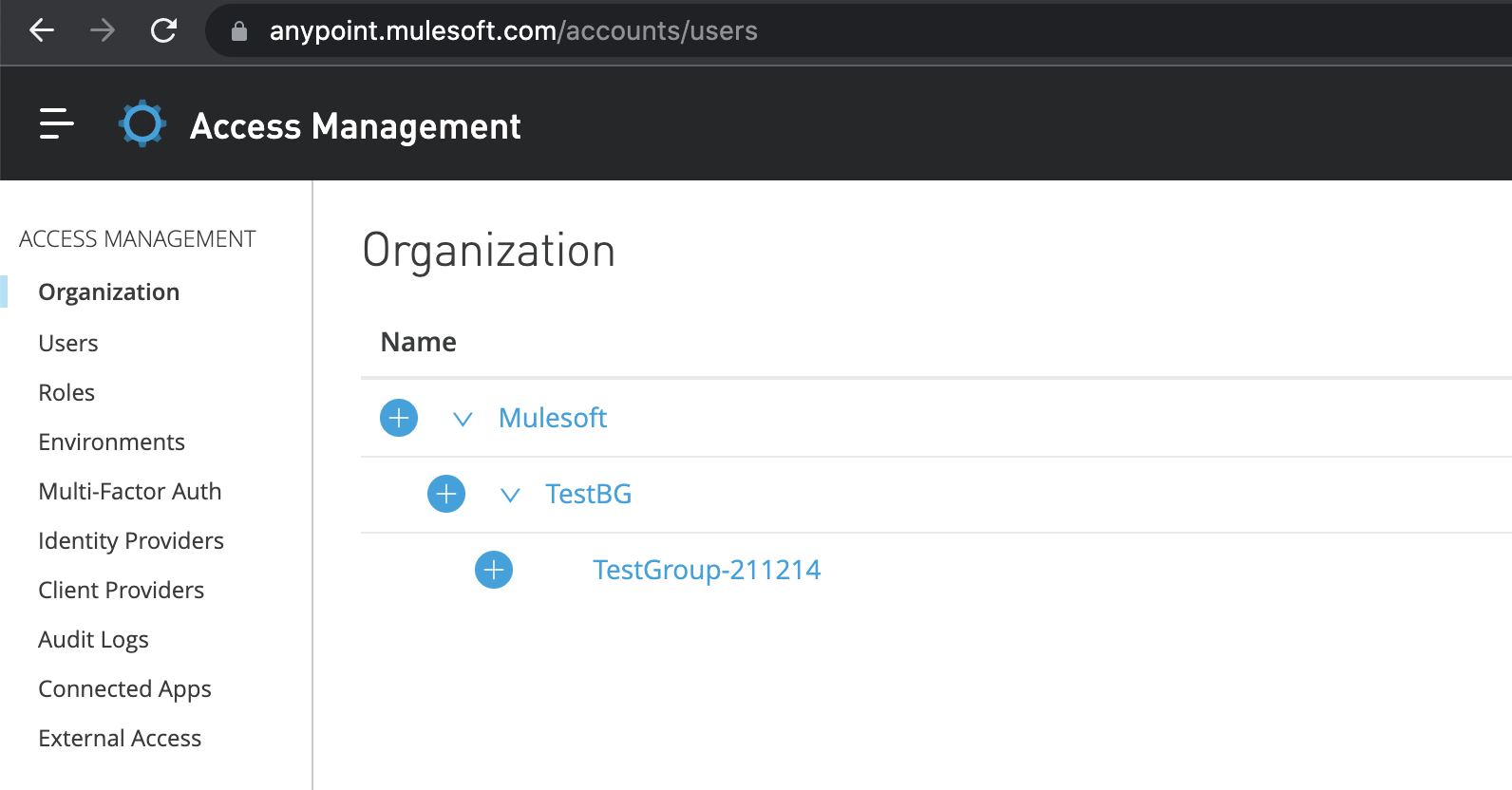
- There should be vCores available in the TestBG business group (having vCores available only in the master organization- Mulesoft, won't be enough)
- The user needs to have the Organization Administrators role assigned in the TestBG business group
- The user needs to have the Organization Administrators role assigned in the TestGroup-211214 business group
Vaiheet
- In the Access Management navigation menu, click Business Groups.
- Click the name of the business group you want to access.
- Click the Settings tab.
- Enter the number of vCores you want the business group to have.
- Click Save changes.
DOCUMENTATION
You can read more about business groups and resource allocation here.
Knowledge-artikkelin numero
001115264
Ratkaisiko tämä artikkeli ongelmasi?
Anna palautetta, jotta voimme kehittyä!
