Organisation auswählen
How to Restrict Viewing Permission in Exchange
Veröffentlichungsdatum: Mar 2, 2024
Aufgabe
GOAL
This article will help in restricting the viewing of the APIs in Exchange based on different API groups.For example, you wish to restrict a group of users from viewing some exchange APIs.
Schritte
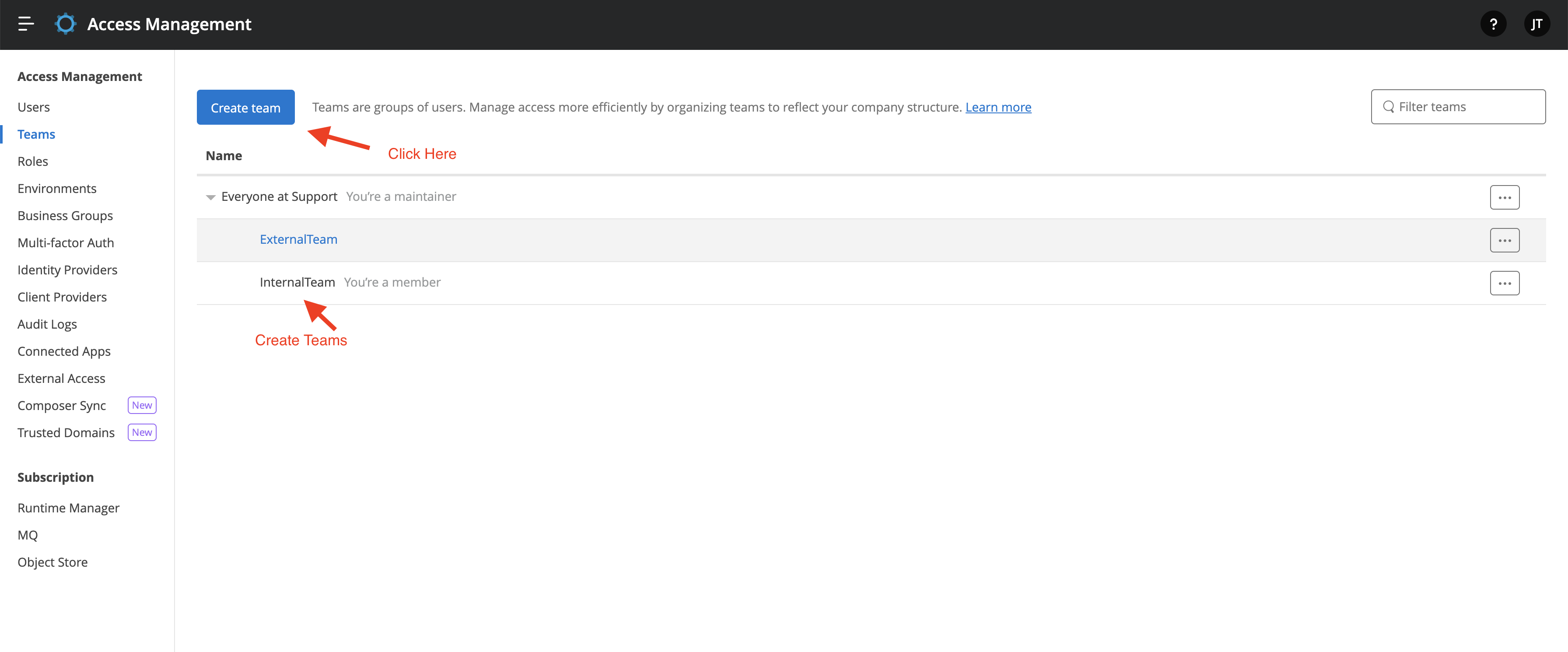
2. Click on Teams -> Create Team and then create teams in the Parent Business Group. Please refer to the following example, wherein we can see two teams, internalTeam, and externalTeam.
3. In the team that you want to restrict the viewing in Exchange, remove the "Exchange Viewer" permission, in this way the members of this team will be restricted from viewing the Exchange assets. Please see the example below:
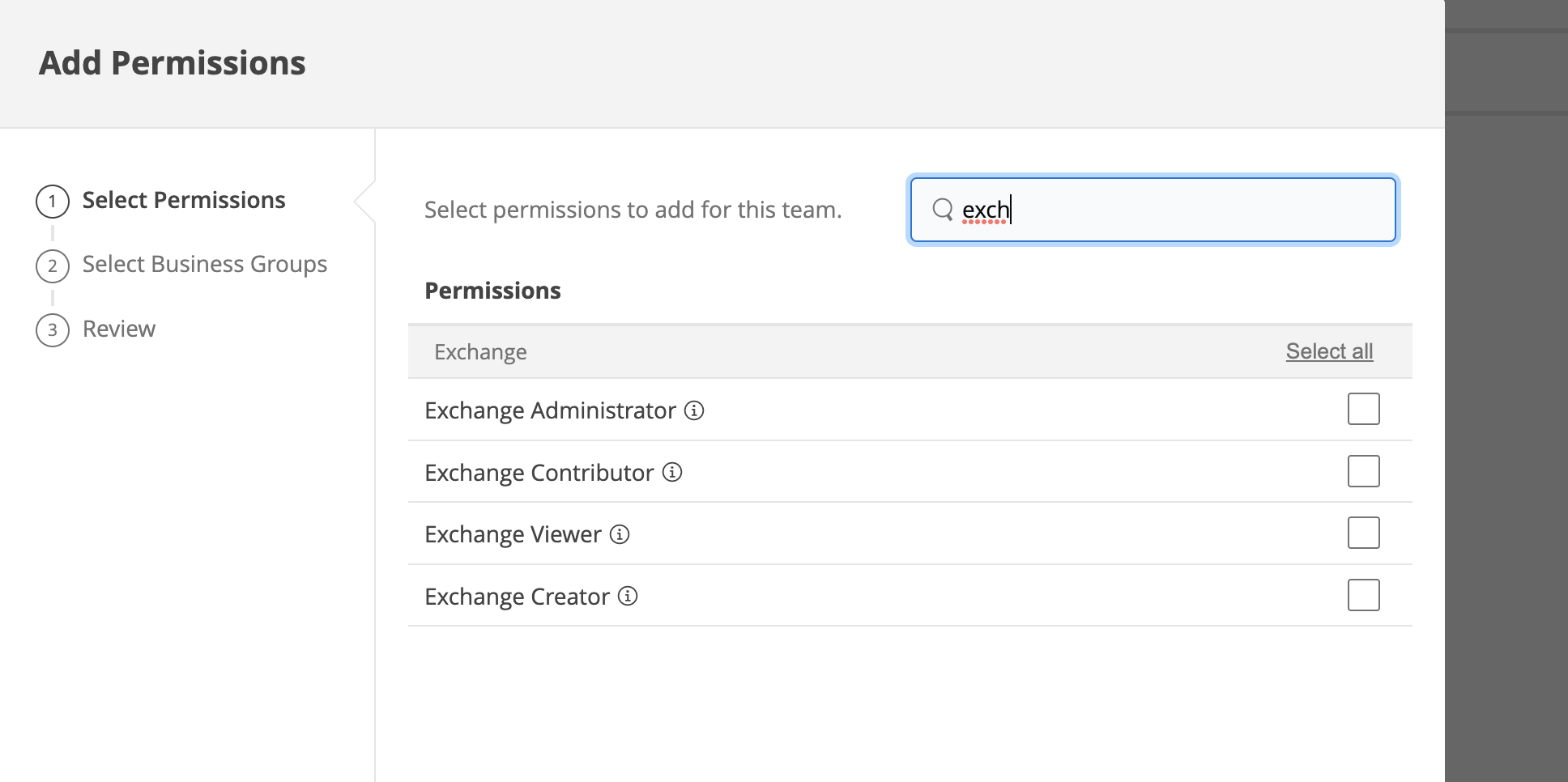
You can then give asset viewer permission asset by asset for the assets you want to make visible to this team.
More details about Exchange roles can be found here: Roles and Permission Scopes
Nummer des Knowledge-Artikels
001115324
Konnten Sie Ihr Problem mithilfe dieses Artikels lösen?
Geben Sie uns Feedback, damit wir uns verbessern können.
