組織を選択
Use AWS Service Role in CloudHub 2.0 Private Space
公開日: May 29, 2025
タスク
GOAL
Use AWS service role in CloudHub 2.0 (CH2) Private Space (PS) for CH2 applications to access AWS resources in another AWS account.ステップ

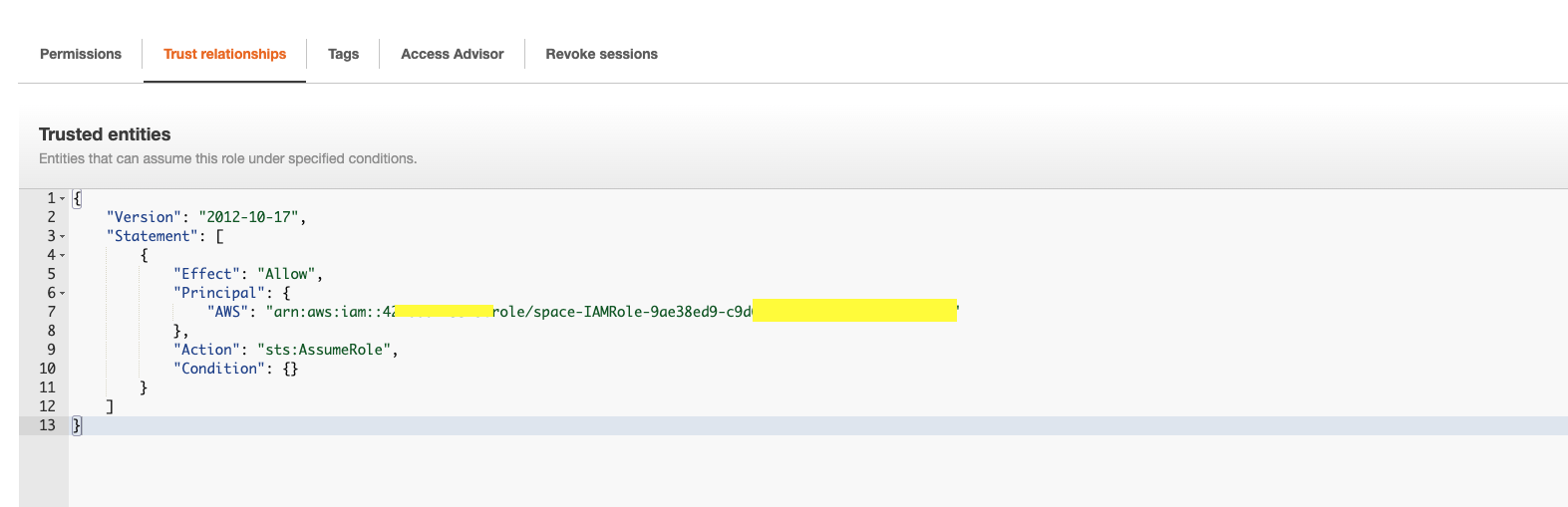
2. In your owned AWS account, create a new role (ch2-s3-servicerole-test) to add this CH2 service role as a Trust Principal with the action "sts:AssumeRole"
3. Assign required policies for the new role (ch2-s3-servicerole-test). The example below assigned S3 read-only policy
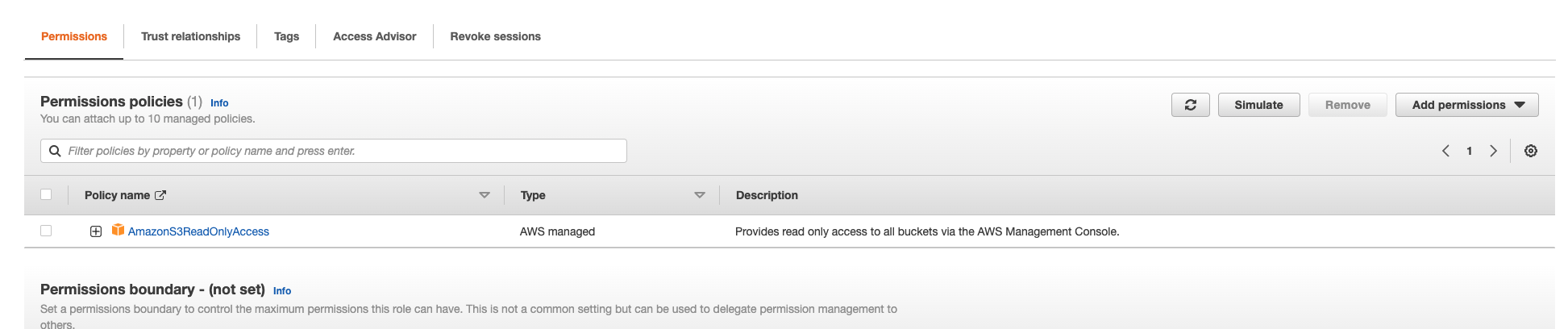
The new role (ch2-s3-servicerole-test) is ready to use in CH2 apps.
Here is an example with S3 connector 5.8.4 as the newer version doesn't support Default AWSCredentials Provider Chain per How to use "Default AWS Credentials Provider Chain" in S3 connector. (A note on June 2023, S3 connector 6.2.0 has enabled this feature)
Just use dummy values for accessKey & SecretKey, and ensure tryDefaultAWSCredentialsProviderChain="true". The apps deployed to the CH2 PS can access the S3 resource you allowed in your AWS account .
<s3:config name="Amazon_S3_Configuration2" doc:name="Amazon S3 Configuration" doc:id="d72a7408-a62d-401d-a0a0-314936300bd4" >
		<s3:role-connection roleARN="arn:aws:iam::111122223333:role/ch2-s3-servicerole-test" accessKey="dummyKey" secretKey="dummySecret" region="ap-southeast-2" tryDefaultAWSCredentialsProviderChain="true" />
</s3:config>
The application will follow the Default AWSCredentials Provider Chain per How to use "Default AWS Credentials Provider Chain" in S3 connector and get the credentials from the CH2 AWS service role first. Then it uses the credentials to assume the role ch2-s3-servicerole-test in your AWS account and get access to the S3 resources.
NOTES
Unfortunately, this feature cannot be applied to applications deployed to Cloudhub 1.0.ナレッジ記事番号
001115331
この記事で問題は解決されましたか?
ご意見をお待ちしております。
