Välj en organisation
Service Now Connector | Steps to establish OAuth 2.0 Connection with ServiceNow instance
Publiceringsdatum: Aug 4, 2025
Steg
DESCRIPTION
This article describes the step-by-step process to establish the OAuth 2.0 Connection with the ServiceNow instanceSTEPS TO FOLLOW
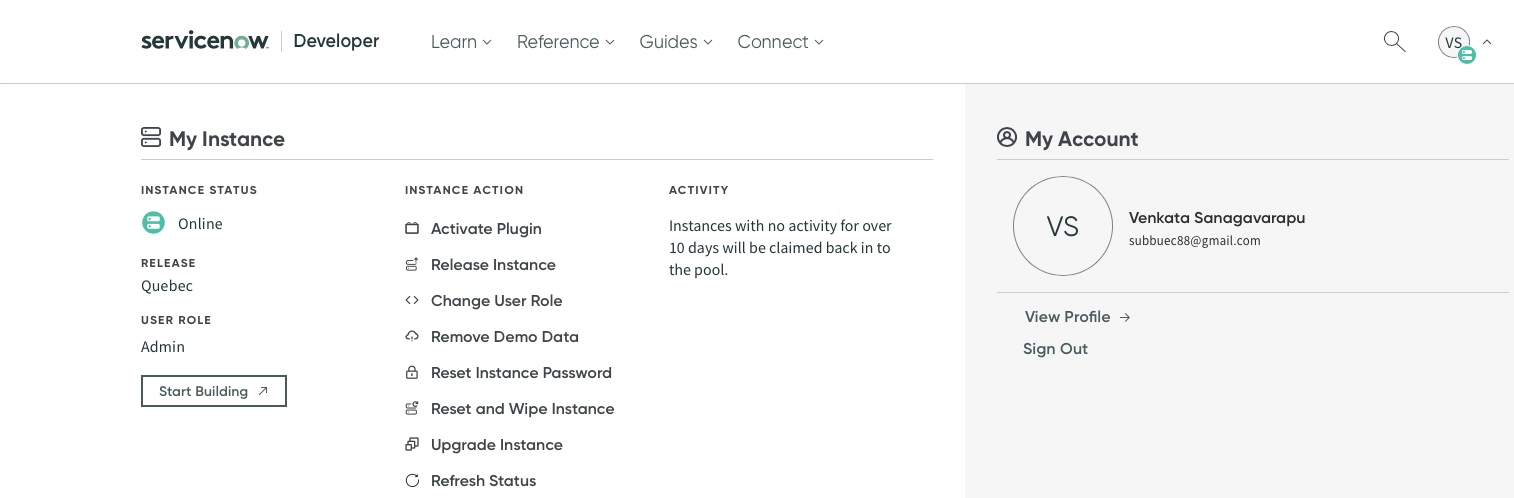
- If your Organization has a ServiceNow instance use it or request the trial Account by signing up here https://developer.servicenow.com/dev.do (Note: Upon requesting an instance you will join a waitlist and fulfillment might take a day or two)
- You will receive a registered e-mail with Instance Name, URL, and Instance credentials
- Log in to the ServiceNow instance and click on Start Building.
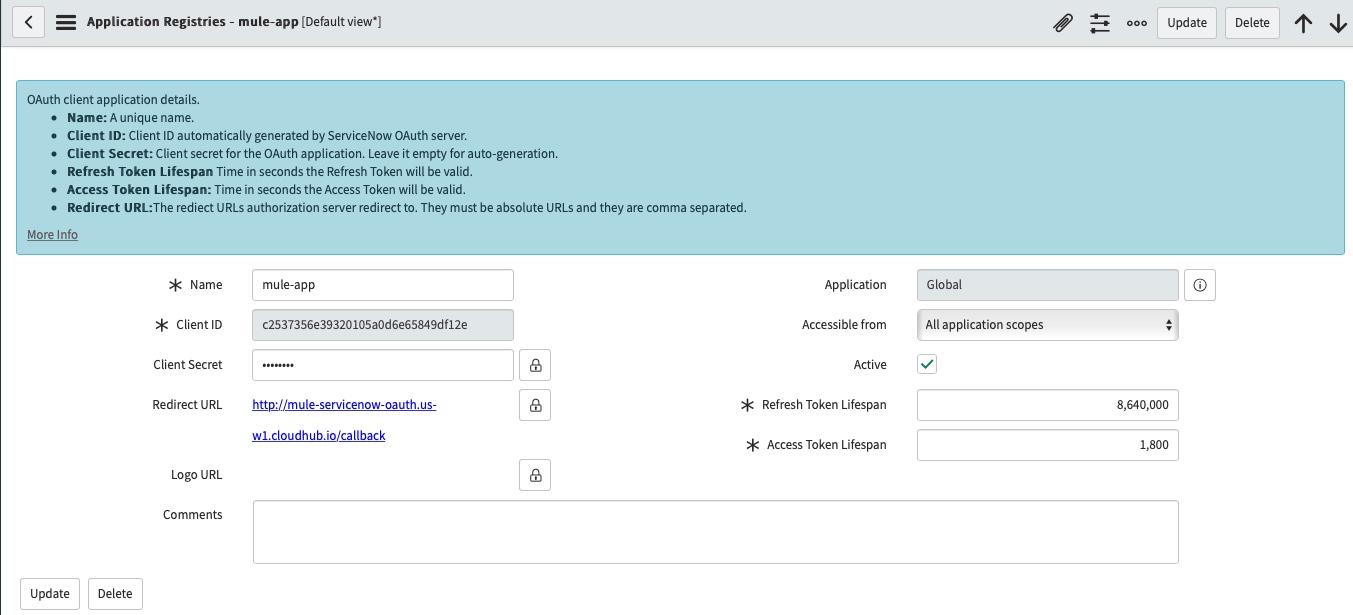
- Search for Application Registry → Click New → Create an OAuth API endpoint for external clients. Input the Name and Redirect URL (This is the Callback URL of the Mule application).
5. In Mule application, define the ServiceNow Connector configuration.
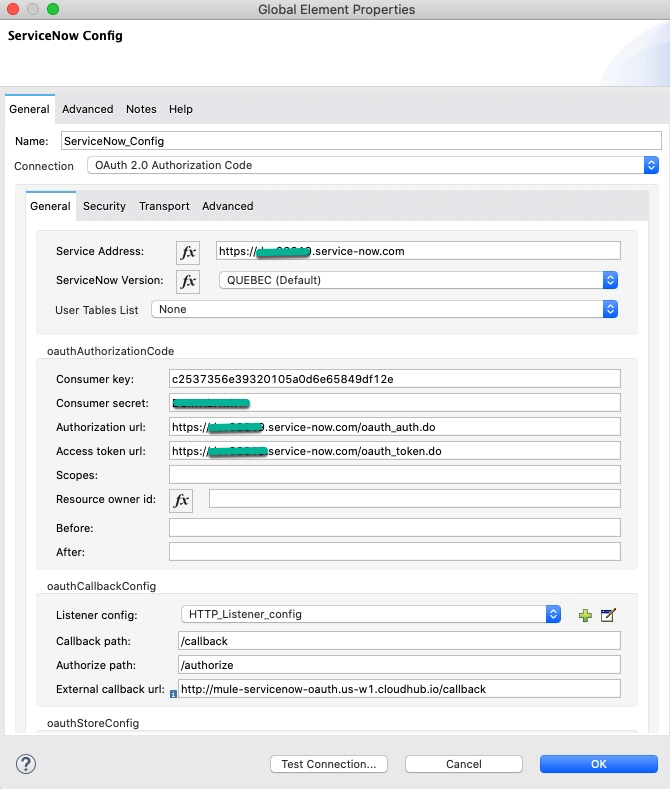
Note: Replace <<servicenowInstance>> with your ServiceNow instance
Service Address : https://<<servicenowInstance>>.service-now.com
Consumer key : ClienID from Step 4
Consumer Secret : Client Secret generated in Step 4
Authorization URL : https://<<servicenowInstance>>.service-now.com/oauth_auth.do
Access token URL : https://<<servicenowInstance>>.service-now.com/oauth_token.do
External callback URL: This is the URL where the ServiceNow will call back the Mule application (It is the same as Redirect URL from Step 4 )
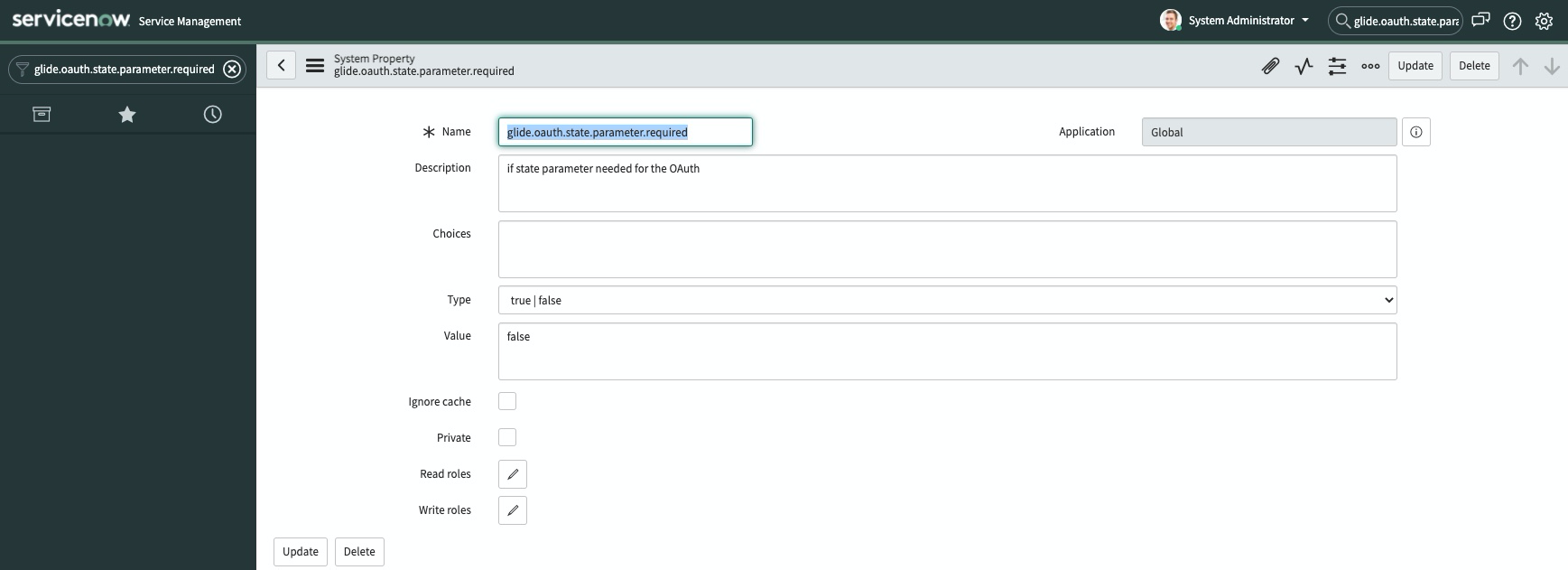
6. In the service now instance set the "glide.oauth.state.parameter.required" to false to avoid "Missing state parameter in the request" error during OAuth dance
7. Now perform the Oauth dance by navigating to the application authorize URL in a browser (e.g http://<<mule-app>>.us-w1.cloudhub.io/authorize) this will redirect to the ServiceNow instance and follow the instructions and complete the Oauth dance.
Disclaimer: This article involves products and technologies which do not form part of the MuleSoft product set. Technical assistance for such products is limited to this article.
Knowledge-artikelnummer
001115357
Löste denna artikel ditt problem?
Berätta för oss vad vi kan förbättra!
