Seleziona un'organizzazione
How To Call Anypoint APIs that Require Bearer Tokens from a Mule Application
Data pubblicazione: Jul 28, 2025
Fasi
QUESTION
How can one call an Anypoint API from a Mule application, considering that the API needs a bearer token for authorization?ANSWER
The OAuth module provides functionality that allows "Client credentials grant type" to be selected for HTTP Request Configuration elements. See the following screen shot: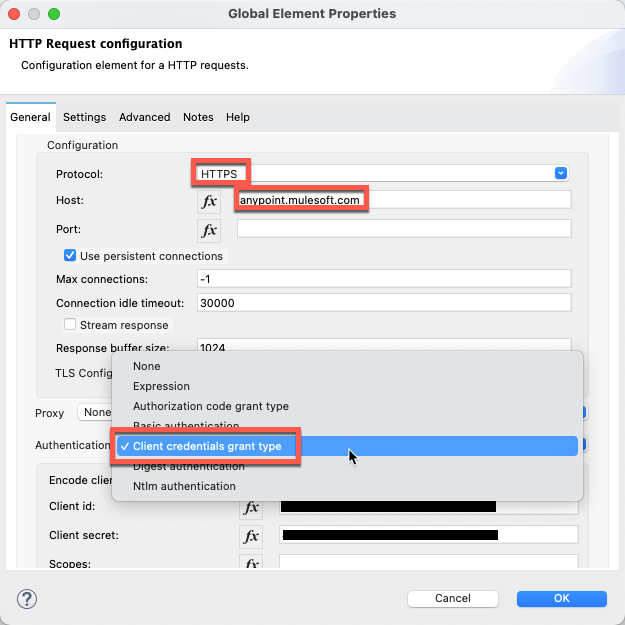
This authorization mechanism includes obtaining a bearer token from the configured Token URL and then using that token to call Anypoint APIs.
The following steps demonstrate this processing using the Anypoint API
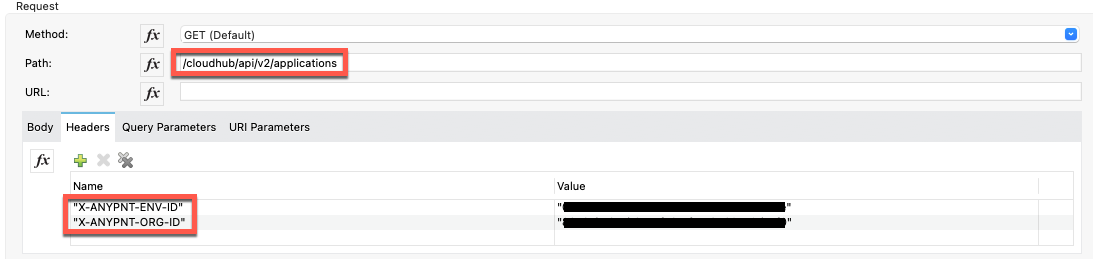
/cloudhub/api/v2/applications
- Create a Connected App that acts on its own behalf (to start, add all Runtime Manager scopes). Review Trying to use Connected App of grant type client_credential to call MuleSoft ‘API Platform API’ and getting "Authorization Error" for detailed instructions for creating the Connected App.
- Copy the Client ID and Client Secret for the Connected App
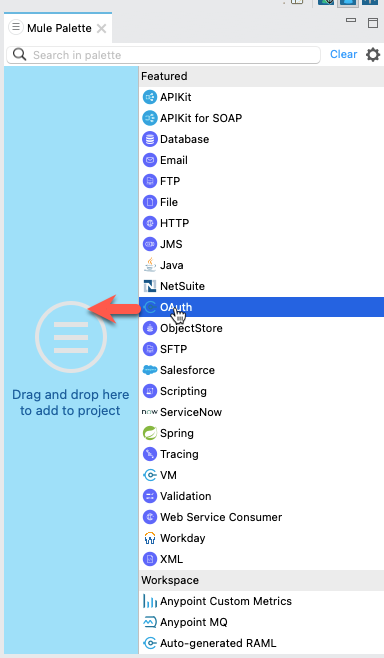
- In Anypoint Studio, create a Mule Project and add the OAuth module from the Mule Palette
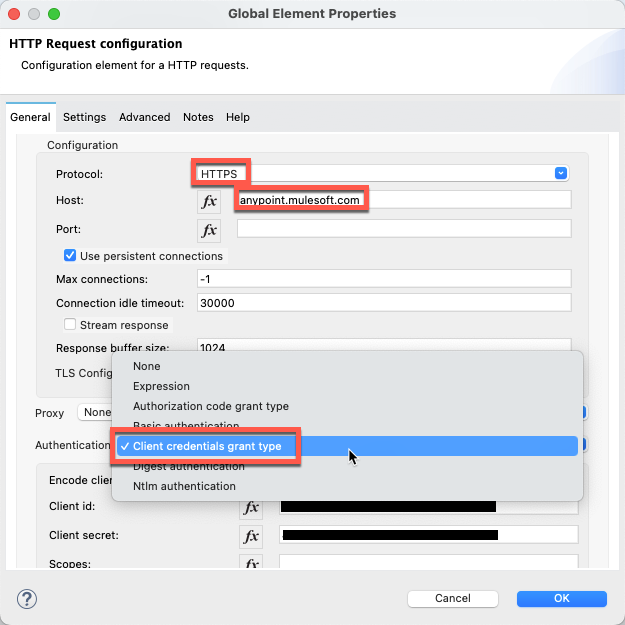
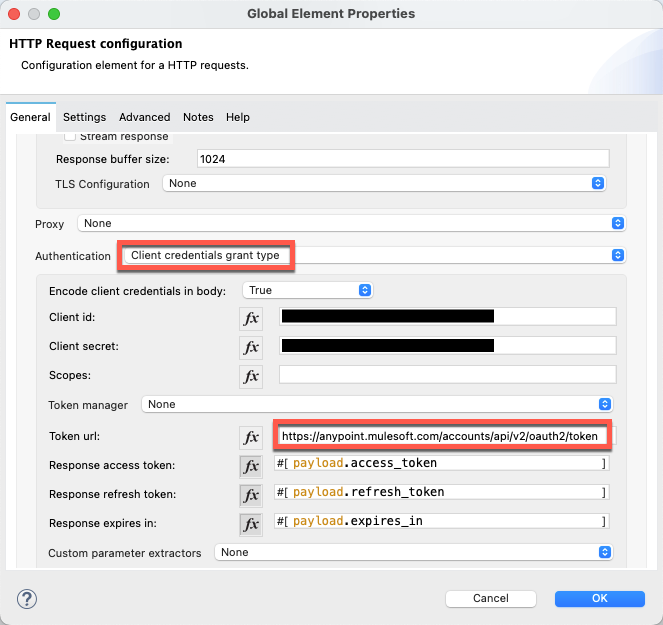
- Create an HTTP Request Configuration element and configure Authorization to be "Client credentials grant type"
- Configure Client ID and Client Secret to be those values for the Connected App
- Configure the Token URL to be https://anypoint.mulesoft.com/accounts/api/v2/oauth/token (NOTE: this is the same URL as called when obtaining a bearer token)
- Add a Request operation and configure as shown (NOTE: the Header keys and values must be quotation marks):
Numero articolo Knowledge
001115489
Questo articolo ha risolto il problema?
Facci sapere, così possiamo migliorare!
