Выбрать организацию
How to enable Maven debug when building a project in Anypoint Studio (mvn -X)
Дата публикации: Sep 2, 2024
Задача
When you run a Maven command from the command line, you can use the "-X" option to run Maven in debug mode to print the debug logs in the console output. For example, you can run tests with the command "mvn test" or you can do it in debug mode with "mvn -X test".
In the case you are working in Anypoint Studio, you run the project through the GUI and therefore you don't have the option to add the "-X" at first sight.
Below you will find the instructions to add the "-X" option to the mvn command.
Действия
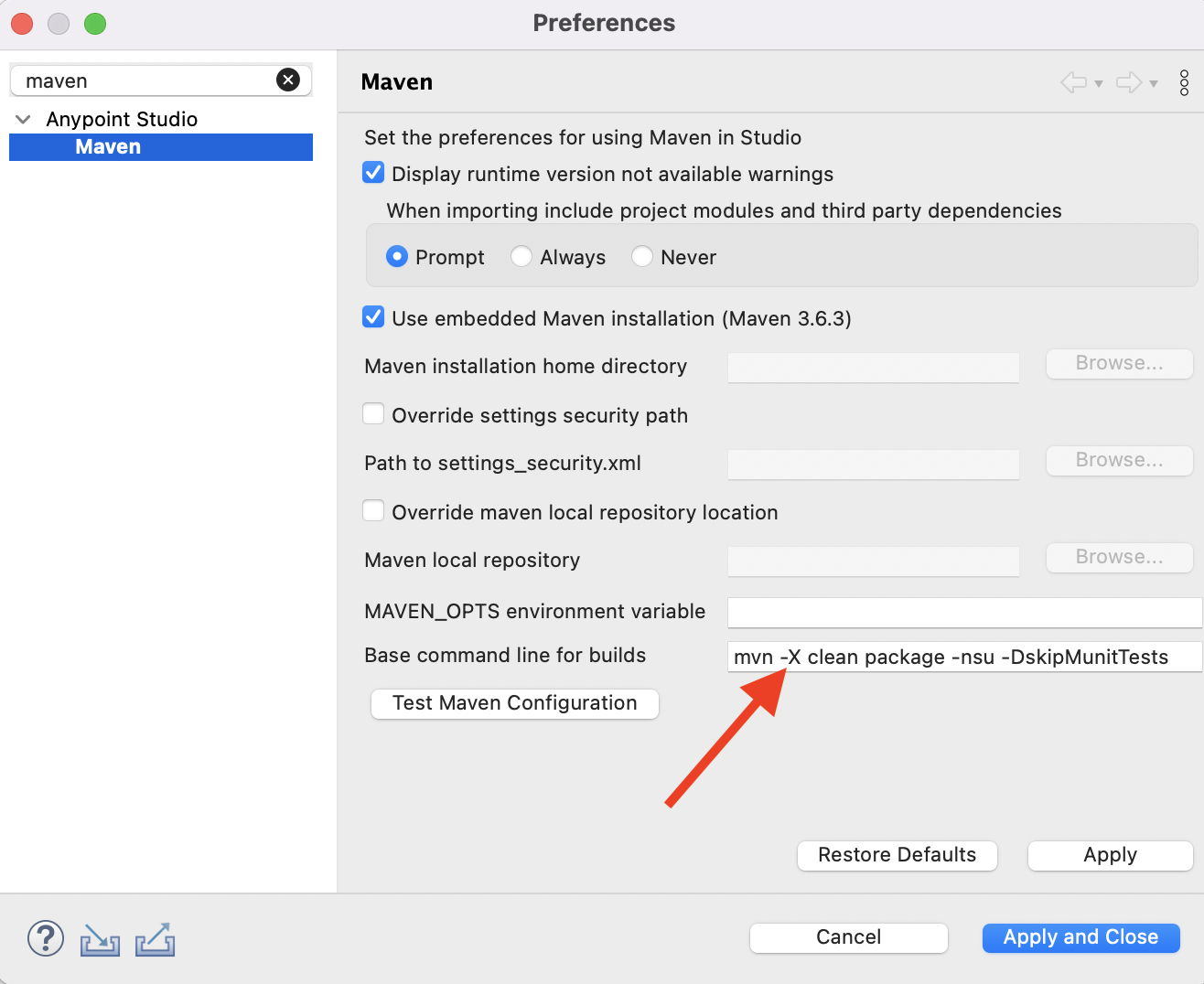
- Go to the Anypoint Studio Preferences.
- In the search box enter "Maven" or navigate to Anypoint Studio > Maven
- In the field "Base command line for builds" add the "-X" next to the mvn command as it is in the screenshot below.
- Click on the "Apply and Close" button to save this change.
- Run your Mule Application.
- Both Mule Application and Maven output are displayed on the Console tab.
- To collect Maven output you can click on the "Display selected console" button in the console tab (see screenshot below).
Additional Note: If you want to save the Maven debug log from the Console output, you need to increase the Console buffer size to get all the logs:

- Go to Anypoint Studio > Preferences.
- In the search box enter "Console" or navigate to Run/Debug > Console
- Increase the value of the "Console buffer size(characters)"
Номер статьи базы знаний
001115585
Эта статья решила вашу проблему?
Оставьте свой отзыв, чтобы мы могли стать лучше!
